XPPen Drawing Tablet with Screen Full-Laminated Graphics Dra…
$259.99Original price was: $259.99.$199.44Current price is: $199.44.
From the brand
1 Year Protection Plan & Lifetime XPPen Service
1 Year Protection Plan is offered for all XPPen products, please get in touch with us to see the terms and conditions for Support, Return and Refunds.
You can get in touch with us via Amazon Message if you have any question about the product.
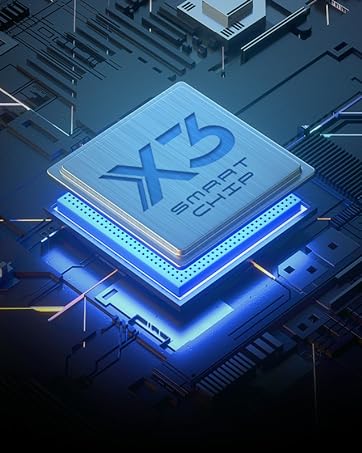
Draw with innovative Chip
Our first smart chip X3, create artistic digitizers that give you a feeling as real and natural as working with a traditional tool.
New Release
Deco Series
Artist Pro Series
Artist Drawing Monitor
XPPen Accessories
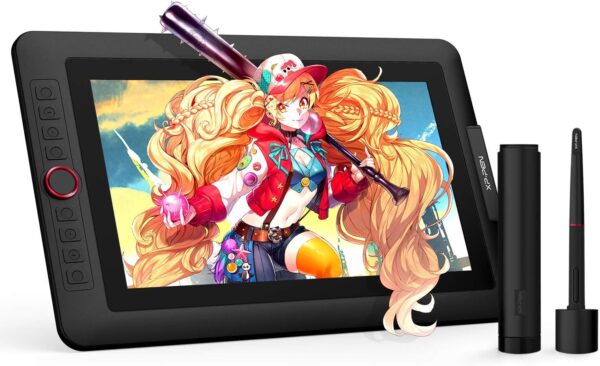
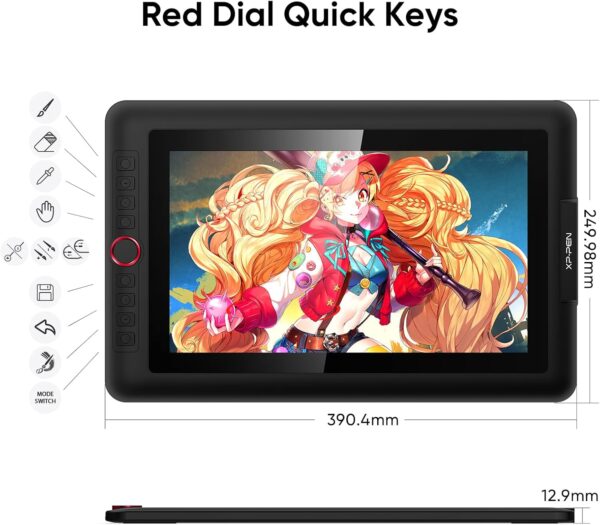
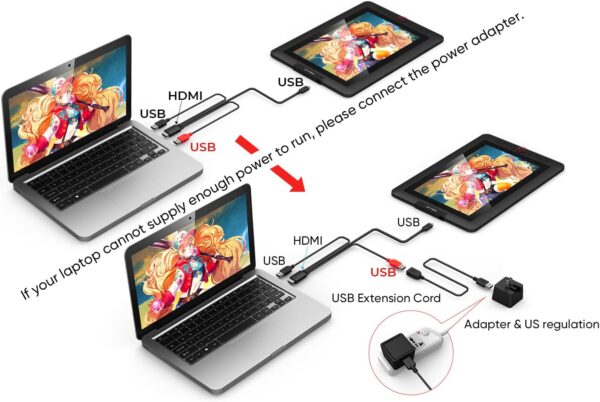
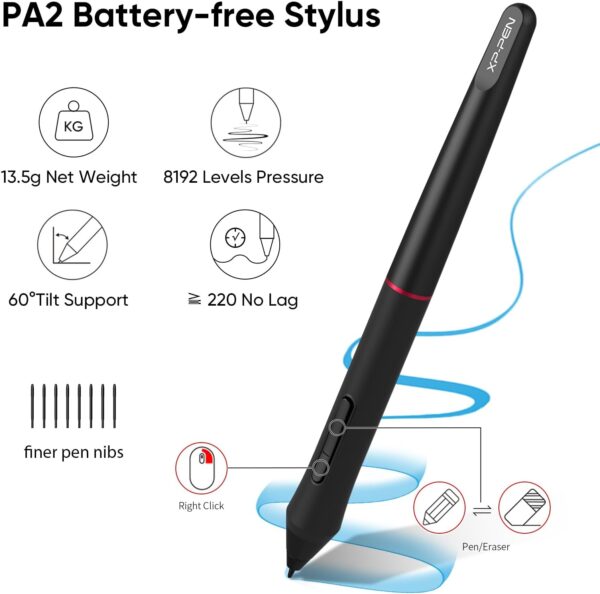
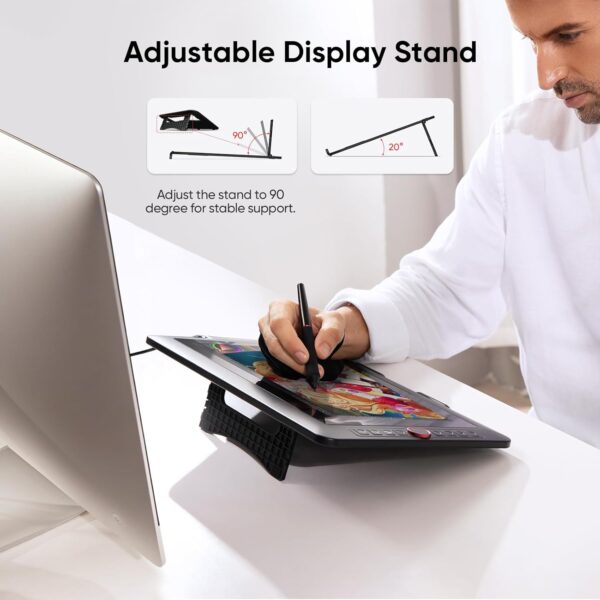
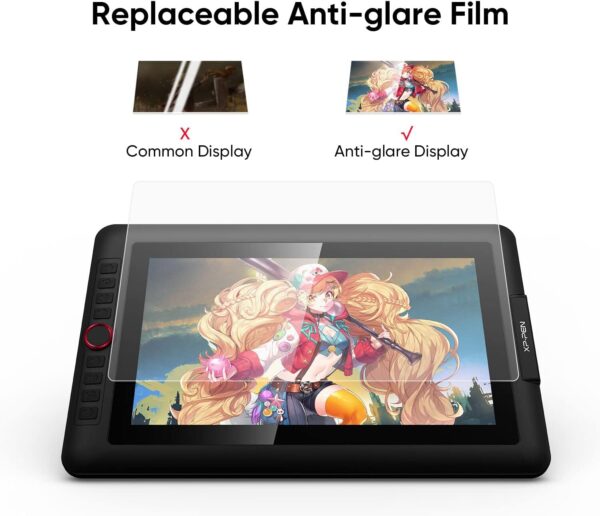
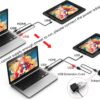
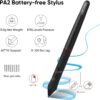
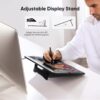
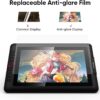
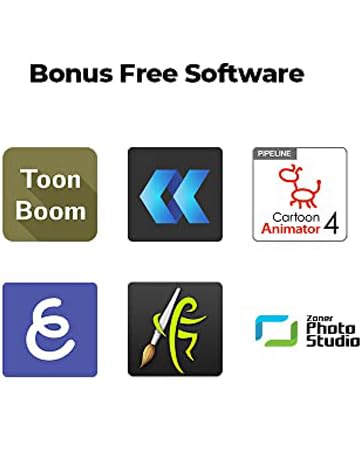
PLEASE NOTE:XPPen Artist13.3 Pro drawing tablet Need to connect with computer,you need to use it with your computer or laptop, the 3 in 1 cable is included Drawing Tablet with Screen: Tilt Function- XPPen Artist 13.3 Pro supports up to 60 degrees of tilt function, so now you don’t need to adjust the brush direction in the software again and again. Simply tilt to add shading to your creation and enjoy smoother and more natural transitions between lines and strokes Graphics Tablets: High Color Gamut- The 13.3 inch fully-laminated FHD Display pairs a superb color accuracy of 88% NTSC (Adobe RGB≧91%,sRGB≧123%) with a 178-degree viewing angle and delivers rich colors, vivid images, and dazzling details in a wider view. Your creative world is now as powerful as it is colorful Drawing Pad: One is enough- The sleek Red Dial on the display is expertly designed with creators in mind, its strategic placement allows for natural drawing postures. With just one wheel, you can effortlessly zoom in and out, adjust brush sizes, and flip the canvas—all tailored to suit the habits of everyday artists. The 8 customizable shortcut keys allow you to personalize your setup, streamlining your workflow and enhancing creative efficiency Drawing Display: Versatility and Compatibility- Supports Windows 10/8/7(32/64bit), Mac OS X 10.10 and higher. Compatible with Photoshop, Illustrator, SAI, CDR, GIMP, Krita, Medibang, Fire Alpaca, Blender 3D and more. Or register your XPPen Artist13.3 Pro drawing tablet on XPPen web to apply for an ArtRage 5, openCanvas and Cartoon Animator 4 Pipeline drawing program Drawing Tablet: Fully-laminated Screen- The Artist 13.3 Pro seamlessly combines the glass and screen, to create a distraction-less working environment, virtually no parallax Drawing Display: Battery-free stylus- Comes with a multifunctional pen case that serves as both a stand and holder, 8 durable replacement nibs, and this stylus ergonomic design for comfort during long sessions. It features two customizable shortcut keys for workflow efficiency and a battery-free design with a 60° tilt and 8192 pressure levels, providing a lag-free drawing experience at 220 RPS. The low Initial Activation Force (IAF) ensures a natural drawing feel
Price: $259.99 - $199.44 (as of Apr 29, 2025 09:39:38 UTC – Details)
Customers say
Customers find the drawing tablet easy to use, with straightforward software and plug-and-play setup, and appreciate its solid build quality, vibrant colors, and smooth drawing experience. The screen size receives mixed feedback – while some find it perfect, others say it’s too big. The functionality also gets mixed reviews, with some saying it works well with Photoshop while others report it stops working after brief use. Customers consider it good value for money.
9 reviews for XPPen Drawing Tablet with Screen Full-Laminated Graphics Dra…
Jessica –
If you’re starting out as a digital artist or come from a Ipad pro…
This tablet the 13.3 Pro is amazing, the texture feels amazing and is alot like paper and the pen is very comfortable and very smooth plus the amount of replacement tips for it you get with the tablet is a huge plus.It was very easy to setup, plug into my pc, plug into the wall and then into the tablet and boom just open your favorite art app and get to drawing.The preasure sensitivity is perfect I always hated how hard it was to keep consistent pressure with my iPad but this tablets consistently better with pressure.I use the Profesional paid version of Krita and it allows me to use the keys built into the tablet for tons of useful shortcuts that make my work flow more enjoyable and smoother by alot I didn’t know how much of a difference they really make but it makes the IPad feel outdated for art not to mention the fact this tablet is a 13.3 inch means the screens way larger and the brightness is actually a bit brighter (you will have to adjust the brightness when you get it out of the box using the keys by the usb port on the right side of the tablet)I’m going to test it with my android phone (S24 ultra) aswell just for fun but this tablets been amazing and I can’t recommend it enough for the price for people with laptops or desktops that want a drawing tablet cheaper then a iPad and better for Profesional art then a iPad Pro, you won’t miss the gimics apple has on the Pro like the brush rotate trust me the general experience of this is way ahead of the curve.So far it’s feels durable and haven’t had a single issue with that the screen feels solid and the tablet has no flex to it, the stand is probably the cheapest feeling part but it’s actually very functional for a free stand and is very stable as for software there’s not much to talk about as it uses a computer since this is a display.The value for the money is amazing if you’re looking for a art tablet to start with or your a professional in need of a cheaper tablet to bring on trips with your laptop this thing is a great choice and has been amazing to draw with!
Ashley –
Works like a dream and sturdy as they get
XP Pen continues to be my top choice. Since I got this earlier, I have had very few to no problems getting it hooked up and running. They are a more affordable, durable counterpart to Wacom. It runs and functions like a dream, with no delays or anything. It acts right when it’s supposed to. It works with any program, and I love it. The pen case and pens are so nice. I also love that, instead of cheaping out by using plastic, the stand is a nice, heavy metal that adjusts to however you like it.I have yet to be disappointed with this brand, and I recommend it heavily if you have the money to dedicate to a screened digitalizer. Especially the size I ended up with.
Kacie Dodge –
AWESOME!
My first and favorite tablet. It’s shortcuts help a ton, it’s colors are bright, there’s no input lag and you have a million different settings to play around with to help you customize how you want it to work. I’m careful with it, its a pretty big tablet.
Edwin –
Few nitpicks/quirks but overall an excellent choice
So I’ve had this product for probably six months now and overall, I do really enjoy it. It’s an amazingly affordable alternative to the wildly expensive cintiqs, and frankly it does everything I need it to do and then some. There’s so many buttons on this thing I actually ran out of things to map them to! The pressure sensitivity is great, the colors are accurate, and I really love working on it.It functions like most tablet monitors on the market, which is to say you do need to calibrate it every time you sit down in order to make sure your cursor actually lines up with the tip of the pen. This is because the glass has some thickness to it, as is very common in conventionally-available tablet monitors these days, so there’s some parallax. My only real problem with this is that the UI of the drawing program I use (Clip Studio) only appears in whichever monitor is designated “monitor 1,” and EX-Pen’s software will only allow the calibration to appear in whichever is designated “monitor 2.” I have searched high and low online and contacted their customer support to no avail as far as seeing if this can be changed. So every time I need to calibrate it, I have to open my settings, change the monitor of my laptop to be “monitor 1,” set the tablet area in the XP-Pen program to be “monitor 2,” do the calibration, then change the tablet to be “monitor 1” again, and THEN set the tablet area in the XP-Pen program to be “monitor 1.” It’s the single most frustrating thing about this device, and it makes what should be a ten-second process take like three minutes. So if you’re a Clip Studio user…be aware of that I guess. It’s obviously not the end of the world, nor does it impede the overall usability of this monitor, it’s just super annoying and I’d really like the manufacturers to fix it in a software update.This is also a little bit of a nitpick, but the display does not get super bright and the anti-glare coating is not very strong. I actually prefer a weaker anti-glare coating myself because those nano-textured things tend to mess with colors, but the fact that the display can’t get brighter to make up for that is a little annoying. I prefer to have natural light in my room so during the day I have my blinds open, but I have to close them if I’m using this monitor at certain angles because it impedes my ability to see what I’m working on. I’ve attached a photo of how strong the reflection from my window is, and the sun isn’t even shining into my room. To give you an idea, in all three pictures where the monitor is on, it’s at max brightness.I will be honest, though, those are very minor problems compared to other tablet-related nightmares I’ve had from other companies. Overall this product is spectacular, gets the job done well, doesn’t require me to be heavy-handed to get good lines down, and most importantly displays my colors very accurately. At the end of this day, I would highly HIGHLY recommend this product over other similar-priced or more expensive tablet monitors, and I hope the feedback I’ve provided will make the next generation of these beasts even better.
Poedit –
Aclaro que no es una tableta para todos los públicos. Aquellos que estén acostumbrados a una Wacom van a notar sus diferencias. No es tan precisa como un producto de Wacom pero si una alternativa barata para todo aquel que quiera introducirse de forma amateur o como hobby. No se le puede pedir más.. viene con soporte instalado, protector de pantalla, dos lápices que no necesitan batería, montón de botones personalizables, guante tipo smudgeguard, adaptador de usb a usb-c… ¡¡si viene hasta un destornillador!! Relación calidad precio óptima. Si comparas con otras marcas te estarías acercando a los tres mil euros.
Kat –
I’ve drawn digitally for 8 years now and this is my first screentablet and I love it so much! It works so well!! ❤️❤️❤️
Pablo Ricardo –
perfeito, só tive algumas dificuldades para montar
Boris –
Ik heb deze gekocht voor grafisch design en ik heb er alleen goede woorden voor.Het scherm is mooi, helder, 2k resolutie en 24 inch groot wat in mijn ogen toch echt een minimale vereiste is wil je fijn kunnen werken op zo een tekentablet.XP-Pen is inmiddels een echte topmerk voor een fractie van de prijs van een Wacom tablet.Ik ben inmiddels een super tevreden XP-PEN tablet gebruiker.
erhan akın –
Ürün elime ulaştı. Kutuda hafif hasar vardı fakat üründe bir sorun gözükmedi. Pc-tablet bağlantısı yaptığım zaman tablet girişinde ki kablo ile hafif oynandığı zaman görüntü gidiyor. Kabloya dokunmayacak şekilde koyduğum zamanda ise ekranda parazitler oluşuyor. Kalibrasyon sıkıntısı mevcut. Bütün sorunları programları ve video yardımı ile çözmeye çalışıyorum, problem gitmez ise ürünü iade edeceğim.













Jessica –
If you’re starting out as a digital artist or come from a Ipad pro…
This tablet the 13.3 Pro is amazing, the texture feels amazing and is alot like paper and the pen is very comfortable and very smooth plus the amount of replacement tips for it you get with the tablet is a huge plus.It was very easy to setup, plug into my pc, plug into the wall and then into the tablet and boom just open your favorite art app and get to drawing.The preasure sensitivity is perfect I always hated how hard it was to keep consistent pressure with my iPad but this tablets consistently better with pressure.I use the Profesional paid version of Krita and it allows me to use the keys built into the tablet for tons of useful shortcuts that make my work flow more enjoyable and smoother by alot I didn’t know how much of a difference they really make but it makes the IPad feel outdated for art not to mention the fact this tablet is a 13.3 inch means the screens way larger and the brightness is actually a bit brighter (you will have to adjust the brightness when you get it out of the box using the keys by the usb port on the right side of the tablet)I’m going to test it with my android phone (S24 ultra) aswell just for fun but this tablets been amazing and I can’t recommend it enough for the price for people with laptops or desktops that want a drawing tablet cheaper then a iPad and better for Profesional art then a iPad Pro, you won’t miss the gimics apple has on the Pro like the brush rotate trust me the general experience of this is way ahead of the curve.So far it’s feels durable and haven’t had a single issue with that the screen feels solid and the tablet has no flex to it, the stand is probably the cheapest feeling part but it’s actually very functional for a free stand and is very stable as for software there’s not much to talk about as it uses a computer since this is a display.The value for the money is amazing if you’re looking for a art tablet to start with or your a professional in need of a cheaper tablet to bring on trips with your laptop this thing is a great choice and has been amazing to draw with!
Ashley –
Works like a dream and sturdy as they get
XP Pen continues to be my top choice. Since I got this earlier, I have had very few to no problems getting it hooked up and running. They are a more affordable, durable counterpart to Wacom. It runs and functions like a dream, with no delays or anything. It acts right when it’s supposed to. It works with any program, and I love it. The pen case and pens are so nice. I also love that, instead of cheaping out by using plastic, the stand is a nice, heavy metal that adjusts to however you like it.I have yet to be disappointed with this brand, and I recommend it heavily if you have the money to dedicate to a screened digitalizer. Especially the size I ended up with.
Kacie Dodge –
AWESOME!
My first and favorite tablet. It’s shortcuts help a ton, it’s colors are bright, there’s no input lag and you have a million different settings to play around with to help you customize how you want it to work. I’m careful with it, its a pretty big tablet.
Edwin –
Few nitpicks/quirks but overall an excellent choice
So I’ve had this product for probably six months now and overall, I do really enjoy it. It’s an amazingly affordable alternative to the wildly expensive cintiqs, and frankly it does everything I need it to do and then some. There’s so many buttons on this thing I actually ran out of things to map them to! The pressure sensitivity is great, the colors are accurate, and I really love working on it.It functions like most tablet monitors on the market, which is to say you do need to calibrate it every time you sit down in order to make sure your cursor actually lines up with the tip of the pen. This is because the glass has some thickness to it, as is very common in conventionally-available tablet monitors these days, so there’s some parallax. My only real problem with this is that the UI of the drawing program I use (Clip Studio) only appears in whichever monitor is designated “monitor 1,” and EX-Pen’s software will only allow the calibration to appear in whichever is designated “monitor 2.” I have searched high and low online and contacted their customer support to no avail as far as seeing if this can be changed. So every time I need to calibrate it, I have to open my settings, change the monitor of my laptop to be “monitor 1,” set the tablet area in the XP-Pen program to be “monitor 2,” do the calibration, then change the tablet to be “monitor 1” again, and THEN set the tablet area in the XP-Pen program to be “monitor 1.” It’s the single most frustrating thing about this device, and it makes what should be a ten-second process take like three minutes. So if you’re a Clip Studio user…be aware of that I guess. It’s obviously not the end of the world, nor does it impede the overall usability of this monitor, it’s just super annoying and I’d really like the manufacturers to fix it in a software update.This is also a little bit of a nitpick, but the display does not get super bright and the anti-glare coating is not very strong. I actually prefer a weaker anti-glare coating myself because those nano-textured things tend to mess with colors, but the fact that the display can’t get brighter to make up for that is a little annoying. I prefer to have natural light in my room so during the day I have my blinds open, but I have to close them if I’m using this monitor at certain angles because it impedes my ability to see what I’m working on. I’ve attached a photo of how strong the reflection from my window is, and the sun isn’t even shining into my room. To give you an idea, in all three pictures where the monitor is on, it’s at max brightness.I will be honest, though, those are very minor problems compared to other tablet-related nightmares I’ve had from other companies. Overall this product is spectacular, gets the job done well, doesn’t require me to be heavy-handed to get good lines down, and most importantly displays my colors very accurately. At the end of this day, I would highly HIGHLY recommend this product over other similar-priced or more expensive tablet monitors, and I hope the feedback I’ve provided will make the next generation of these beasts even better.
Poedit –
Aclaro que no es una tableta para todos los públicos. Aquellos que estén acostumbrados a una Wacom van a notar sus diferencias. No es tan precisa como un producto de Wacom pero si una alternativa barata para todo aquel que quiera introducirse de forma amateur o como hobby. No se le puede pedir más.. viene con soporte instalado, protector de pantalla, dos lápices que no necesitan batería, montón de botones personalizables, guante tipo smudgeguard, adaptador de usb a usb-c… ¡¡si viene hasta un destornillador!! Relación calidad precio óptima. Si comparas con otras marcas te estarías acercando a los tres mil euros.
Kat –
I’ve drawn digitally for 8 years now and this is my first screentablet and I love it so much! It works so well!! ❤️❤️❤️
Pablo Ricardo –
perfeito, só tive algumas dificuldades para montar
Boris –
Ik heb deze gekocht voor grafisch design en ik heb er alleen goede woorden voor.Het scherm is mooi, helder, 2k resolutie en 24 inch groot wat in mijn ogen toch echt een minimale vereiste is wil je fijn kunnen werken op zo een tekentablet.XP-Pen is inmiddels een echte topmerk voor een fractie van de prijs van een Wacom tablet.Ik ben inmiddels een super tevreden XP-PEN tablet gebruiker.
erhan akın –
Ürün elime ulaştı. Kutuda hafif hasar vardı fakat üründe bir sorun gözükmedi. Pc-tablet bağlantısı yaptığım zaman tablet girişinde ki kablo ile hafif oynandığı zaman görüntü gidiyor. Kabloya dokunmayacak şekilde koyduğum zamanda ise ekranda parazitler oluşuyor. Kalibrasyon sıkıntısı mevcut. Bütün sorunları programları ve video yardımı ile çözmeye çalışıyorum, problem gitmez ise ürünü iade edeceğim.