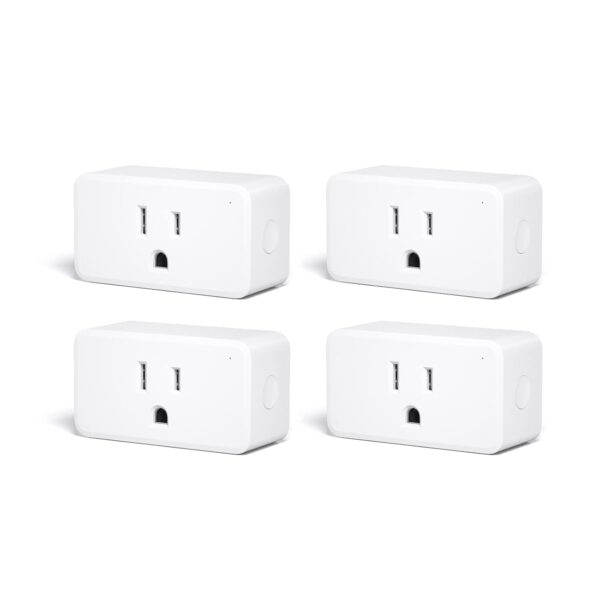
THIRDREALITY ZigBee Smart Plug 4 Pack with Real-time Energy …
$49.99Original price was: $49.99.$38.99Current price is: $38.99.
Product Description
Third Reality Smart Plug is a simple solution to make the intelligence appliances smarter, like lights, fans, coffee makers and more. After the update, Smart Plug Gen2 keeps all former features and upgrade with real-time power monitoring and restore status.
Schedule and Timer Function
Set the schedule or timer to automatically turn on/off any home electronic appliances, to make your life more intelligent.
Group Control
Along with Smart App, you can have a lot of advanced groups features for smart home.
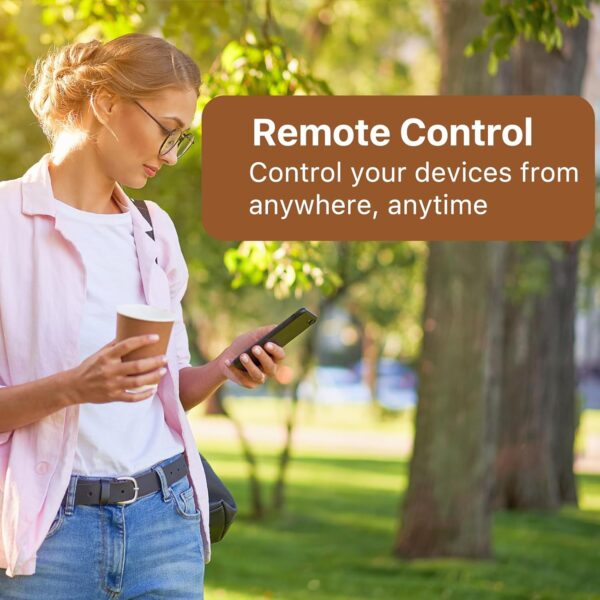
Remote Control
Easily control your home appliances anytime, anywhere, no limited of time and distance.
Voice Control
When connect with compatible Echo Devices or other Zigbee hubs that can work with smart speaker, you can use voice commands to turn on/off your plugs.
Compatible Devices
Energy Monitoring & Dashboard
In SmartThings App, you can see the energy cost, history and dashboard, then create routines.
Energy Monitoring & Dashboard on ZHA and Z2M
Restore status available on ZHA & Z2M, it means user can customize on/off status after power-on.
Remote Control and Real-time Energy Monitoring
In Hubitat, you can remote control the smart plug and see the real-time energy cost.
Real-time Monitoring, Total Consumption, History
Third Reality supports remote control, total consumption,real-time power monitor and restore status.
1 Over view
2 SmartThings
3 Home Assistant
4 Hubitat
5 Third Reality
More Application Scenarios
Zigbee Repeater
Third Reality Smart Plug uses Zigbee Low Energy Mesh wireless technology which allows for a farther reach, enabling whole-home installations. Each one serves as a signal repeater, even if a smart plug is out of reach from the Alexa Echo device, it can still be controlled using the Mesh network.
When the Smart Plug Gen2 paired with Hubitat hub, but can’t see current state and can’t control it in Hubitat?
Please change the device type to “Generic Zigbee Outlet” in Hubitat, then it should work properly.
What platfroms support energy monitoring?
You can see the energy monitoring dashboard in SmartThings and Home Assistant(Z2M/ZHA), create routines when the consumption is too high or too low.
Does it works as a Zigbee repeater?
Yes, it works as a ZigBee repeater, which is a very practical function that extends the signal range with mesh network.
What is the function of restore status? And which platforms are available?
Restore status means users can customize on/off state after power-on again, it is available on ThirdReality App and Home Assistant Zigbee 2 MQTT.
Why does my Smart Plug Gen2 show electricity usage even when nothing is plugged into it?
Even when nothing is plugged in, the Smart Plug itself uses a tiny bit of electricity—less than 1 watt—just for being turned on. We show this small amount on the display to make sure you’re fully aware of any power it uses.
Product Dimensions : 2.7 x 1.3 x 1.13 inches; 9.52 ounces Item model number : 3RSP02028BZ Date First Available : December 13, 2022 Manufacturer : Third Reality, Inc ASIN : B0BPY5D1KC Country of Origin : China
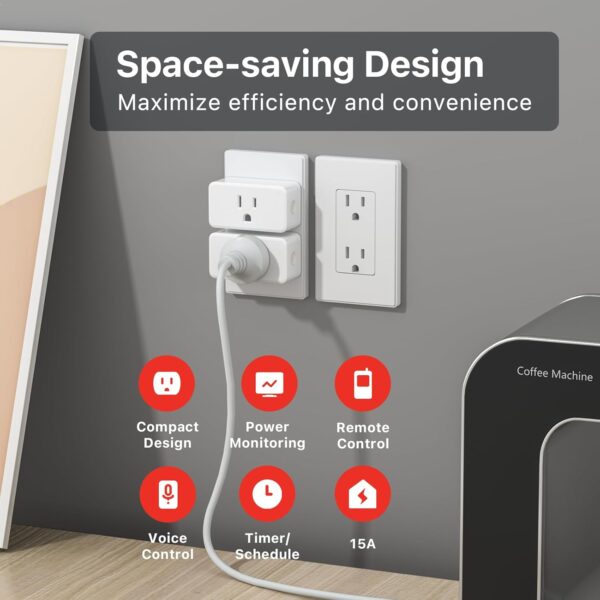
ZIGBEE 3.0 STANDARD: Works with compatible Zigbee hubs or Echo devices with Zigbee hub built-in. Such as Echo (4th Gen), Echo Plus (1st Gen and 2nd Gen), Echo Show 8 Gen3, Echo Show 10 (Gen2 and Gen3).Echo Studio, Eero 6, Eero Pro 6, Home Assistant, SmartThings 2015/2018, Aeotec, Hubitat, Homey Bridge, Homey Pro, Third Reality Hub Gen Plus and Third Reality Smart Bridge. Zigbee Hub Required. EASY SETUP and COMPATIBLE DESIGN: Maximize efficiency and convenience with space-saving design that won’t occupy the adjacent socket. Super easy setup with Compatible Echo Devices, just plug the Smart Plug in the wall outlet and say “Alexa, discover my devices” , then it will automatically find the plug. Please get in touch with us when you meet any problems or need further support. REAL-TIME ENERGY MONITORING: Monitor current consumption of your plug-in devices, effectively save energy and reduce waste. This function supported by Home Assistant, SmartThings, Hubitat and THIRDREALITY smart hub Gen2. SAFETY SETTING: In order to ensure your home safety, we also realize the function of restoring status that means users can customize on/off state after powered on again. Currently THIRDREALITY Hub Gen2 and Home Assistant (ZHA and ZigBee2MQTT) support this function. REMOTE CONTROL & VOICE CONTROL: Easily control your home appliances anytime, anywhere, no limited of time and distance. When Smart Plugs connect with compatible Amazon Alexa Echo Devices or other ZigBee hubs that can work with Alexa or Google Home, then you can free your hands, just delivering voice commands to turn on/off your plugs. HOME AUTOMATION: Intelligent life starts with automatically turning on the coffee maker and toaster, enjoy a leisure breakfast. With more features, you can place a mount of plugs in one group, so that you can control all the plugs in the group with one click.
Price: $49.99 - $38.99 (as of May 07, 2025 23:23:57 UTC – Details)
Customers say
Customers find these smart plugs work well with Home Assistant and integrate seamlessly with systems like SkyConnect and Hubitat Elevation Smart Hub. They appreciate the energy monitoring capabilities, with one customer noting the power metering is accurate enough, and consider them the lowest-cost ZigBee options available. The plugs maintain a rock-solid connection and respond quickly, with one customer noting they’re more responsive than Wi-Fi alternatives. The power level functionality receives mixed feedback, with some customers reporting reliable power control while others experience issues.
8 reviews for THIRDREALITY ZigBee Smart Plug 4 Pack with Real-time Energy …
Customer1701 –
Works as advertised. Convenient, useful and informative.
Manual states that they are good for up to 15 amps, 1500 watts. Looks like it is good for it. I am running 1200+ watts through one right now.I thought I had killed one. I was wrong. We seemed to be having another power problem that cause one unit to flake out. A power outage the other day that turned out to be a bad connection at my house electric company meter proved that the socket itself had not gone bad. It was just ‘scrambled’ / ‘confused’.The manual for these tells how to perform a factor reset. I did. It still would not show up in my zigbee devices. It took a lot of fussing to work out it was stuck in bluetooth pairing mode. Eventually I worked out how to get it out of that mode and become visible again as a zigbee device. Major pain in the butt. But it is back online and works correctly.So, verdict? It does work. It is responsive to zigbee commands. It works fine with household portable heaters. I took my newly recovered socket and put it onto a heater that has a nasty bug: If the power goes off at the heater, when it comes back on it is running at full power, with no high temperature limit. So I put it on the socket, and set the socket to not turn on after a power loss. That takes care of the risk if we are out of the house when a power outage occurs (however brief). I also put it there so I can monitor power use. That is a great feature on these. I can remotely see how much power the heater is drawing, and turn it off if I need to. Even when I am off in the wild world of fast food restaurants, or some such.Worth buying? Yes, if you are me. For the two reasons I noted above. If I go pickup another thermometer unit, I can setup a script that watches room temperature and can turn it on or off as needed automatically. Exactly what these are built for.I still stand behind the comment below about not using them for things like motors (that do not specifically have a ‘soft start’ feature). Those can kill any electronic switch not built for the power draw spike.—— Old review.. take two grains of salt – I retract it.——It looks like I managed to kill one by plugging in a room heater into it.This plug works great with Home Assistance , using Zigbee2MQTT. I could see from the power usage sensor that the heater was drawing up to 1300 watts. It seems to work fine. They have been connected together for a day or two. I even wrote an automation to turn it on in my home office before I start work.Just a few hours ago, I turned it off. But it did not turn off. The manual power button works on it. So I followed the instructions on how to wipe it back to factor default and re-pair to my Zigbee network. Removed the device from Home Assistant (HA) and stepped through pairing again. There she is! Add it back into HA and it shows up as a Zigbee Smart Plug from ThirdReality.But.. during the paring process there is an ‘interview’ stage where HA works out if the device is reporting sensor data and its attributes. This never completes.I bought the four pack and have only used two. So I delete this plug from HA and paired up another one. It paired up quickly and completed the ‘interview’ instantly.So… yeah.. Maybe just a bad one. Maybe I fried it. I have put the newly paired plug back on the heater. We shall see if it holds up over the next week.Outside of that consideration, I haven’t had these very long. Not long enough to give a real review. Just share something you should know.Last little nugget of knowledge: Electronic switches (smart or just a timer) do not do well with major load spikes like running electric motors. That is why they are frequently suggested as not the right solution for things like pond or well pumps. You just burn them out. They do make electronic switches built to survive that workload. I will guess this is not that kind of switch.Be that as it may, so far these are working fine on low power draw workloads (like my desktop PC)
TheAppleFreak –
Both the power monitoring and non power monitoring versions work perfectly within Home Assistant
I have a total of six of these plugs now (4 basic, two with power monitoring) in my home. To be brief, I’m very satisfied with these so far.The four basic plugs act mostly as repeaters to help extend my mesh from my Home Assistant Pi in the front of the house to the boiler room in the back of the house (one floor down in the basement). With one plug in each room, with various amounts of obstructions between them, each maintains healthy LQIs to each other and to the sensors connected to them (above 60 in all cases, reaching 150 when they have an unobstructed LOS in one case). Honestly I could probably remove a plug or two without impacting the network’s stability, but I’d rather have the peace of mind. One slight downside that I noticed was from one plug that had nothing plugged into it; if the plug was on but there was no load, it would make a buzzing noise. Turning it off stopped the noise, so I did that. I’m not sure if this happens with a load plugged in.The two energy monitoring plugs are connected to our washing machine and gas dryer (which both use standard 120v power cables). Each plug measures the following values, as described in Home Assistant while using ZHA:- AC frequency (Hz)- Power/active power (W)- Power factor (%, may show as Unknown or not show up at all)- Current/RMS current (A)- Voltage/RMS voltage (V)- Summation delivered (kWh, which appears to be cumulative over time)The readings appear to be generally sensitive at the lower end of the scale. Both machines are registered as pulling 1-2W when off and about 4W at idle, which allowed me to set up a threshold helper in HA that lets me know when the machine is on or off. I think the update frequency is somewhere on the order of 15-30 seconds, but I’m not entirely sure. For my purposes, it’s more than fast enough.All plugs work perfectly when using ZHA. The pairing process was painless, all plugs support power on configuration, you can set up OTA firmware updates in ZHA with a config change, and it supports channel migration, so if you change your Zigbee network to use another channel they’ll automatically update without needing to re-pair.All in all I’m quite satisfied with all of these plugs, especially at their current prices of 4 basic for $30 and one power monitoring for $12.UPDATE 2024/1/10: I recently had to re-set up my Home Assistant install, and both of the power monitoring plugs I owned before no longer show the nonfunctional Power Factor stat. This might have been disabled at some point in the past on ZHA’s side, as the labels for each stat had been changed. I’ve updated the list above to reflect the new labels.Additionally, I picked up another power monitoring plug recently when they were on sale recently, and this new one has Power Factor both in the list and functioning. EDIT 2024/1/30: After some diagnostics, I’ve determined all three PM plugs are running the same firmware revision (0x10013048, or v72 if you convert the last three numbers from hex to decimal), but the older two don’t show the power factor. This suggests to me there might have been a minor hardware revision to reenable that properly, so if you’re looking to write automations or analytics that use it, be sure to check the plugs beforehand. Beyond that, all power monitoring plugs work identically.
Denis A –
Great ZigBee smart plug
Pairs easily, works reliably, has energy monitoring, includes a physical button for manual control – just what a smart plug should be.I’m using this with Home Assistant paired with a Sonoff dongle and the ZigBee connection is solid. Works as a repeater as well.
Rodrigo –
Súper confiable y compatible con Home Assistant.
Grant Macdonald –
Nothing to say other than these are great and they do everything I need them to do. I use them in Home Assistant and their integration is near perfect. I wish they were a little cheaper considering what they are. The measurements are accurate enough and it’s understandable that the measured values aren’t very accurate when you consider the price and size of the device. So long as you use the measured values as a rough indication they are good. The Zigbee radio is good and they have been reliable so far (several months).
Patrick –
Funciona como esperaba para mis automatizaciones en Home Assistant. Sin embargo, la próxima vez optaría por los que tienen medición de energía.
Amazon Customer –
Works great with Echo 4th generation
Fredd-E –
Paired easily with my Hubitat hub and work as expected. Small size too and ETL certified for Canada.








 Energy Monitoring & Dashboard
  Energy Monitoring & Dashboard on ZHA and Z2M
  Remote Control and Real-time Energy Monitoring
  Real-time Monitoring, Total Consumption, History




Customer1701 –
Works as advertised. Convenient, useful and informative.
Manual states that they are good for up to 15 amps, 1500 watts. Looks like it is good for it. I am running 1200+ watts through one right now.I thought I had killed one. I was wrong. We seemed to be having another power problem that cause one unit to flake out. A power outage the other day that turned out to be a bad connection at my house electric company meter proved that the socket itself had not gone bad. It was just ‘scrambled’ / ‘confused’.The manual for these tells how to perform a factor reset. I did. It still would not show up in my zigbee devices. It took a lot of fussing to work out it was stuck in bluetooth pairing mode. Eventually I worked out how to get it out of that mode and become visible again as a zigbee device. Major pain in the butt. But it is back online and works correctly.So, verdict? It does work. It is responsive to zigbee commands. It works fine with household portable heaters. I took my newly recovered socket and put it onto a heater that has a nasty bug: If the power goes off at the heater, when it comes back on it is running at full power, with no high temperature limit. So I put it on the socket, and set the socket to not turn on after a power loss. That takes care of the risk if we are out of the house when a power outage occurs (however brief). I also put it there so I can monitor power use. That is a great feature on these. I can remotely see how much power the heater is drawing, and turn it off if I need to. Even when I am off in the wild world of fast food restaurants, or some such.Worth buying? Yes, if you are me. For the two reasons I noted above. If I go pickup another thermometer unit, I can setup a script that watches room temperature and can turn it on or off as needed automatically. Exactly what these are built for.I still stand behind the comment below about not using them for things like motors (that do not specifically have a ‘soft start’ feature). Those can kill any electronic switch not built for the power draw spike.—— Old review.. take two grains of salt – I retract it.——It looks like I managed to kill one by plugging in a room heater into it.This plug works great with Home Assistance , using Zigbee2MQTT. I could see from the power usage sensor that the heater was drawing up to 1300 watts. It seems to work fine. They have been connected together for a day or two. I even wrote an automation to turn it on in my home office before I start work.Just a few hours ago, I turned it off. But it did not turn off. The manual power button works on it. So I followed the instructions on how to wipe it back to factor default and re-pair to my Zigbee network. Removed the device from Home Assistant (HA) and stepped through pairing again. There she is! Add it back into HA and it shows up as a Zigbee Smart Plug from ThirdReality.But.. during the paring process there is an ‘interview’ stage where HA works out if the device is reporting sensor data and its attributes. This never completes.I bought the four pack and have only used two. So I delete this plug from HA and paired up another one. It paired up quickly and completed the ‘interview’ instantly.So… yeah.. Maybe just a bad one. Maybe I fried it. I have put the newly paired plug back on the heater. We shall see if it holds up over the next week.Outside of that consideration, I haven’t had these very long. Not long enough to give a real review. Just share something you should know.Last little nugget of knowledge: Electronic switches (smart or just a timer) do not do well with major load spikes like running electric motors. That is why they are frequently suggested as not the right solution for things like pond or well pumps. You just burn them out. They do make electronic switches built to survive that workload. I will guess this is not that kind of switch.Be that as it may, so far these are working fine on low power draw workloads (like my desktop PC)
TheAppleFreak –
Both the power monitoring and non power monitoring versions work perfectly within Home Assistant
I have a total of six of these plugs now (4 basic, two with power monitoring) in my home. To be brief, I’m very satisfied with these so far.The four basic plugs act mostly as repeaters to help extend my mesh from my Home Assistant Pi in the front of the house to the boiler room in the back of the house (one floor down in the basement). With one plug in each room, with various amounts of obstructions between them, each maintains healthy LQIs to each other and to the sensors connected to them (above 60 in all cases, reaching 150 when they have an unobstructed LOS in one case). Honestly I could probably remove a plug or two without impacting the network’s stability, but I’d rather have the peace of mind. One slight downside that I noticed was from one plug that had nothing plugged into it; if the plug was on but there was no load, it would make a buzzing noise. Turning it off stopped the noise, so I did that. I’m not sure if this happens with a load plugged in.The two energy monitoring plugs are connected to our washing machine and gas dryer (which both use standard 120v power cables). Each plug measures the following values, as described in Home Assistant while using ZHA:- AC frequency (Hz)- Power/active power (W)- Power factor (%, may show as Unknown or not show up at all)- Current/RMS current (A)- Voltage/RMS voltage (V)- Summation delivered (kWh, which appears to be cumulative over time)The readings appear to be generally sensitive at the lower end of the scale. Both machines are registered as pulling 1-2W when off and about 4W at idle, which allowed me to set up a threshold helper in HA that lets me know when the machine is on or off. I think the update frequency is somewhere on the order of 15-30 seconds, but I’m not entirely sure. For my purposes, it’s more than fast enough.All plugs work perfectly when using ZHA. The pairing process was painless, all plugs support power on configuration, you can set up OTA firmware updates in ZHA with a config change, and it supports channel migration, so if you change your Zigbee network to use another channel they’ll automatically update without needing to re-pair.All in all I’m quite satisfied with all of these plugs, especially at their current prices of 4 basic for $30 and one power monitoring for $12.UPDATE 2024/1/10: I recently had to re-set up my Home Assistant install, and both of the power monitoring plugs I owned before no longer show the nonfunctional Power Factor stat. This might have been disabled at some point in the past on ZHA’s side, as the labels for each stat had been changed. I’ve updated the list above to reflect the new labels.Additionally, I picked up another power monitoring plug recently when they were on sale recently, and this new one has Power Factor both in the list and functioning. EDIT 2024/1/30: After some diagnostics, I’ve determined all three PM plugs are running the same firmware revision (0x10013048, or v72 if you convert the last three numbers from hex to decimal), but the older two don’t show the power factor. This suggests to me there might have been a minor hardware revision to reenable that properly, so if you’re looking to write automations or analytics that use it, be sure to check the plugs beforehand. Beyond that, all power monitoring plugs work identically.
Denis A –
Great ZigBee smart plug
Pairs easily, works reliably, has energy monitoring, includes a physical button for manual control – just what a smart plug should be.I’m using this with Home Assistant paired with a Sonoff dongle and the ZigBee connection is solid. Works as a repeater as well.
Rodrigo –
Súper confiable y compatible con Home Assistant.
Grant Macdonald –
Nothing to say other than these are great and they do everything I need them to do. I use them in Home Assistant and their integration is near perfect. I wish they were a little cheaper considering what they are. The measurements are accurate enough and it’s understandable that the measured values aren’t very accurate when you consider the price and size of the device. So long as you use the measured values as a rough indication they are good. The Zigbee radio is good and they have been reliable so far (several months).
Patrick –
Funciona como esperaba para mis automatizaciones en Home Assistant. Sin embargo, la próxima vez optaría por los que tienen medición de energía.
Amazon Customer –
Works great with Echo 4th generation
Fredd-E –
Paired easily with my Hubitat hub and work as expected. Small size too and ETL certified for Canada.