SABRENT USB Type C SATA 2.5” & 3.5” Dual Bay Hard Drive Dock…
$49.89Original price was: $49.89.$44.90Current price is: $44.90.
From the brand
Today’s Deals
New Releases
Rocket 4 Plus-Advanced Gaming
Internal SSD
Enclosures
USB HUB
Docking Station
Heatsink/PC Adapter
External Sound Cards
Cell Phone Charging Stations
Cables
SATA Cables
Computer Memory Card Readers
USB-to-VGA Adapters
Sabrent is a leading provider of innovative consumer electronics.
We are committed to designing and developing products that provide the utmost quality, dependability, and value.
Sabrent strives for excellence with each product we develop by providing cutting-edge features at affordable prices.
Our company thrives on creativity, innovation, honesty, and integrity in all aspects of our business operations.
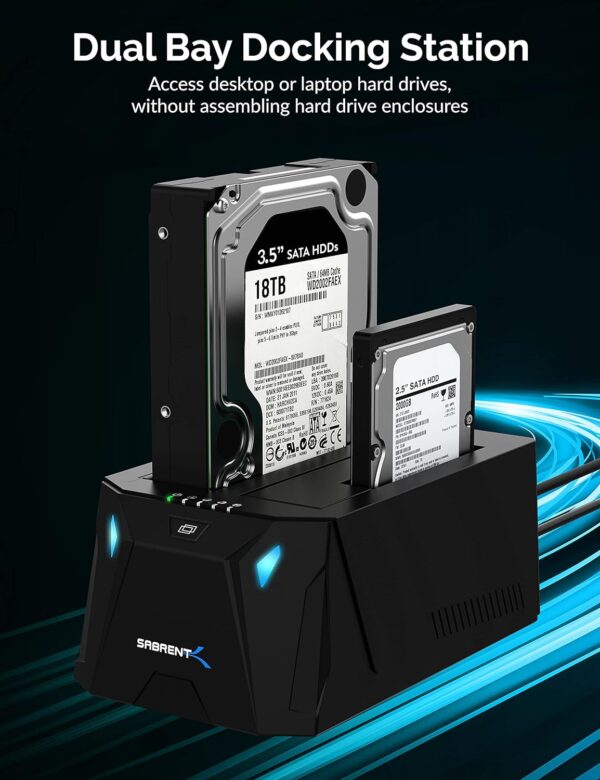
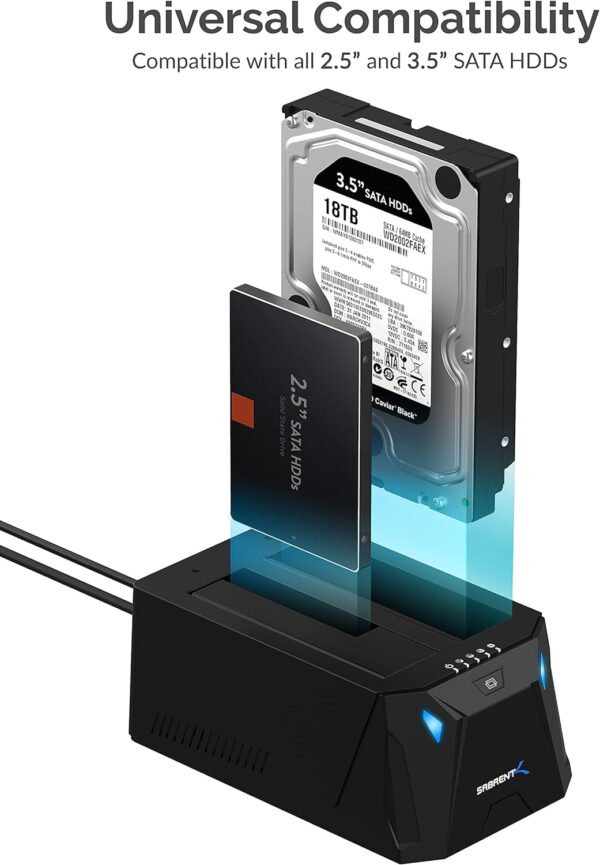
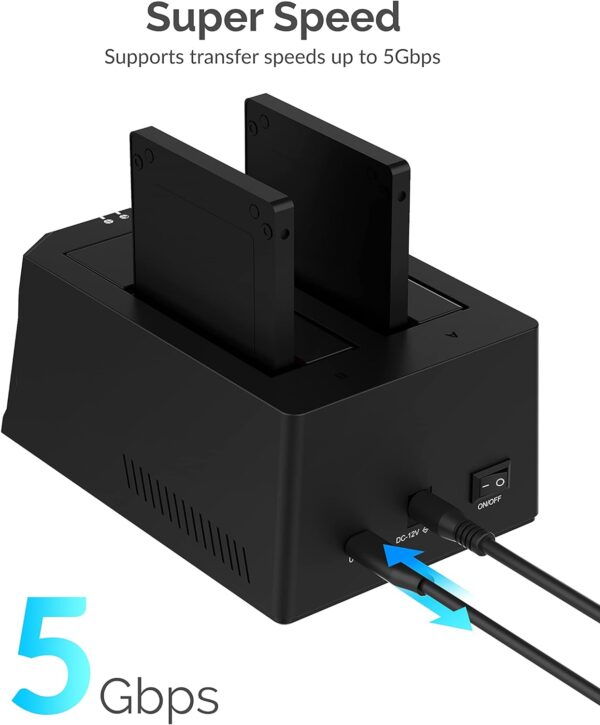
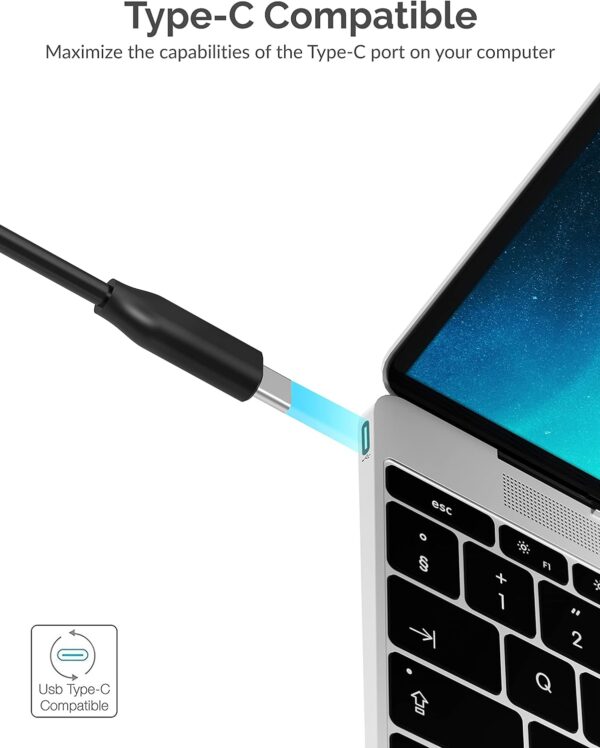
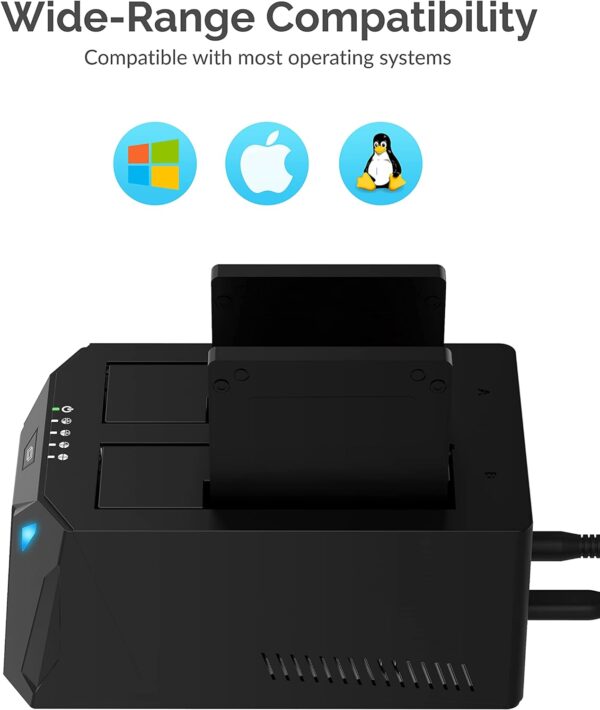
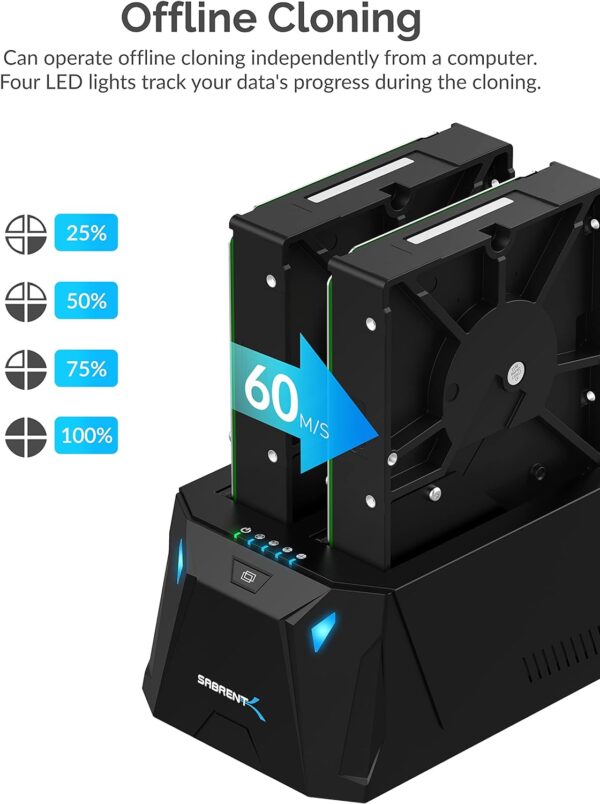
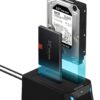
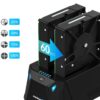
MULTI-TASK: Read and Write two hard drives simultaneously. Supports Offline cloneing up to 60MBps. PLUG & PLAY: Hot swappable. Tool-free installation. HDD access LED indicator. SAVE TIME: Transfer speeds of up to 5Gbps with USB 3.0. COMPATIBILITY: Supports 2.5” & 3.5” SATA HDD. Works with both Windows & Mac OS. SUPPORTS Drives up to 20+TB
Price: $49.89 - $44.90 (as of May 08, 2025 12:03:14 UTC – Details)
Customers say
Customers find the docking station works well, with transfer speeds averaging around 2 Gbps, and appreciate its ease of use and storage capacity for large external data files. The offline cloning mode receives positive feedback, though some report frequent disconnections, particularly with the right bay. While some customers consider it worth the price, others find it an absolute waste of money, and opinions about USB connectivity are mixed.
13 reviews for SABRENT USB Type C SATA 2.5” & 3.5” Dual Bay Hard Drive Dock…
sheltongenie –
Easy to use and works well. I used an adapter USB C to USB A.
So far it’s working excellently. I tested it with an older HDD that I thought was dead. I had tried connecting it by a USB adapter to my PC, and it kept disconnecting. I almost threw it away. I got this for other purposes, but tried it on the old drive. It worked great. Passed S.M.A.R.T. tests. So it has already saved me money. I used an inexpensive USB C to USB A adapter and it worked without any problems. It did run slower with the adapter due to the port I was using. But my plan is to use it with a type C later, and it’s nice that it works with both.
Jda –
Great storage and back up tool works flawlessly with my Steam Deck using a docking station.
I know its not what the manufacture intended but it works great as a Mass storage device to pass games from my PC to my Steam Deck flawlessly, using my docking station. All you need to do is format drives so that my PC and Steam deck can read them. They work great. I have two 10tb drives that I put all my steam games and non steam games to play on my Deck. I used to be limited to a small 512mg micro ssd card. I have several 10tb drives that were just sitting around and now they are of use to me. Of course they are great for PC back up and storage.
Randy Forgaard –
Tested and verified – 20TB drives are supported by the 2-bay, USB-C model (model EC-CH2B)
Tested and verified: 20TB drives are supported by the 2-bay, USB-C model (model EC-CH2B) of this Sabrent SATA hard drive docking station. I have been using it for two weeks with two Seagate Exos X20 20TB SATA hard drives, using the full capacity of the hard drive all the way to the top, and this docking station works flawlessly without a hiccup. I am running it on a Windows 11 laptop. I fully formatted the two 20TB drives using a full (very slow and complete) Windows NTFS format, not a quick format, just to make sure that the docking station can access the full capacity of the drive, and it formats successfully. Then, I completely filled the drive with data, all the way to the end, and read all the data back again, and it all verifies and works perfectly.I am posting this info in this review because the specs for this say that it supports up to 16TB, but doesn’t mention 20TB. That’s just because the manufacturer has only tested it on drives up to 16TB (I’m pretty sure that 20TB drives were not yet available when the manufacturer wrote up the specs). Conceptually, since this docking station has enough hardware addressing lines for 16TB drives, it will also work with 20TB drives (and higher capacities), but now I’ve actually verified this for myself.I really like this little SATA docking station. It’s compact, so I can pack it up with me when I travel. It’s quite inexpensive, which is a nice bonus. It doesn’t need a user manual – like other SATA docking stations, you just plug it into a USB-C port on your computer, and it just works. It gives you two (potentially very large) hard drives connected to your laptop or desktop computer, to use for backups, or to store large external data files. Super easy and reliable.The one feature I wish this docking station had was 10Gbps data transfer speed, per the USB 3.x Gen 2 standard. Alas, this docking station only supports the slower and slightly older 5Gbps speed, which is USB 3.0 Gen 1. Truthfully, this is not a big deal, because the SATA III standard for hard drives only supports 6Gbps anyway, so the 10Gbps is overkill, and the 5Gbps speed of this docking station is almost as fast as the 6Gbps maximum speed of SATA III. But still, faster is better. There is another dual-bay SATA docking station here on Amazon that supports 10Gbps – it is the StarTech Dual-Bay SATA Docking Station (10Gbps). However, I discovered that for some reason that StarTech dual-bay docking station is not compatible with the USB-C shipset in my Clevo laptop. So, I got this Sabrent dual-bay docking station instead, and it works great.
Evrard Freddy Ohou –
Great product!
Works exactly as advertised. I even formatted two hard drives at the same time with no issue or delay.
Jim Marcum –
Works great right out of the box!
This is the second one of these I have purchased from this seller. The first one was a dual bridge docking station and this one was a single drive docking station. I purchased this one because of the great experience I have had for years with the first purchase. They always work flawlessly.
PRR –
Worked for my use.
I purchased this docking station to clone and replace an old hard drive for a solid state drive. This did exactly what I needed. It was simple to use and I did not need to connect to a computer. I just removed the old hard drive from my laptop, set the laptop aside and cloned the drive to the new SSD, then installed the new SSD to the laptop. It took a while to clone but I found this device easy and convenient to use.
B. Cibula –
Will corrupt your drives! We have lost three already!
Beware – I bought three of these, we used these to archive video footage for our company. I have one on my computer in one location, an editor in another location and we each back up the same footage to SATA drives so we each have identical copies of footage. One drive went bad, thought maybe it was just bad luck. But, then another drive went bad on my computer (same drive that was the backup copy). Thought maybe we had a bad batch of drives. But now, a third drive has gone bad. We can see it in disc utility on our mac, but it won’t mount. The only thing that is similar that we have is the same docks – and now looking at other reviews, we can confirm these are bad docks and will corrupt your drives. Don’t use!
Phil Beta –
Works well with a good transfer rate and USB-C
It’s been working well these few days after receiving it. Had a little hiccup which turned out to be an issue on my PC. Already connected from 250GB SSDs to 8TB HDDs and all of the worked well and with a good transfer rate. Also, it comes with a dust protector, which is a plus for me. I’m no fan of plastic finish, but for that price its definitely worth it.
Ratho48 –
Funktioniert einwandfrei, einfache Inbetriebnahme. Macht was es soll.
AndersC –
Enkel att läsa satadiskar 2,5″ samt 3,5″ bara att trycka i samt läser nvme minnen. Köpte på rea (halva priset)och då var priset det rätta.
janekg –
This is a reliable product and works well at reasonably fast transfer rates. Be careful where you buy since your purchase may ‘not’ include the power supply for your country. Sellers only sell product as is …
gungadin –
Very good customer service. Sent a replacement the same day I contacted them. Very good caddy
Krys du 77 –
Le boitier est très léger et très compact. Avec mes vielles stations d’accueil je prenais mon mal en patience mais la lenteur des transferts a fini par me fatiguer.Grace à cette station d’accueil j’ai tiré un trait sur mon matériel obsolète en retrouvant un taux de transfert enfin égal au SATA, je suis passé d’un taux de transfert de 43Mo/s avec mes anciennes stations estampillées USB 3.0, à un taux de 173Mo/s avec un disque dur de 3To ordinaire.C’est surtout le protocole UASP qui fait la différence, protocole que l’on ne trouve pas encore sur toutes les stations d’accueil mais qui se généralise et auquel il faut prêter attention dans les descriptifs.Je précise que la connexion en USB-C de bout en bout est préférable pour obtenir un taux de transfert optimal, avec évidemment au minimum un USB 3.1 Gen1 dans le cas contraire il faut être vigilant sur les adapteurs type C vers A, tous ne se valent pas. Je n’ai pas testé le clonage, je ne m’en sers pas.A noter que la mise en veille des disques sans activité s’effectue au bout de 10 minutes, ça peut paraitre un peu long mais c’est toujours mieux que les stations qui maintiennent les disques en rotation permanente.Au final, un bon matériel aux normes récentes et pour ce qui est de la longévité du produit, l’avenir le dira.












sheltongenie –
Easy to use and works well. I used an adapter USB C to USB A.
So far it’s working excellently. I tested it with an older HDD that I thought was dead. I had tried connecting it by a USB adapter to my PC, and it kept disconnecting. I almost threw it away. I got this for other purposes, but tried it on the old drive. It worked great. Passed S.M.A.R.T. tests. So it has already saved me money. I used an inexpensive USB C to USB A adapter and it worked without any problems. It did run slower with the adapter due to the port I was using. But my plan is to use it with a type C later, and it’s nice that it works with both.
Jda –
Great storage and back up tool works flawlessly with my Steam Deck using a docking station.
I know its not what the manufacture intended but it works great as a Mass storage device to pass games from my PC to my Steam Deck flawlessly, using my docking station. All you need to do is format drives so that my PC and Steam deck can read them. They work great. I have two 10tb drives that I put all my steam games and non steam games to play on my Deck. I used to be limited to a small 512mg micro ssd card. I have several 10tb drives that were just sitting around and now they are of use to me. Of course they are great for PC back up and storage.
Randy Forgaard –
Tested and verified – 20TB drives are supported by the 2-bay, USB-C model (model EC-CH2B)
Tested and verified: 20TB drives are supported by the 2-bay, USB-C model (model EC-CH2B) of this Sabrent SATA hard drive docking station. I have been using it for two weeks with two Seagate Exos X20 20TB SATA hard drives, using the full capacity of the hard drive all the way to the top, and this docking station works flawlessly without a hiccup. I am running it on a Windows 11 laptop. I fully formatted the two 20TB drives using a full (very slow and complete) Windows NTFS format, not a quick format, just to make sure that the docking station can access the full capacity of the drive, and it formats successfully. Then, I completely filled the drive with data, all the way to the end, and read all the data back again, and it all verifies and works perfectly.I am posting this info in this review because the specs for this say that it supports up to 16TB, but doesn’t mention 20TB. That’s just because the manufacturer has only tested it on drives up to 16TB (I’m pretty sure that 20TB drives were not yet available when the manufacturer wrote up the specs). Conceptually, since this docking station has enough hardware addressing lines for 16TB drives, it will also work with 20TB drives (and higher capacities), but now I’ve actually verified this for myself.I really like this little SATA docking station. It’s compact, so I can pack it up with me when I travel. It’s quite inexpensive, which is a nice bonus. It doesn’t need a user manual – like other SATA docking stations, you just plug it into a USB-C port on your computer, and it just works. It gives you two (potentially very large) hard drives connected to your laptop or desktop computer, to use for backups, or to store large external data files. Super easy and reliable.The one feature I wish this docking station had was 10Gbps data transfer speed, per the USB 3.x Gen 2 standard. Alas, this docking station only supports the slower and slightly older 5Gbps speed, which is USB 3.0 Gen 1. Truthfully, this is not a big deal, because the SATA III standard for hard drives only supports 6Gbps anyway, so the 10Gbps is overkill, and the 5Gbps speed of this docking station is almost as fast as the 6Gbps maximum speed of SATA III. But still, faster is better. There is another dual-bay SATA docking station here on Amazon that supports 10Gbps – it is the StarTech Dual-Bay SATA Docking Station (10Gbps). However, I discovered that for some reason that StarTech dual-bay docking station is not compatible with the USB-C shipset in my Clevo laptop. So, I got this Sabrent dual-bay docking station instead, and it works great.
Evrard Freddy Ohou –
Great product!
Works exactly as advertised. I even formatted two hard drives at the same time with no issue or delay.
Jim Marcum –
Works great right out of the box!
This is the second one of these I have purchased from this seller. The first one was a dual bridge docking station and this one was a single drive docking station. I purchased this one because of the great experience I have had for years with the first purchase. They always work flawlessly.
PRR –
Worked for my use.
I purchased this docking station to clone and replace an old hard drive for a solid state drive. This did exactly what I needed. It was simple to use and I did not need to connect to a computer. I just removed the old hard drive from my laptop, set the laptop aside and cloned the drive to the new SSD, then installed the new SSD to the laptop. It took a while to clone but I found this device easy and convenient to use.
B. Cibula –
Will corrupt your drives! We have lost three already!
Beware – I bought three of these, we used these to archive video footage for our company. I have one on my computer in one location, an editor in another location and we each back up the same footage to SATA drives so we each have identical copies of footage. One drive went bad, thought maybe it was just bad luck. But, then another drive went bad on my computer (same drive that was the backup copy). Thought maybe we had a bad batch of drives. But now, a third drive has gone bad. We can see it in disc utility on our mac, but it won’t mount. The only thing that is similar that we have is the same docks – and now looking at other reviews, we can confirm these are bad docks and will corrupt your drives. Don’t use!
Phil Beta –
Works well with a good transfer rate and USB-C
It’s been working well these few days after receiving it. Had a little hiccup which turned out to be an issue on my PC. Already connected from 250GB SSDs to 8TB HDDs and all of the worked well and with a good transfer rate. Also, it comes with a dust protector, which is a plus for me. I’m no fan of plastic finish, but for that price its definitely worth it.
Ratho48 –
Funktioniert einwandfrei, einfache Inbetriebnahme. Macht was es soll.
AndersC –
Enkel att läsa satadiskar 2,5″ samt 3,5″ bara att trycka i samt läser nvme minnen. Köpte på rea (halva priset)och då var priset det rätta.
janekg –
This is a reliable product and works well at reasonably fast transfer rates. Be careful where you buy since your purchase may ‘not’ include the power supply for your country. Sellers only sell product as is …
gungadin –
Very good customer service. Sent a replacement the same day I contacted them. Very good caddy
Krys du 77 –
Le boitier est très léger et très compact. Avec mes vielles stations d’accueil je prenais mon mal en patience mais la lenteur des transferts a fini par me fatiguer.Grace à cette station d’accueil j’ai tiré un trait sur mon matériel obsolète en retrouvant un taux de transfert enfin égal au SATA, je suis passé d’un taux de transfert de 43Mo/s avec mes anciennes stations estampillées USB 3.0, à un taux de 173Mo/s avec un disque dur de 3To ordinaire.C’est surtout le protocole UASP qui fait la différence, protocole que l’on ne trouve pas encore sur toutes les stations d’accueil mais qui se généralise et auquel il faut prêter attention dans les descriptifs.Je précise que la connexion en USB-C de bout en bout est préférable pour obtenir un taux de transfert optimal, avec évidemment au minimum un USB 3.1 Gen1 dans le cas contraire il faut être vigilant sur les adapteurs type C vers A, tous ne se valent pas. Je n’ai pas testé le clonage, je ne m’en sers pas.A noter que la mise en veille des disques sans activité s’effectue au bout de 10 minutes, ça peut paraitre un peu long mais c’est toujours mieux que les stations qui maintiennent les disques en rotation permanente.Au final, un bon matériel aux normes récentes et pour ce qui est de la longévité du produit, l’avenir le dira.