Sabrent USB Type-A SATA 2.5” & 3.5” Dual Bay Docking Station
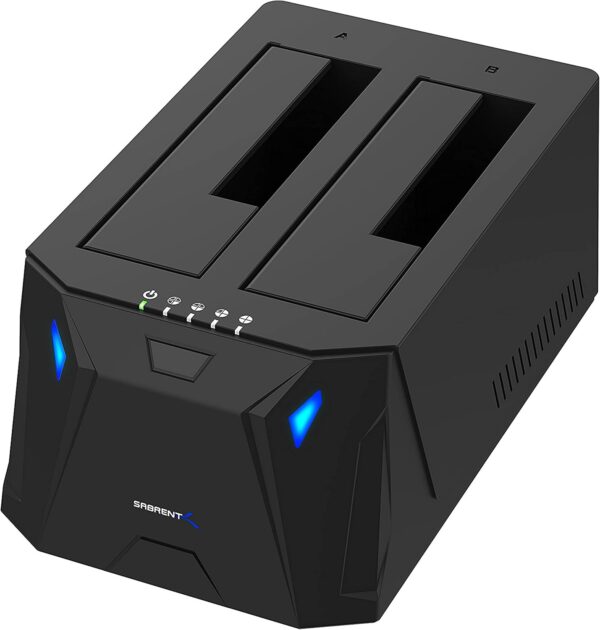
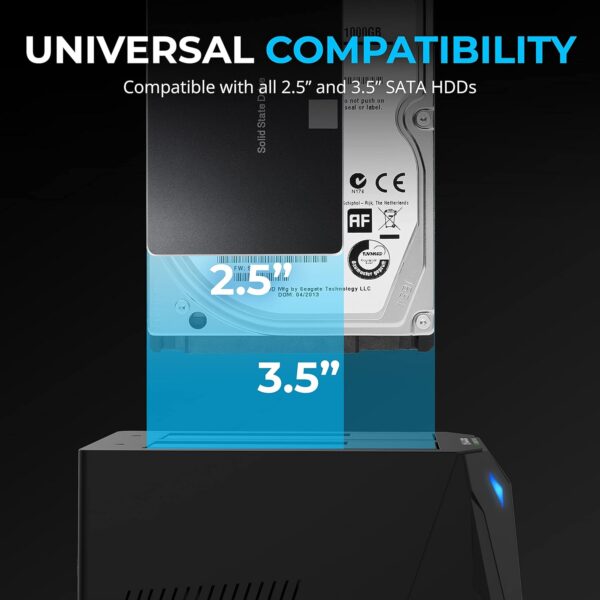
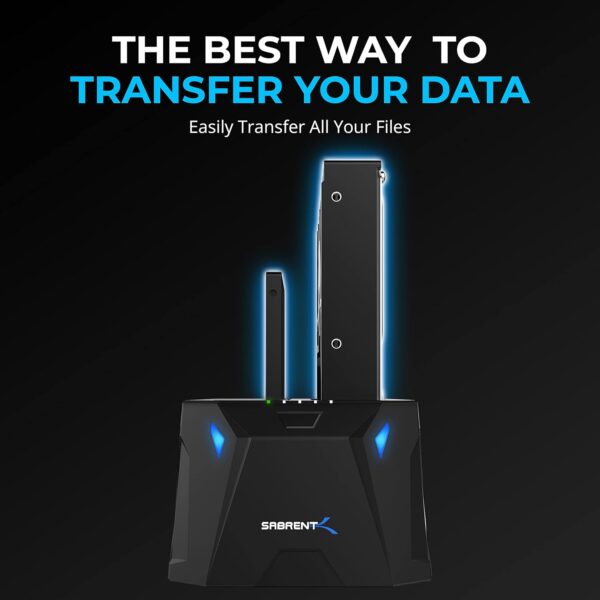
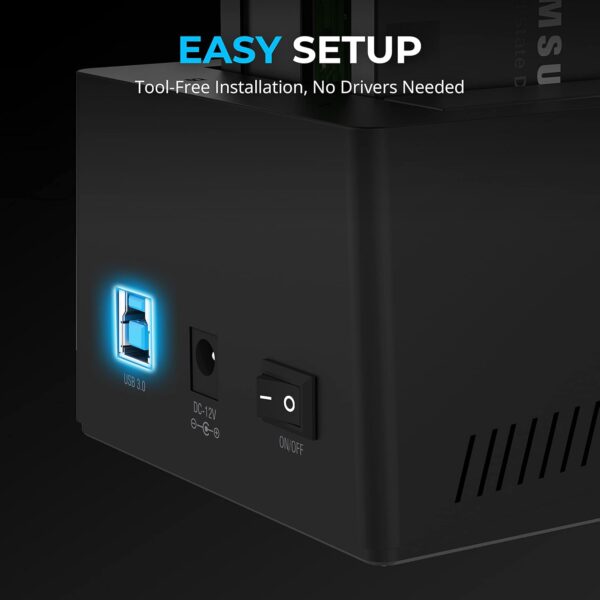
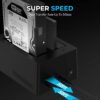
The SABRENT SATA Hard Drive Docking Station enables you to access desktop or laptop hard drives, without the frustration of assembling hard drive enclosures. By inserting a 2.5″/3.5″ SATA hard drive directly into this docking station, you can quickly access drive contents and transfer files. Plus you can swap out hard drives effortlessly with plug and play mounting. Transfer data quickly and easily through USB 3.0 at speeds up to 5Gbps.
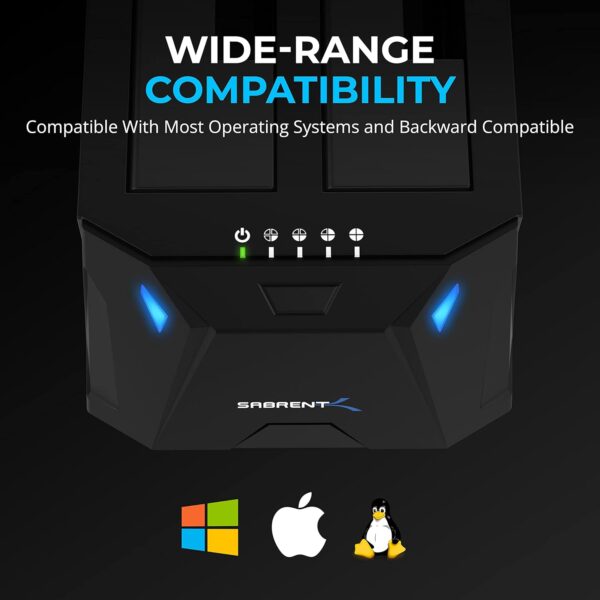
System Requirements: Windows, Mac OS
Features:
Supports Standard Desktop 2.5″/3.5″ SATA Hard Drives or SSD Supports hard drives of 20TB+ Plug and play, no drivers needed Supports Offline Cloning up to 60Mbps Supports Transfer Speeds up to 5Gbps (USB 3.0),480Mbps (USB 2.0), 12Mbps (USB 1.1)
To use Hard Drive Offline Clone Function:
Insert Source Disk into hard drive bay A, then insert Target Disk into hard drive bay B.Make sure that the USB cable is disconnected from your computer.Connect power supply and switch on power.Hold down the CLONE button, release when you see a Blue LED.Then quickly press the CLONE Button.A Blue LED will flash on 25% indicating that the cloning process has begun. The cloning process is complete when ALL the lights turn solid Blue (25%-100%). Finally press the power switch to the OFF position and eject your drives.
Compatibility:
2.5 Inch & 3.5 Inch 2.5 Inch & 3.5 Inch 2.5 Inch & 3.5 Inch 2.5 Inch & 3.5 Inch 2.5 Inch & 3.5 Inch
Bay Number:
1 BAY 1 BAY 1 BAY 2 BAY 2 BAY
Transmission Speed:
Up to 5 Gbps 625 MB/s Up to 5 Gbps Up to 5Gbps Up to 5Gbps
Material:
ABS ALUMINUM ABS ABS ABS
Max HDD Capacity:
20TB 20TB 20TB 20TB 20TB
Offline Clone:
— — — ✔️ ✔️
Plug and play:
✔️ ✔️ ✔️ ✔️ ✔️
Support UASP:
✔️ ✔️ ✔️ ✔️ ✔️
Add to Cart
Customer Reviews
4.3 out of 5 stars 277
4.4 out of 5 stars 2,945
4.4 out of 5 stars 2,945
4.5 out of 5 stars 15,390
4.2 out of 5 stars 2,903
3.4 out of 5 stars 146
Price
— no data
— no data
— no data
$84.99$84.99 $80.99$80.99
— no data
Model #
DS-U301 DS-UTC2 EC-DSK2 DS-U3B4 DS-4SSD DS-5RSS
Compatibility:
2.5 Inch & 3.5 Inch 2.5 Inch & 3.5 Inch 2.5 Inch & 3.5 Inch 2.5 Inch & 3.5 Inch 2.5 Inch 2.5 Inch
Bay Number:
1 Bay 2 Bay 2 Bay 4 Bay 4 Bay 5 Bay
Transmission Speed:
Up to 5Gbps Up to 5Gbps Up to 5Gbps Up to 5Gbps Up to 5Gbps Up to 5Gbps
Max HDD Capacity:
20TB 20TB 20TB 20TB 20TB 16TB
Offline Clone:
— ✔️ ✔️ ✔️ — —
Plug and play:
✔️ ✔️ ✔️ ✔️ ✔️ ✔️
Support UASP:
✔️ ✔️ ✔️ ✔️ ✔️ ✔️
Cooling Fan:
— — — — ✔️ ✔️
RAID Support
— — — — RAID 0,1,10 RAID 0,1,3,5,10
Supports Standard Desktop 2.5″/3.5″ SATA Hard Drives or SSD. Supports hard drives up to 10TB. Plug and play, no drivers needed. Supports Offline Cloning up to 60Mbps. Supports Transfer Speeds up to 5Gbps (USB 3.0),480Mbps (USB 2.0), 12Mbps (USB 1.1)
Price: $59.99 - $39.99 (as of May 07, 2025 21:49:02 UTC – Details)
Customers say
Customers find the docking station works well, with one mentioning it performs perfectly in less than 2 hours, and they appreciate its ease of use with detailed step-by-step instructions and plug-and-play operation on Macs. The device is reliable after months of use, offers great transfer rates, and customers consider it good value for money, with one noting it’s a cheaper alternative to RAID enclosures. The cloning feature and drive recognition receive mixed feedback – while some praise the standalone cloning function and immediate drive recognition, others report issues with the cloning feature not working and drives not being recognized.
13 reviews for SABRENT USB 3.0 to SATA I/II/III Dual Bay External Hard Driv…
LA DaveMan –
Perfect for quick drive duplication….Saves time and does not require PC connection
I needed to clone a standard 3.5 inch hard drive to a 2.5 inch SSD but misplaced my drive dock. I purchased this model because it supported 2 drives in the same dock. I did not realize that it had a built in duplicator feature that worked offline without the need to connect to a computer. I inserted the drives and pressed a single button and the new 1TB drive was duplicated within in hour or so and worked perfect. Easy peasy and saved me tons of time. The dock also works like any standard dock connecting to a pc using USB 3 cable but the offline duplication is worth the price alone.
Armond –
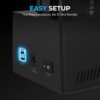
Very easy to set-up and to use.
Works great. Very easy to set-up. Just plug it in and you’re good to go. I haven’t tested the clone feature but access to both drives wasn’t a problem. I like that it has an on/off switch as well. I’ve had externals that doesn’t have an on/off switch. It sleeps when not in use and turns off when the system is turned off coz it gets it’s power from the USB connection. I prefer an on/off switch. Also, the price is very reasonable and I shipping was fast.
Tom S –
A great solution for cloning, formatting and copying hard drives and SSD’s
I needed to clone a hard drive from an older PC to an SSD and had considered various cloning software. Then I found this docking station! It worked perfectly and with plug and play convenience. I installed the cloned SSD and the PC booted up with no issues. Additionally, I had some old hard drives that I needed to format for security purposes….the docking station did this too! It seamlessly adds 1 or 2 additional drives to a PC. It has multiple uses!
Piglet –
Good Value For The Money Fan, Clone & 2 Types of Drives
Update: 10-25-2023 I formatted my one of the drives in my new Sabrent Docking system and the speed more than doubled with the exact same file I used yesterday. Yesterday I was getting max 50MB/s on a 1.6TB File Today I am getting 164MB/s on the same 1.6TB File Transfer both NTSF. So, great improvement. Excellent Indeed.10-24-2023I got this because I have 4 OLD HDD’s THAT I still want to use to back things up to.The reasons I picked this were1. Low Cost2. Has a Fan so no overheating,3. Can fit both HDD 3.5 Inch and SDD 2.5 inch Hard Drives4. It also has a cloning option built in.It was very simple to install. Literally just plug and play. My New PC recognized the Drives Straight Away.They simply act as a large volume flash drive for those wondering. I have a 2 TB, 8 TB, 4 TB and 6 TBMy New computer uses the latest technology and was rather spendy so I didn’t want to purchase any more hard drives just to fit inside the computer. So, for $88 plus tax it was a good deal.I am copying all of my documents, photos and personal videos about 1.6TB over from one of the HDD to another HDD in the Sabrent Dock and I am getting about 50 MB/s. Rather slow but I didn’t format the old drive prior to the copy and I regret that now. I think I would have gotten better speeds had I reformatted prior to the copy.Overall I am very pleased with the Dock and Highly recommend it for anyone so long and you don’t have a dog or say children that may accidentally knock it over. The drives themselves won’t take much of a jostle but the dock although plastic works very well and as intended.CHEERS!
Steve –
Low profile, runs cool and fast – perfect device to recover files and data
Works great right out of the box with everything you need. My old desktop computer turned into a brick on me and I could not recover, so I bought a new desktop. I recovered a 500gig 2.5″ SSD drive, and a 3.5″ 3TB spinning platter drive and used this device to copy all of my old files over. I then formatted them, and used an imaging program to save an image to one drive, and replicate the files on another. About once a month I will update it. Stayed cool, USB 3 is fast and it is low profile. My only regret? Not getting the dual port one so I could clone drives. That is going to be next – but rest assured this is a great product and it just works. As a bonus, you can buy a brand new hard drive and use this to transfer data there.
Ricky –
Slow and Easy…
Using this as a stand alone disk cloner worked great! It was a little slower than using the PC to clone 1 drive to another, but very easy. Source in slot A; Destination in slot B. Press the copy button for about 5 seconds until it blinks. Press the copy button a 2nd time to start the process. Grab a cup of coffee or take your spouse out for fine dining! It will be done in a couple of hours.
Darian –
Useful and great. Might buy 10.
Great Dock and the company is great. It comes with everything needed and a handy manual. I use it to help people to go to a SSD or recovery. I also use it for a server so I have extra space.
timothevs –
Solid and Reliable – A Good Upgrade from My Previous Dock
I’ve been using the Sabrent USB 3.0 to SATA External Hard Drive Docking Station for about two weeks now, and I’m generally pleased with its performance. I replaced my old SSK dock with this one after it failed within a year, and so far, this Sabrent dock has been a more reliable choice.The speeds on this dock are definitely an improvement over my old one. I’ve connected my Synology Disk Station to the dock via USB, and I’ve achieved transfer speeds of up to 120 MBps. Response times are also snappy, making it easy to transfer files and data.While I haven’t had time to thoroughly stress-test this dock, it’s been working smoothly so far. The power delivery seems stable, and my hard drive has been running without issues. I appreciate the compact design and the fact that it’s easy to set up.Overall, I’m glad I made the switch. This Sabrent dock is a solid upgrade from my previous one, and I’m hoping it will last longer. If you’re looking for a reliable USB dock, this one is definitely worth considering.
Ibrahim –
منتج ممتاز لنسخ بيانات الهارديس الى الكمبيوتر
Tom –
Makes backing up systems extremely easy and you can use hard drives like disk drives and hot swap while the computer is on. Speed is good and device is sturdy and well made. Works plug and play on Windows and Linux (haven’t tried mac but sure it’d work) and can be used as a boot drive to quickly recover from a drive crash or corrupted system. Don’t know how I lived without it. Looks like a toaster 😁 paired with a RaspberryPi, you can make an extremely fast, feature rich and reliable NAS/Cloud server/time machine network backup for 1/4 the price of a ready made NAS and 10x the features. Works with 3.5” and 2.5” HDD and SSD. With HDDs, the disks never completely spin down which makes accessing files quicker but does create some noise. Also the drives can get hot, I have a square case fan powered by my RaspberryPi 5v GPIO pins to keep it cool.
Ramón –
Lo compré para un proyecto que tenía y lo dejé empaquetado durante meses. Después de manera inesperada tuve un problema en el disco duro de mi computadora. Quise clonar el disco duro de la computadora con un programa de paga que he usado desde el 2014 pero después de algunas horas el disco duro dejaba de funcionar. No tenia copia de seguridad. Recodé que este dispositivo también hace clonación de discos duros y quise probar esa función de manera desesperada. Abrí el empaque del Sabrent por primera vez y comencé a hacer el clon del disco duro que dejaba de funcionar al nuevo. La función de clonado es muy delicada con los discos duros, no los estresa ni los calienta por lo que rescatar mi información haciendo el clon por fortuna fue un éxito. Por lo mismo tarda casi lo doble para transferir datos porque va a la segura. Si tienes un disco duro dañado yo sí creo que con este dispositivo puedas salvar tu información.
Papá Geek –
Tengo 3 discos, 2 de 6tb y uno de 2 y los lee todos a la perfección. Los tengo 24/7 ya que tengo un servidor Plex en uno de los discos
SMK –
I used other docking station , but this one the best and support HDD and as well SSD with large capacity upto 10 TB.










LA DaveMan –
Perfect for quick drive duplication….Saves time and does not require PC connection
I needed to clone a standard 3.5 inch hard drive to a 2.5 inch SSD but misplaced my drive dock. I purchased this model because it supported 2 drives in the same dock. I did not realize that it had a built in duplicator feature that worked offline without the need to connect to a computer. I inserted the drives and pressed a single button and the new 1TB drive was duplicated within in hour or so and worked perfect. Easy peasy and saved me tons of time. The dock also works like any standard dock connecting to a pc using USB 3 cable but the offline duplication is worth the price alone.
Armond –
Very easy to set-up and to use.
Works great. Very easy to set-up. Just plug it in and you’re good to go. I haven’t tested the clone feature but access to both drives wasn’t a problem. I like that it has an on/off switch as well. I’ve had externals that doesn’t have an on/off switch. It sleeps when not in use and turns off when the system is turned off coz it gets it’s power from the USB connection. I prefer an on/off switch. Also, the price is very reasonable and I shipping was fast.
Tom S –
A great solution for cloning, formatting and copying hard drives and SSD’s
I needed to clone a hard drive from an older PC to an SSD and had considered various cloning software. Then I found this docking station! It worked perfectly and with plug and play convenience. I installed the cloned SSD and the PC booted up with no issues. Additionally, I had some old hard drives that I needed to format for security purposes….the docking station did this too! It seamlessly adds 1 or 2 additional drives to a PC. It has multiple uses!
Piglet –
Good Value For The Money Fan, Clone & 2 Types of Drives
Update: 10-25-2023 I formatted my one of the drives in my new Sabrent Docking system and the speed more than doubled with the exact same file I used yesterday. Yesterday I was getting max 50MB/s on a 1.6TB File Today I am getting 164MB/s on the same 1.6TB File Transfer both NTSF. So, great improvement. Excellent Indeed.10-24-2023I got this because I have 4 OLD HDD’s THAT I still want to use to back things up to.The reasons I picked this were1. Low Cost2. Has a Fan so no overheating,3. Can fit both HDD 3.5 Inch and SDD 2.5 inch Hard Drives4. It also has a cloning option built in.It was very simple to install. Literally just plug and play. My New PC recognized the Drives Straight Away.They simply act as a large volume flash drive for those wondering. I have a 2 TB, 8 TB, 4 TB and 6 TBMy New computer uses the latest technology and was rather spendy so I didn’t want to purchase any more hard drives just to fit inside the computer. So, for $88 plus tax it was a good deal.I am copying all of my documents, photos and personal videos about 1.6TB over from one of the HDD to another HDD in the Sabrent Dock and I am getting about 50 MB/s. Rather slow but I didn’t format the old drive prior to the copy and I regret that now. I think I would have gotten better speeds had I reformatted prior to the copy.Overall I am very pleased with the Dock and Highly recommend it for anyone so long and you don’t have a dog or say children that may accidentally knock it over. The drives themselves won’t take much of a jostle but the dock although plastic works very well and as intended.CHEERS!
Steve –
Low profile, runs cool and fast – perfect device to recover files and data
Works great right out of the box with everything you need. My old desktop computer turned into a brick on me and I could not recover, so I bought a new desktop. I recovered a 500gig 2.5″ SSD drive, and a 3.5″ 3TB spinning platter drive and used this device to copy all of my old files over. I then formatted them, and used an imaging program to save an image to one drive, and replicate the files on another. About once a month I will update it. Stayed cool, USB 3 is fast and it is low profile. My only regret? Not getting the dual port one so I could clone drives. That is going to be next – but rest assured this is a great product and it just works. As a bonus, you can buy a brand new hard drive and use this to transfer data there.
Ricky –
Slow and Easy…
Using this as a stand alone disk cloner worked great! It was a little slower than using the PC to clone 1 drive to another, but very easy. Source in slot A; Destination in slot B. Press the copy button for about 5 seconds until it blinks. Press the copy button a 2nd time to start the process. Grab a cup of coffee or take your spouse out for fine dining! It will be done in a couple of hours.
Darian –
Useful and great. Might buy 10.
Great Dock and the company is great. It comes with everything needed and a handy manual. I use it to help people to go to a SSD or recovery. I also use it for a server so I have extra space.
timothevs –
Solid and Reliable – A Good Upgrade from My Previous Dock
I’ve been using the Sabrent USB 3.0 to SATA External Hard Drive Docking Station for about two weeks now, and I’m generally pleased with its performance. I replaced my old SSK dock with this one after it failed within a year, and so far, this Sabrent dock has been a more reliable choice.The speeds on this dock are definitely an improvement over my old one. I’ve connected my Synology Disk Station to the dock via USB, and I’ve achieved transfer speeds of up to 120 MBps. Response times are also snappy, making it easy to transfer files and data.While I haven’t had time to thoroughly stress-test this dock, it’s been working smoothly so far. The power delivery seems stable, and my hard drive has been running without issues. I appreciate the compact design and the fact that it’s easy to set up.Overall, I’m glad I made the switch. This Sabrent dock is a solid upgrade from my previous one, and I’m hoping it will last longer. If you’re looking for a reliable USB dock, this one is definitely worth considering.
Ibrahim –
منتج ممتاز لنسخ بيانات الهارديس الى الكمبيوتر
Tom –
Makes backing up systems extremely easy and you can use hard drives like disk drives and hot swap while the computer is on. Speed is good and device is sturdy and well made. Works plug and play on Windows and Linux (haven’t tried mac but sure it’d work) and can be used as a boot drive to quickly recover from a drive crash or corrupted system. Don’t know how I lived without it. Looks like a toaster 😁 paired with a RaspberryPi, you can make an extremely fast, feature rich and reliable NAS/Cloud server/time machine network backup for 1/4 the price of a ready made NAS and 10x the features. Works with 3.5” and 2.5” HDD and SSD. With HDDs, the disks never completely spin down which makes accessing files quicker but does create some noise. Also the drives can get hot, I have a square case fan powered by my RaspberryPi 5v GPIO pins to keep it cool.
Ramón –
Lo compré para un proyecto que tenía y lo dejé empaquetado durante meses. Después de manera inesperada tuve un problema en el disco duro de mi computadora. Quise clonar el disco duro de la computadora con un programa de paga que he usado desde el 2014 pero después de algunas horas el disco duro dejaba de funcionar. No tenia copia de seguridad. Recodé que este dispositivo también hace clonación de discos duros y quise probar esa función de manera desesperada. Abrí el empaque del Sabrent por primera vez y comencé a hacer el clon del disco duro que dejaba de funcionar al nuevo. La función de clonado es muy delicada con los discos duros, no los estresa ni los calienta por lo que rescatar mi información haciendo el clon por fortuna fue un éxito. Por lo mismo tarda casi lo doble para transferir datos porque va a la segura. Si tienes un disco duro dañado yo sí creo que con este dispositivo puedas salvar tu información.
Papá Geek –
Tengo 3 discos, 2 de 6tb y uno de 2 y los lee todos a la perfección. Los tengo 24/7 ya que tengo un servidor Plex en uno de los discos
SMK –
I used other docking station , but this one the best and support HDD and as well SSD with large capacity upto 10 TB.