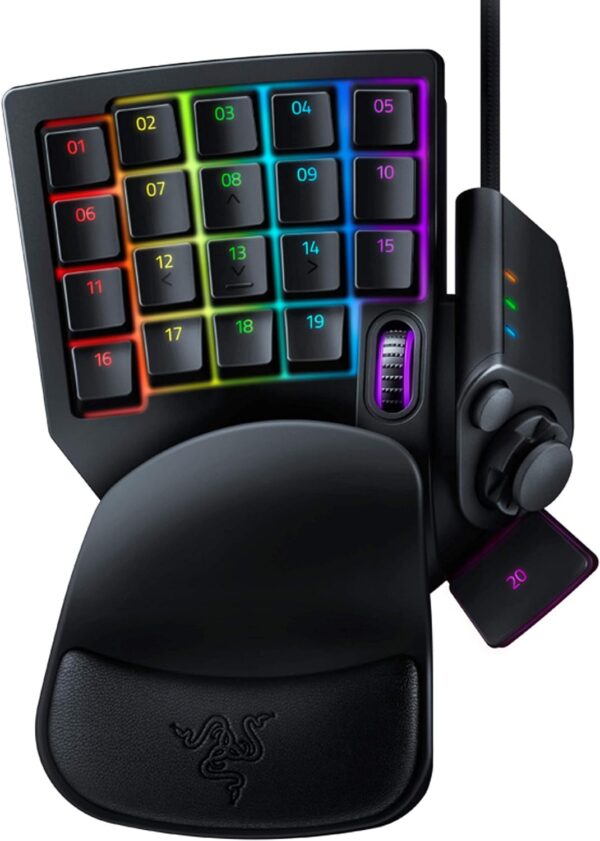
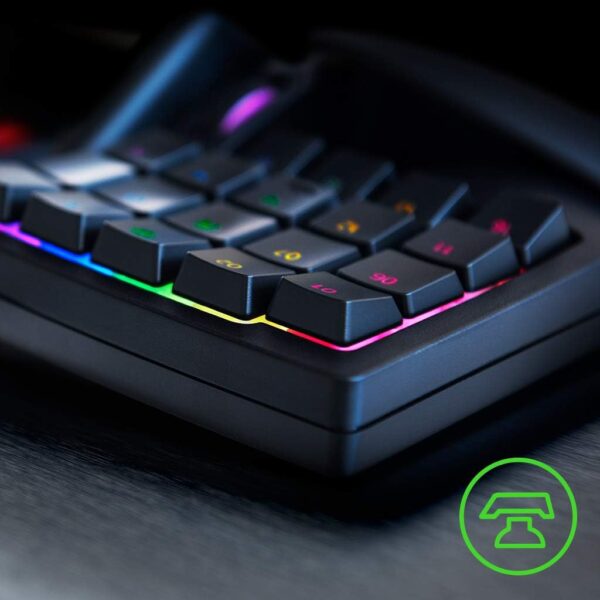
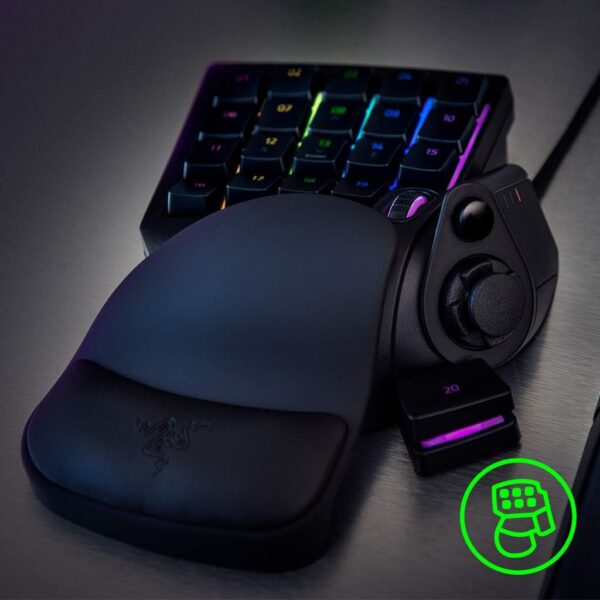
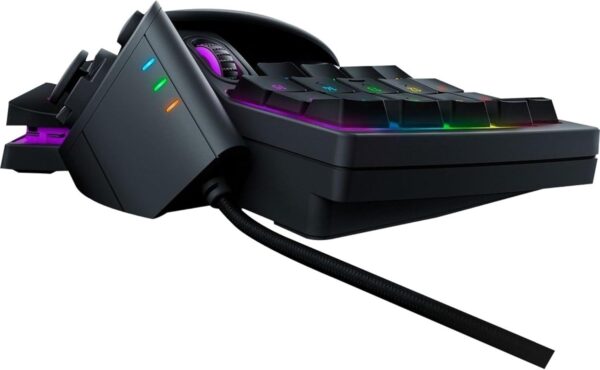
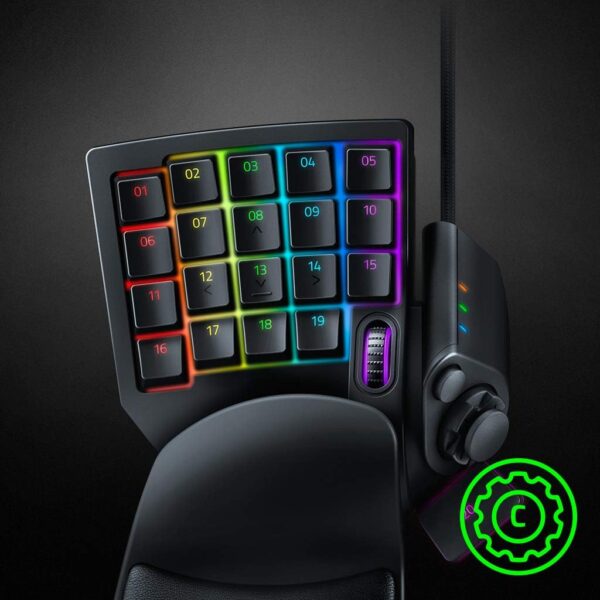
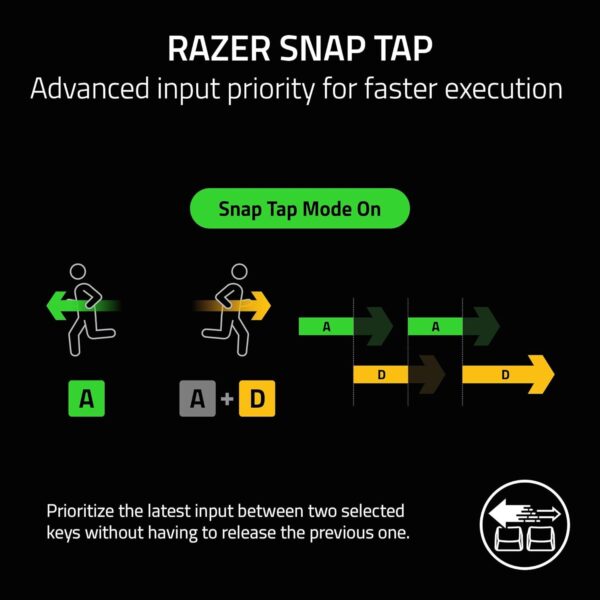
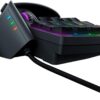
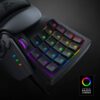
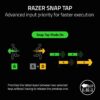
The Razer Tartarus V2 provides endless commands at your fingertips with 32 fully programmable Mecha-Membrane keys, including an 8-way directional d-pad and 3-way scroll wheel. The keypad also features individually programmable backlit keys with 16.8 million color options, all easily set through Razer Synapse. And with its improved ergonomic form factor and adjustable palm rest with two positions, you get the exact angle of comfort you need. Razer Synapse 3 (PC)/ Razer Synapse 2 (Mac) enabled. HIGH-PERFORMANCE MECHA-MEMBRANE SWITCHES — Provides the tactile feedback of mechanical key press on a comfortable, soft-cushioned, membrane, rubber dome switch suitable for gaming 32 MECHA-MEMBRANE KEYS FOR MORE HOTKEYS AND ACTIONS — Perfect for gaming or integrating into creative workflows with fully programmable keys THUMBPAD FOR IMPROVED MOVEMENT CONTROLS — The 8-way directional thumbpad allows for more natural controls for console-oriented players and a more ergonomic experience FULLY PROGRAMMABLE MACROS — Razer Hypershift allows for all keys and keypress combinations to be remapped to execute complex commands ULTIMATE PERSONALIZATION & GAMING IMMERSION WITH RAZER CHROMA — Fully syncs with popular games, Razer hardware, Philips Hue, and gear from 30+ partners; supports 16.8 million colors on individually backlit keys RAZER SNAP TAP — Enjoy truly responsive in-game movement via Razer Synapse 4 by prioritizing the latest input between a pair of assigned keys; Snap Tap is OFF by default and can be toggled ON/OFF in Razer Synapse #1 SELLING PC GAMING PERIPHERALS BRAND IN THE U.S. — Source — Circana, Retail Tracking Service, U.S., Dollar Sales, Gaming Designed Mice, Keyboards, and PC Headsets, Jan. 2019- Dec. 2023 combined
Price: $79.99 (as of Apr 10, 2025 16:05:23 UTC – Details)
Customers say
Customers find the keyboard comfortable and ergonomic, with solid build quality and responsive keys. However, the functionality and ease of use receive mixed feedback – while some say it works well for gaming, others report it refuses to function correctly, and while some find it incredibly intuitive to use, others find it awkward to use at first.
I like this thing. A lot.
I am loving this thing. I have always been a controller guy until I bought Doom Eternal, and it was obvious from the very first level that this game was made with mouse and keyboard in mind and I decided it was time to make the switch and I’m really glad I did. I stopped playing the game and waited for this to arrive, along with the Corsair Harpoon gaming mouse. It took A LONG time to start feeling comfortable with the new set up but once it started to click it made all the difference in the game. The learning curve for me was huge, maybe the biggest one I’ve had to go through in decades for gaming, but it was worth it. This keypad is great.I bought this used from a seller here, something I don’t normally do but the price was more than half off the new price and I knew it was a gamble that I might not take to it and go back to controller, which would have made this a waste of money. I feel like I got lucky, the used product of this looks brand new and is in great shape, and since it worked out and I ended up loving the keypad it was money well spent.I specifically went with the Tartarus because I really liked the idea of having the thumb stick, and I feel like that was a good move. In Doom Eternal, now I can control the Slayer in a way I’m already familiar with while freeing up the rest of the keyboard and my fingers to the different melee attacks and switching equipment. That way I don’t have to move my fingers all over the keyboard as I normally would have had to, fumbling around hoping I hit the right keys. The learning curve was huge for sure and for awhile, I probably put in enough time in the first three levels over and over again trying to get accustomed to the new control style as it would take someone else to actually beat the entire campaign, but once it all clicked, I can’t imagine playing a game like this any other way and I already knew from the first level that a controller was a huge disadvantage. In regards to the quality of the actual device- it’s solid. The keys all have a great feel and click to them, and the thumb stick has the exact same feel. It feels like pushing a key on the board with the mechanical click and all in every direction, it’s great feedback to know you’re pushing it in the right direction and for learning how to use it. It’s also very comfortable to use, and the wrist rest beneath the keyboard reduces any normal strain I would feel by hovering my hand over a typical keyboard. And lastly if you care, the rgb lighting on this is good and bright and every color in the rainbow is represented just fine. I don’t care that much about this, but I know some freaks do so there you go.To summarize, this purchase was worth every penny. The keyboard is solid, it feels solid, it is quality. The thumb stick works great and I really struggle to find anything to complain about here. I can see this falling short on games with tons of keybinds, and Doom Eternal is really pushing it in that regard, but it still worked out great with just enough keys to accommodate all the things you need to do. Purchasing this along with a gaming mouse has changed the way I play a game like this and for the better. Highly recommended, especially if you can get one at the used price I did if it shows up at your door in the condition mine did.On a quick side note I do want to point out that Windows 10 by default had this keypad configured to shut down randomly to preserve power in the device settings. You’re going to want to figure out how to go into the USB options and make sure to uncheck the box letting Windows do that because if you don’t this will disconnect randomly out of nowhere for like fifteen seconds here and there, and obviously that is not ideal unless you like losing due to some technical crap.
Demitrius Moore –
My wrist is saying thank you
Bought this item a couple days ago and I’m already in love with it. I’ve been a PC gamer for several years so I’m pretty used to mouse and keyboard, but this steps your gaming capabilities up to another level while also giving your wrist some peace of mind. I’m still breaking it in a getting use to it, customizing the button layouts for different games and tuning in the controls but just off first impressions it’s already badass and I would definitely recommend this to vet and new PC gamers.As explained in the video my only current gripe is that I don’t have a ‘CTRL’ button preprogrammed into the settings because that’s what I use to crouch in most games. Now there is a ‘C’ button preprogrammed but its directly under the ‘S’ key and that doesn’t feel good for me. So I will have to find a workaround for different games to try and see what key will work best for crouching and swap that for some other game function that isn’t as vital.All in all it feels good to use, and is completely customizable to suit whatever gaming needs you have. With the option for multiple different profiles that you can swap to based on the game you’re playing and also if your games have the ability to swap around certain keys you can get into some serious levels of customization. The Razer Synapse app also gives you the ability to come up with macros and global keys that override other functions so you can definitely have a unique experience that you can’t obtain from your traditional keyboard.
Little Commandlet –
It’s What The Game’s Been Missing
The Razer Tartarus Pro is a game-changer for anyone looking to elevate their gaming or productivity experience.Its compact design and customizable keypad make it incredibly intuitive to use, whether you are:- Navigating complex game controls- Streamlining workflowsThe standout feature is the analog optical switches, which offer:- A satisfying tactile response- Adjustable actuation pointsThis is perfect for tailoring your inputs to match your playstyle or task.The ergonomic design ensures comfort during long sessions. Additionally, the programmable keys, along with Razer’s Synapse software, provide:- Endless customization optionsThe inclusion of a scroll wheel and an 8-way directional thumbpad adds even more versatility, making it feel like an extension of your hand rather than just a peripheral.While it may take a little time to get used to the layout if you’re transitioning from a traditional keyboard, the learning curve is well worth it.The build quality is solid, and the RGB lighting adds a touch of flair without being overbearing.Overall, the Razer Tartarus Pro is a premium device that delivers on both performance and functionality, making it a must-have for:- Gamers- Professionals
Lee –
This is the second time I’ve purchased this keypad, and not because it’s bad, but because it’s one of the best controllers for working with art and drawing apps that I needed one for another drawing setup. The value at the price offered is unmatched, offering an artist like me access to all of the necessary shortcuts, including a scroll wheel and d-pad that can be programmed to perform things like canvas navigation, rotation, or adjust brush sizes.The ergonomics are tried and true, letting me work all day without breaking flow. The only downside I can think of is that if you’re a left-handed artist, this keypad won’t be friendly for you, as it’s clearly only designed for a left hand to operate.The sound is nice if you’re looking for audible feedback and tactility. However for my case, I removed the click leaves from each key for a more silent operation.Overall, a great keypad that’s fully customizable and programmable. Although designed for gaming, I found it far more useful for doing work and art. The price of this compared to other artist-oriented alternatives makes this a solid choice.
Danipenny –
(geschrieben von meinem Mann nach 6 Monaten Gebrauch bei Schadensfall )Das kompakte Design ist gut für längeres Spielen.Die unterste Tastenreihe ist nicht gut erreichbar. Die Tasten haben nach meinem Empfinden einen langen Weg bis zum Druckpunkt. Beim Tastendruck entsteht ein deutlich hörbares Geräusch, ich finde es laut.Die Beleuchtung ist mMn. Unsinn und störend. Aber das ist natürlich Geschmackssache. Weil es hin und wieder bei Berührung aufleuchtet, wenn ich es nicht spiele, habe ich es oft abgezogen.Die Software zum Konfigurieren finde ich sehr gewöhnungsbedürftig. Manche Begriffllichkeiten erschließen sich mir nicht.Treiber und Software laufen zuverlässig und machen keinerlei Probleme im Betrieb (Windows 10). Das Handbuch zum Pad (PDF) ist leider für mich an vielen Stellen zu oberflächlich.Die angepriesenen “Mecha-Membranentasten” scheinen aber normalem Spielbetrieb nicht stand zu halten. Ein Bekannter der sein Pad fast zeitgleich kaufte, hatte es bereits wegen einer toten Taste in Garantie. Bei mir ist jetzt nach 6 Monaten ebenfalls eine Taste am Daumenjoystick funktionslos (tot). Von anderen Kunden habe ich die gleiche Problematik auch schon gelesen, sogar hier in einer Rezi. Ich rechne damit, dass auf mein Pad ganz knapp aus der Garantie raus ist, wie bei einem Kunden hier. In dem Fall werde ich kein Pad mehr von Razer kaufen, obwohl ich mich gut an das Gerät und die Software gewöhnt habe.Bewertung mit nur einem Stern, weil: Ich meine, bei einem schon recht beachtlichen Preis für nur 20 Tasten und einen Daumenstick – im Vergleich zu einer vollständigen gaming-Tastatur – ist die gebotene Qualität zu schlecht, für meine Ansprüche. 6 Monate Lebensdauer für ein Gaming-Produkt ist zu wenig. Mein vorheriges Gamepad eines anderen Herstellers hatte immerhin um 4 Jahre gehalten und war im Preis günstiger. Nur weil es nicht mehr hergestellt wird und Razer überall positiv dargestellt wurde, habe ich mich zum Kauf entschieden. Die Entscheidung war für mich nicht positiv.
Marcelo Zanini Ferreira de Carvalho –
Melhor gamepad que já utilizei, melhor função é poder colocar WASD na primeira ativação e Shift + WASD na segunda ativação das mesmas teclas ou 2 hotkeys para serem usadas juntas na mesma tecla. Leva um tempinho para acostumas mas vale 100% a pena. Única crítica é que o knob de polegar poderia ser um analógico real, e a rodinha de mouse deveria poder ser configurada para rolagem horizontal.
sami faqeeh –
يمكن تخصيص جميع الازرار وحركة analog مخصصة عن طريق اسهم الكيبورد جدا رائعة
Roanne Swainston –
it’s very comfortable to use, but I can’t use the wrist rest that comes with the keyboard because otherwise I wouldn’t be able to reach all of the keys I need to










NastyB –
I like this thing. A lot.
I am loving this thing. I have always been a controller guy until I bought Doom Eternal, and it was obvious from the very first level that this game was made with mouse and keyboard in mind and I decided it was time to make the switch and I’m really glad I did. I stopped playing the game and waited for this to arrive, along with the Corsair Harpoon gaming mouse. It took A LONG time to start feeling comfortable with the new set up but once it started to click it made all the difference in the game. The learning curve for me was huge, maybe the biggest one I’ve had to go through in decades for gaming, but it was worth it. This keypad is great.I bought this used from a seller here, something I don’t normally do but the price was more than half off the new price and I knew it was a gamble that I might not take to it and go back to controller, which would have made this a waste of money. I feel like I got lucky, the used product of this looks brand new and is in great shape, and since it worked out and I ended up loving the keypad it was money well spent.I specifically went with the Tartarus because I really liked the idea of having the thumb stick, and I feel like that was a good move. In Doom Eternal, now I can control the Slayer in a way I’m already familiar with while freeing up the rest of the keyboard and my fingers to the different melee attacks and switching equipment. That way I don’t have to move my fingers all over the keyboard as I normally would have had to, fumbling around hoping I hit the right keys. The learning curve was huge for sure and for awhile, I probably put in enough time in the first three levels over and over again trying to get accustomed to the new control style as it would take someone else to actually beat the entire campaign, but once it all clicked, I can’t imagine playing a game like this any other way and I already knew from the first level that a controller was a huge disadvantage. In regards to the quality of the actual device- it’s solid. The keys all have a great feel and click to them, and the thumb stick has the exact same feel. It feels like pushing a key on the board with the mechanical click and all in every direction, it’s great feedback to know you’re pushing it in the right direction and for learning how to use it. It’s also very comfortable to use, and the wrist rest beneath the keyboard reduces any normal strain I would feel by hovering my hand over a typical keyboard. And lastly if you care, the rgb lighting on this is good and bright and every color in the rainbow is represented just fine. I don’t care that much about this, but I know some freaks do so there you go.To summarize, this purchase was worth every penny. The keyboard is solid, it feels solid, it is quality. The thumb stick works great and I really struggle to find anything to complain about here. I can see this falling short on games with tons of keybinds, and Doom Eternal is really pushing it in that regard, but it still worked out great with just enough keys to accommodate all the things you need to do. Purchasing this along with a gaming mouse has changed the way I play a game like this and for the better. Highly recommended, especially if you can get one at the used price I did if it shows up at your door in the condition mine did.On a quick side note I do want to point out that Windows 10 by default had this keypad configured to shut down randomly to preserve power in the device settings. You’re going to want to figure out how to go into the USB options and make sure to uncheck the box letting Windows do that because if you don’t this will disconnect randomly out of nowhere for like fifteen seconds here and there, and obviously that is not ideal unless you like losing due to some technical crap.
Demitrius Moore –
My wrist is saying thank you
Bought this item a couple days ago and I’m already in love with it. I’ve been a PC gamer for several years so I’m pretty used to mouse and keyboard, but this steps your gaming capabilities up to another level while also giving your wrist some peace of mind. I’m still breaking it in a getting use to it, customizing the button layouts for different games and tuning in the controls but just off first impressions it’s already badass and I would definitely recommend this to vet and new PC gamers.As explained in the video my only current gripe is that I don’t have a ‘CTRL’ button preprogrammed into the settings because that’s what I use to crouch in most games. Now there is a ‘C’ button preprogrammed but its directly under the ‘S’ key and that doesn’t feel good for me. So I will have to find a workaround for different games to try and see what key will work best for crouching and swap that for some other game function that isn’t as vital.All in all it feels good to use, and is completely customizable to suit whatever gaming needs you have. With the option for multiple different profiles that you can swap to based on the game you’re playing and also if your games have the ability to swap around certain keys you can get into some serious levels of customization. The Razer Synapse app also gives you the ability to come up with macros and global keys that override other functions so you can definitely have a unique experience that you can’t obtain from your traditional keyboard.
Little Commandlet –
It’s What The Game’s Been Missing
The Razer Tartarus Pro is a game-changer for anyone looking to elevate their gaming or productivity experience.Its compact design and customizable keypad make it incredibly intuitive to use, whether you are:- Navigating complex game controls- Streamlining workflowsThe standout feature is the analog optical switches, which offer:- A satisfying tactile response- Adjustable actuation pointsThis is perfect for tailoring your inputs to match your playstyle or task.The ergonomic design ensures comfort during long sessions. Additionally, the programmable keys, along with Razer’s Synapse software, provide:- Endless customization optionsThe inclusion of a scroll wheel and an 8-way directional thumbpad adds even more versatility, making it feel like an extension of your hand rather than just a peripheral.While it may take a little time to get used to the layout if you’re transitioning from a traditional keyboard, the learning curve is well worth it.The build quality is solid, and the RGB lighting adds a touch of flair without being overbearing.Overall, the Razer Tartarus Pro is a premium device that delivers on both performance and functionality, making it a must-have for:- Gamers- Professionals
Lee –
This is the second time I’ve purchased this keypad, and not because it’s bad, but because it’s one of the best controllers for working with art and drawing apps that I needed one for another drawing setup. The value at the price offered is unmatched, offering an artist like me access to all of the necessary shortcuts, including a scroll wheel and d-pad that can be programmed to perform things like canvas navigation, rotation, or adjust brush sizes.The ergonomics are tried and true, letting me work all day without breaking flow. The only downside I can think of is that if you’re a left-handed artist, this keypad won’t be friendly for you, as it’s clearly only designed for a left hand to operate.The sound is nice if you’re looking for audible feedback and tactility. However for my case, I removed the click leaves from each key for a more silent operation.Overall, a great keypad that’s fully customizable and programmable. Although designed for gaming, I found it far more useful for doing work and art. The price of this compared to other artist-oriented alternatives makes this a solid choice.
Danipenny –
(geschrieben von meinem Mann nach 6 Monaten Gebrauch bei Schadensfall )Das kompakte Design ist gut für längeres Spielen.Die unterste Tastenreihe ist nicht gut erreichbar. Die Tasten haben nach meinem Empfinden einen langen Weg bis zum Druckpunkt. Beim Tastendruck entsteht ein deutlich hörbares Geräusch, ich finde es laut.Die Beleuchtung ist mMn. Unsinn und störend. Aber das ist natürlich Geschmackssache. Weil es hin und wieder bei Berührung aufleuchtet, wenn ich es nicht spiele, habe ich es oft abgezogen.Die Software zum Konfigurieren finde ich sehr gewöhnungsbedürftig. Manche Begriffllichkeiten erschließen sich mir nicht.Treiber und Software laufen zuverlässig und machen keinerlei Probleme im Betrieb (Windows 10). Das Handbuch zum Pad (PDF) ist leider für mich an vielen Stellen zu oberflächlich.Die angepriesenen “Mecha-Membranentasten” scheinen aber normalem Spielbetrieb nicht stand zu halten. Ein Bekannter der sein Pad fast zeitgleich kaufte, hatte es bereits wegen einer toten Taste in Garantie. Bei mir ist jetzt nach 6 Monaten ebenfalls eine Taste am Daumenjoystick funktionslos (tot). Von anderen Kunden habe ich die gleiche Problematik auch schon gelesen, sogar hier in einer Rezi. Ich rechne damit, dass auf mein Pad ganz knapp aus der Garantie raus ist, wie bei einem Kunden hier. In dem Fall werde ich kein Pad mehr von Razer kaufen, obwohl ich mich gut an das Gerät und die Software gewöhnt habe.Bewertung mit nur einem Stern, weil: Ich meine, bei einem schon recht beachtlichen Preis für nur 20 Tasten und einen Daumenstick – im Vergleich zu einer vollständigen gaming-Tastatur – ist die gebotene Qualität zu schlecht, für meine Ansprüche. 6 Monate Lebensdauer für ein Gaming-Produkt ist zu wenig. Mein vorheriges Gamepad eines anderen Herstellers hatte immerhin um 4 Jahre gehalten und war im Preis günstiger. Nur weil es nicht mehr hergestellt wird und Razer überall positiv dargestellt wurde, habe ich mich zum Kauf entschieden. Die Entscheidung war für mich nicht positiv.
Marcelo Zanini Ferreira de Carvalho –
Melhor gamepad que já utilizei, melhor função é poder colocar WASD na primeira ativação e Shift + WASD na segunda ativação das mesmas teclas ou 2 hotkeys para serem usadas juntas na mesma tecla. Leva um tempinho para acostumas mas vale 100% a pena. Única crítica é que o knob de polegar poderia ser um analógico real, e a rodinha de mouse deveria poder ser configurada para rolagem horizontal.
sami faqeeh –
يمكن تخصيص جميع الازرار وحركة analog مخصصة عن طريق اسهم الكيبورد جدا رائعة
Roanne Swainston –
it’s very comfortable to use, but I can’t use the wrist rest that comes with the keyboard because otherwise I wouldn’t be able to reach all of the keys I need to