Logitech Brio 101 Full HD 1080p Webcam Made for Meetings and…
$39.99Original price was: $39.99.$35.99Current price is: $35.99.
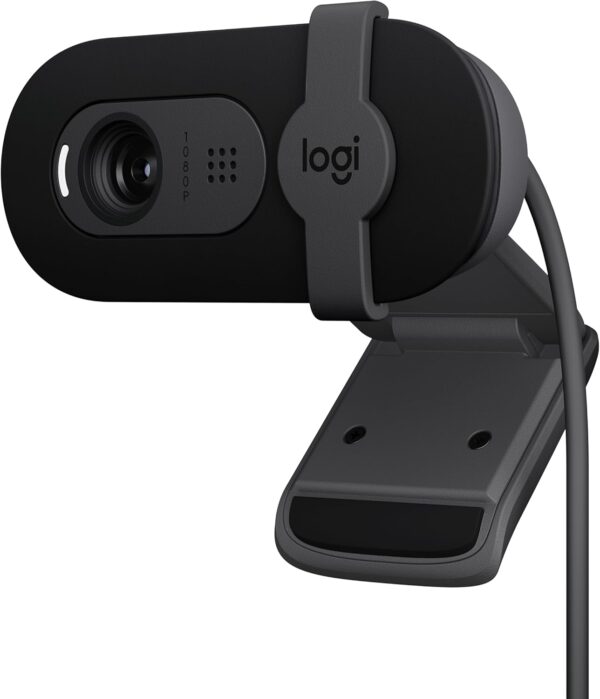
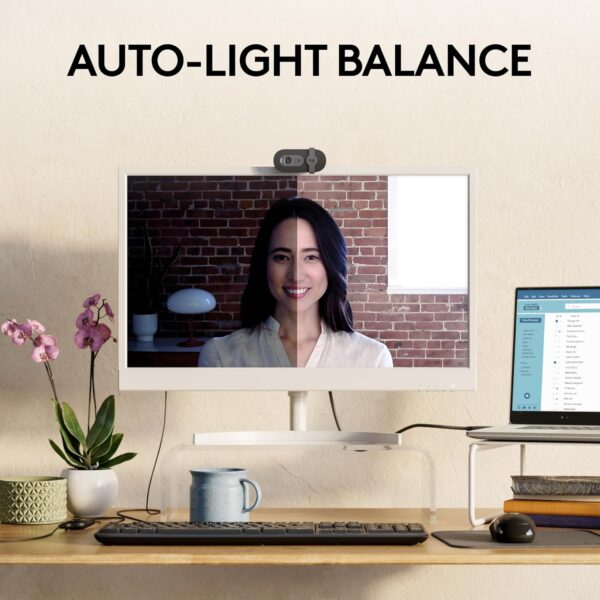
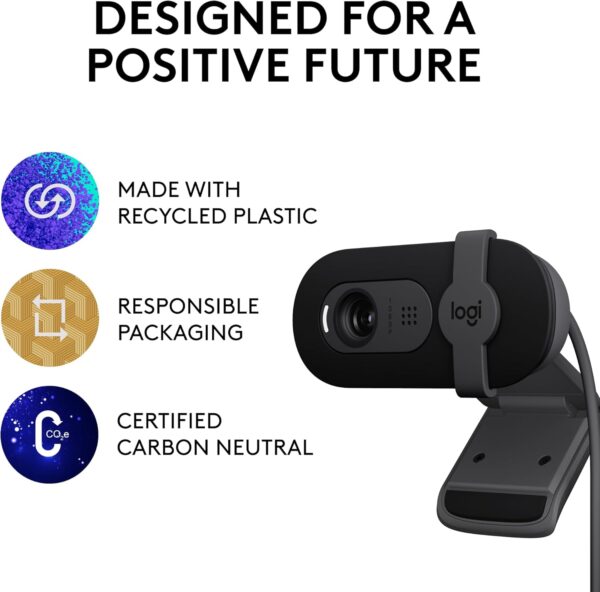
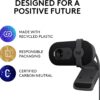
Full HD 1080p resolution provides clearer image quality so you look better in video calls. RightLight boosts brightness by up to 50%, reducing shadows, so you look your best—compared to previous generation Logitech webcams.(1) The integrated privacy shutter lets you enjoy peace of mind with a simple slide when you’re not on a video call. Sound better with a built-in microphone. Brio 101 is compatible with most video conferencing platforms, including Microsoft Teams, Google Meet, and Zoom. Refined colors brighten up your personal workspace—so you can express yourself. Made with minimum 34% post-consumer recycled plastic for a better future.(2). Full Clarity: Look clearer in video calls with Full HD 1080p resolution Auto-Light Balance: RightLight boosts brightness by up to 50%, reducing shadows so you look your best—compared to previous-generation Logitech webcams (1) Privacy with a Slide: The integrated webcam cover makes it easy to get total, reliable privacy when you’re not on a video call Built-In Mic: The built-in microphone lets others hear you clearly during video calls Easy Plug-And-Play: The Brio 101 works with most video calling platforms, including Microsoft Teams, Zoom and Google Meet—no hassle; it just works Meet in Color: Coordinate and express yourself when working from home with a choice of fun yet sophisticated colors that go great with your setup Made with Recycled Plastic: Brio 101 is made with a minimum of 77% post-consumer plastic(2)
Price: $39.99 - $35.99 (as of Apr 10, 2025 03:49:53 UTC – Details)
Customers say
Customers find the webcam works seamlessly with video conferencing apps and deliver crystal clear 1080p resolution. They appreciate its build quality, ease of setup as a plug-and-play device, and consider it good value for money. The sound quality receives positive feedback, with customers noting clear voice transmission and effective noise cancellation. The zooming ability receives mixed reviews – while some find it fine for occasional use, others note it’s not adjustable.
13 reviews for Logitech Brio 101 Full HD 1080p Webcam Made for Meetings and…
Ms Nowhere –
Amazing price, amazing quality, amazing review
Beautiful, easy setup, and effective camera, it also comes with privacy, it works fairly well in darkness, and it’s quick, it also comes with a built-in mic!
Live2Thrive –
Great addition to my work life
This computer camera is awesome! Easy installation (not at all time consuming or frustrating which I greatly appreciated!), Light weight – does not in any way alter the desired angle of your monitor/screen (whichever one you decide to install it on, it won’t tilt it, I tried it on both laptop and separate monitor screen and both were met with success!) The size is great, the black doesn’t reflect sunlight, so you won’t be in danger of being blinded if you’re in sunlight. Upon tripping on my rug *oops* I can easily attest to the durability and sound quality of this product, stayed in tact, did not loosen anything, took the fall like a champ! As to the quality for those on the receiving end of my camera, the visual and audio were excellent, no issues on the receiver’s side, which was a HUGE relief!The time used for the Connectivity of the camera to my systems/software was a breeze, not stressful or time consuming, again it was easy, quick and I was up and running!One of my favorite features of this camera is the Privacy bar they’ve oh so kindly installed as a part of the body. Some times a digital safeguard option to close the camera or open might be convenient at times, however, being able to physically slide the bar over, seeing the evidence that I was no longer visible just in case anything happened caused by a glitch within my computer was a big stress relief.I would absolutely recommend this product, and will in fact be getting several more, great price and better quality then you would expect from the price point.
Kbro –
Good quality audio and video for 11 years, then died – solid value for the money
This webcam has worked well for about 11.5 years. The audio and video qualities have been sufficient for my needs – online meetings, video chats with family.Unfortunately, it is now giving my a white screen (camera not working) increasingly frequently. Seems it may just be at the end of its service life. Given the life, it’s been solid value for the money. Just purchased another one as a replacement.
AnthonyK747 –
Plug-and-Play. Low Cost, High Quality. Reliable Brand.
Got it on sale for $25 (normal price $40). Works excellent!* Easy to Use and total Plug and Play in every sense of the terminology.* Universal for All Monitors* Works great in Dark Environments (such as, my room).* Clear Picture Quality (given the price tag) with decent Color Balance.* FHD 1080p @ 30 FPS.* Came in a Sturdy Box with Excellent Cotton Wrapping.* Has a Privacy Shutter for when not in use or needing to “Pause” a stream without using a software option.* Super Lightweight.* No connection issues.No software needed. No firmware updates needed. No driver installation needed (everything comes default with Windows). Completely universal for all programs!
Brian W –
Good Webcam
Very nice webcam. It was very easy to install and is very reliable. I use it for Zoom meetings and have been pleased with picture and sound quality. Purchase price was reasonable.
Shelton Needham –
Works great
I’ve been using the Logitech Brio 101 for a while now, and it’s been a fantastic addition to my setup. Here are my thoughts:Pros:Video Quality: The Full HD 1080p resolution is impressive. My video calls look clear and professional, which is great for both meetings and streaming.Auto-Light Balance: This feature is a lifesaver. It automatically adjusts the lighting, so I always look well-lit, even in dim or overly bright environments.Built-In Microphone: The built-in mic captures my voice clearly, which means I don’t need an external microphone for most calls. It’s convenient and keeps my desk less cluttered.Privacy Shutter: I really appreciate the integrated privacy shutter. It gives me peace of mind knowing I can easily cover the camera when I’m not using it.Easy Setup: It’s truly plug-and-play. I just connected it via USB-A, and it worked seamlessly with all my video conferencing apps like Microsoft Teams, Zoom, and Google Meet.Cons:Zoom Capabilities: It doesn’t have advanced zoom features, which might be a downside if you need to zoom in frequently during calls.No 4K Resolution: While 1080p is great, some might miss having a 4K option for even higher video quality.Requires USB-A Port: If your device only has USB-C ports, you’ll need an adapter, which can be a bit inconvenient.Overall, the Logitech Brio 101 is a solid webcam that offers excellent video quality and useful features for both professional and casual use. It’s been a reliable tool for my virtual meetings and streaming sessions.
Dan –
Decent Video, Frustrating Audio and Connectivity Issues
The Logitech Webcam delivers decent 720p video quality for its price point, and the light correction works well enough in moderately lit environments. However, it has a few major drawbacks that detract from the overall experience which I found hard to tolerate.One frustrating issue is that the webcam isn’t detected after my laptop goes to sleep, requiring me to unplug and replug it every time. This makes it inconvenient, especially during back-to-back virtual meetings or calls.Another one is the noise-canceling feature is practically non-existent. The mic picks up a lot of background noise, and there’s an annoying echo that forces me to mute myself just to hear the other person clearly. While it gets the job done for basic video calls, these issues make it less than ideal for professional or extended use.Depending on your budget, if you’re looking for an affordable webcam and can work around these flaws, it might be worth considering. But for a smoother, more reliable experience, investing in a higher-end model might be a better choice. Remember you get what you pay for. For me, it was not worth the money so I picked up another webcam for practically the same price point.
FF –
Good camera
I recently received the camera and I am happy with the performance. The image is crisp and clear.
Praveen Pious Francis –
The Logitech Brio 101 Full HD 1080p Webcam is a top-notch choice for anyone needing a reliable and high-quality webcam. The video quality is crystal clear, making it perfect for video calls, streaming, and recording. The 1080p resolution ensures sharp and detailed images, and the automatic light adjustment feature adapts well to various lighting conditions, providing a consistently excellent picture.Setup is a breeze, with a simple plug-and-play installation process. The webcam’s design is sleek and modern, fitting perfectly atop any monitor. The built-in microphone delivers clear audio, reducing the need for an external mic. Overall, the Logitech Brio 101 offers fantastic value for its price, making it a must-have for professionals and casual users alike.
FaceDeAce –
I needed a camera for meetings and such. My laptop sets up on a workstation that does not need the cover open. So the LT camera and microphone are not useable for meetings. At home, the move to a new Mac Mini means in need of camera and microphone. This brio 100 is PERFECT. It is compact, much smaller than I expected it to be. Instantly recognized by my systems. And the best thing for personal privacy, is to simply UNPLUG it from the USB when not in use. The picture and lighting quality are excellent. very happy with this, at the sale price.
Elaiza –
Cute, Small. Got it for a good price. There was a sale and my old webcam broke so I didn’t want to spend a lot on a new one. This one is just perfect for my budget. It doesn’t use the LOGITECH G HUB. Use the Logi Option+ for the application.
Tal –
Great quality, simple to use, built in slider to ensure camera is off.Great value
Mohamed –
Bought the Logitech Brio 101 for a better experience with my three-screen setup, and it’s perfect! No more relying on the laptop camera. I love how it allows me to focus on my main screen. The default settings work great for me, so no need for adjustments. The sliding privacy shutter is a big plus – super convenient and great for privacy, especially with the indicator light showing when the camera is in use.The built-in mic, while convenient, may not offer the best sound quality compared to external options. Personnally, I disabled the built-in mic to use my microphone. Highly recommend for anyone with a similar setup!Additionnally, It’s worth noting that the 1080p resolution is just alright. It provides decent quality for meetings and streaming, which works fine for everyday use. However, if you’re looking for that high-end, professional YouTube video quality, this might not hit the mark. It’s more suited for standard video calls rather than for content creators seeking exceptional video clarity.











Ms Nowhere –
Amazing price, amazing quality, amazing review
Beautiful, easy setup, and effective camera, it also comes with privacy, it works fairly well in darkness, and it’s quick, it also comes with a built-in mic!
Live2Thrive –
Great addition to my work life
This computer camera is awesome! Easy installation (not at all time consuming or frustrating which I greatly appreciated!), Light weight – does not in any way alter the desired angle of your monitor/screen (whichever one you decide to install it on, it won’t tilt it, I tried it on both laptop and separate monitor screen and both were met with success!) The size is great, the black doesn’t reflect sunlight, so you won’t be in danger of being blinded if you’re in sunlight. Upon tripping on my rug *oops* I can easily attest to the durability and sound quality of this product, stayed in tact, did not loosen anything, took the fall like a champ! As to the quality for those on the receiving end of my camera, the visual and audio were excellent, no issues on the receiver’s side, which was a HUGE relief!The time used for the Connectivity of the camera to my systems/software was a breeze, not stressful or time consuming, again it was easy, quick and I was up and running!One of my favorite features of this camera is the Privacy bar they’ve oh so kindly installed as a part of the body. Some times a digital safeguard option to close the camera or open might be convenient at times, however, being able to physically slide the bar over, seeing the evidence that I was no longer visible just in case anything happened caused by a glitch within my computer was a big stress relief.I would absolutely recommend this product, and will in fact be getting several more, great price and better quality then you would expect from the price point.
Kbro –
Good quality audio and video for 11 years, then died – solid value for the money
This webcam has worked well for about 11.5 years. The audio and video qualities have been sufficient for my needs – online meetings, video chats with family.Unfortunately, it is now giving my a white screen (camera not working) increasingly frequently. Seems it may just be at the end of its service life. Given the life, it’s been solid value for the money. Just purchased another one as a replacement.
AnthonyK747 –
Plug-and-Play. Low Cost, High Quality. Reliable Brand.
Got it on sale for $25 (normal price $40). Works excellent!* Easy to Use and total Plug and Play in every sense of the terminology.* Universal for All Monitors* Works great in Dark Environments (such as, my room).* Clear Picture Quality (given the price tag) with decent Color Balance.* FHD 1080p @ 30 FPS.* Came in a Sturdy Box with Excellent Cotton Wrapping.* Has a Privacy Shutter for when not in use or needing to “Pause” a stream without using a software option.* Super Lightweight.* No connection issues.No software needed. No firmware updates needed. No driver installation needed (everything comes default with Windows). Completely universal for all programs!
Brian W –
Good Webcam
Very nice webcam. It was very easy to install and is very reliable. I use it for Zoom meetings and have been pleased with picture and sound quality. Purchase price was reasonable.
Shelton Needham –
Works great
I’ve been using the Logitech Brio 101 for a while now, and it’s been a fantastic addition to my setup. Here are my thoughts:Pros:Video Quality: The Full HD 1080p resolution is impressive. My video calls look clear and professional, which is great for both meetings and streaming.Auto-Light Balance: This feature is a lifesaver. It automatically adjusts the lighting, so I always look well-lit, even in dim or overly bright environments.Built-In Microphone: The built-in mic captures my voice clearly, which means I don’t need an external microphone for most calls. It’s convenient and keeps my desk less cluttered.Privacy Shutter: I really appreciate the integrated privacy shutter. It gives me peace of mind knowing I can easily cover the camera when I’m not using it.Easy Setup: It’s truly plug-and-play. I just connected it via USB-A, and it worked seamlessly with all my video conferencing apps like Microsoft Teams, Zoom, and Google Meet.Cons:Zoom Capabilities: It doesn’t have advanced zoom features, which might be a downside if you need to zoom in frequently during calls.No 4K Resolution: While 1080p is great, some might miss having a 4K option for even higher video quality.Requires USB-A Port: If your device only has USB-C ports, you’ll need an adapter, which can be a bit inconvenient.Overall, the Logitech Brio 101 is a solid webcam that offers excellent video quality and useful features for both professional and casual use. It’s been a reliable tool for my virtual meetings and streaming sessions.
Dan –
Decent Video, Frustrating Audio and Connectivity Issues
The Logitech Webcam delivers decent 720p video quality for its price point, and the light correction works well enough in moderately lit environments. However, it has a few major drawbacks that detract from the overall experience which I found hard to tolerate.One frustrating issue is that the webcam isn’t detected after my laptop goes to sleep, requiring me to unplug and replug it every time. This makes it inconvenient, especially during back-to-back virtual meetings or calls.Another one is the noise-canceling feature is practically non-existent. The mic picks up a lot of background noise, and there’s an annoying echo that forces me to mute myself just to hear the other person clearly. While it gets the job done for basic video calls, these issues make it less than ideal for professional or extended use.Depending on your budget, if you’re looking for an affordable webcam and can work around these flaws, it might be worth considering. But for a smoother, more reliable experience, investing in a higher-end model might be a better choice. Remember you get what you pay for. For me, it was not worth the money so I picked up another webcam for practically the same price point.
FF –
Good camera
I recently received the camera and I am happy with the performance. The image is crisp and clear.
Praveen Pious Francis –
The Logitech Brio 101 Full HD 1080p Webcam is a top-notch choice for anyone needing a reliable and high-quality webcam. The video quality is crystal clear, making it perfect for video calls, streaming, and recording. The 1080p resolution ensures sharp and detailed images, and the automatic light adjustment feature adapts well to various lighting conditions, providing a consistently excellent picture.Setup is a breeze, with a simple plug-and-play installation process. The webcam’s design is sleek and modern, fitting perfectly atop any monitor. The built-in microphone delivers clear audio, reducing the need for an external mic. Overall, the Logitech Brio 101 offers fantastic value for its price, making it a must-have for professionals and casual users alike.
FaceDeAce –
I needed a camera for meetings and such. My laptop sets up on a workstation that does not need the cover open. So the LT camera and microphone are not useable for meetings. At home, the move to a new Mac Mini means in need of camera and microphone. This brio 100 is PERFECT. It is compact, much smaller than I expected it to be. Instantly recognized by my systems. And the best thing for personal privacy, is to simply UNPLUG it from the USB when not in use. The picture and lighting quality are excellent. very happy with this, at the sale price.
Elaiza –
Cute, Small. Got it for a good price. There was a sale and my old webcam broke so I didn’t want to spend a lot on a new one. This one is just perfect for my budget. It doesn’t use the LOGITECH G HUB. Use the Logi Option+ for the application.
Tal –
Great quality, simple to use, built in slider to ensure camera is off.Great value
Mohamed –
Bought the Logitech Brio 101 for a better experience with my three-screen setup, and it’s perfect! No more relying on the laptop camera. I love how it allows me to focus on my main screen. The default settings work great for me, so no need for adjustments. The sliding privacy shutter is a big plus – super convenient and great for privacy, especially with the indicator light showing when the camera is in use.The built-in mic, while convenient, may not offer the best sound quality compared to external options. Personnally, I disabled the built-in mic to use my microphone. Highly recommend for anyone with a similar setup!Additionnally, It’s worth noting that the 1080p resolution is just alright. It provides decent quality for meetings and streaming, which works fine for everyday use. However, if you’re looking for that high-end, professional YouTube video quality, this might not hit the mark. It’s more suited for standard video calls rather than for content creators seeking exceptional video clarity.