$199.99Original price was: $199.99.$159.99Current price is: $159.99.
From the brand
MEIZE Tablet
Best 2024 Tablet Sales
2024 Newest Android Tablet
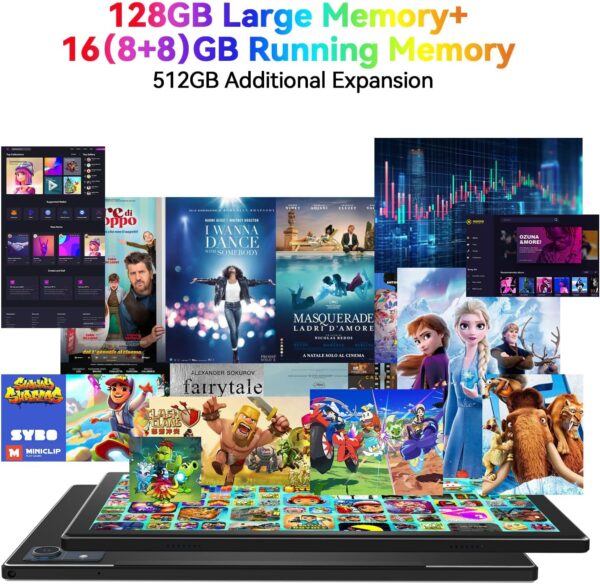
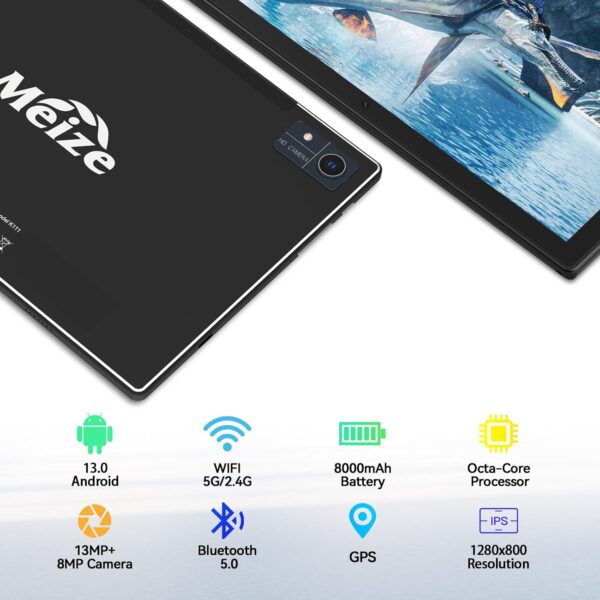
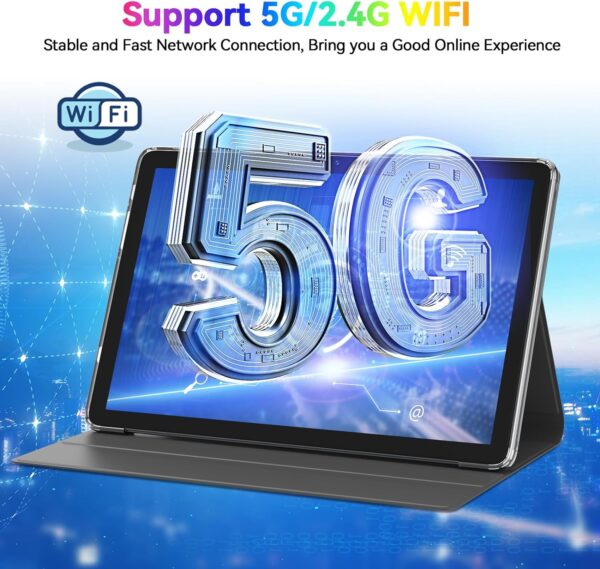
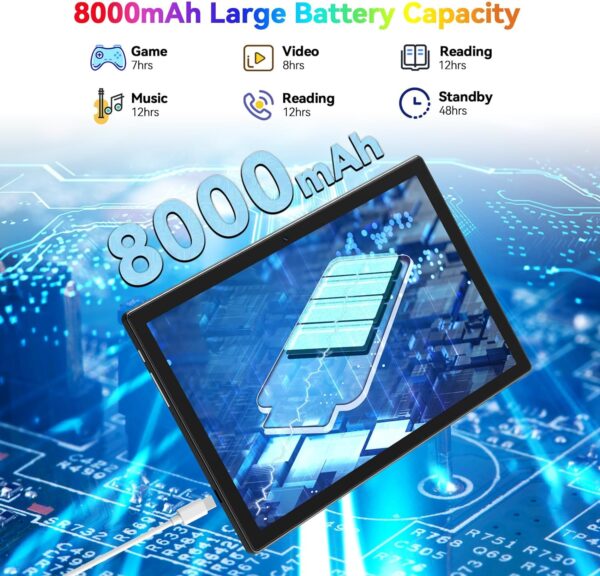
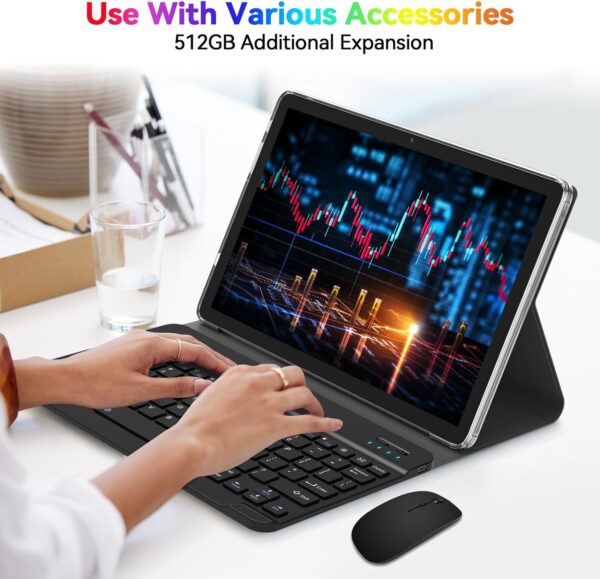
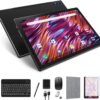
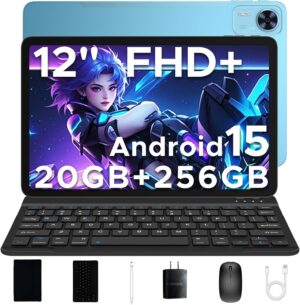
【2025 Fully Upgraded】2025 Newest 13.0 Android tablet, equipped with a powerful new Octa-Core processor, the maximum processing speed can reach 2.0GHz, and it has a significant effect improvement for multi-task management switching. Music, work, video, and games are sensitively controlled in the background and high-speed professional enjoyment. 【Performance Leap】This Android 13 tablet has 128GB ROM+8GB RAM, 512GB additional expansion, which can store more games, movies, videos, music, and work software for you, and supports Netflix, Facebook, Tik Tok, Youtube, and other software, you can play more comfortably games, download and preview rich movies, and accommodate massive work files. 【Specialized Design】This 2 in 1 tablet has built-in Bluetooth 5.0 and supports 5G/2.4G dual-band WIFI connection. It is suitable for more occasions, such as coffee shops, offices, and bedrooms. The strong receiving signal can keep you well connected all the time, allowing you to work happily, talk to family, and connect with friends anytime, anywhere. 【Battery Life Upgrade】This Android tablet is equipped with an 8000mAh battery life upgrade, providing you with a longer user time, watching videos for up to 10 hours, playing games for up to 8 hours, and listening to music for more than 12 hours, bringing you more entertainment time and Internet time. 【Ultra-Clear Design】This 10.1 inch tablet computer has an ultra-clear LCD screen, 1280×800 narrow-edge screen professional design, equipped with 13MP+8MP dual high-definition cameras, presenting you with richer picture display, clearer portrait capture, more delicate detail depiction, large screen Soft light curtain can reduce the visual pressure on your eyes and relieve fatigue. 【Exquisite Tablet】This 2 in 1 tablet, equipped with a Bluetooth keyboard, mouse, and stylus, can be easily converted into a portable notebook and can be instantly converted into a work mode anywhere. This is the best tablet for colleagues, friends, family, and business people. 【After Sales Service】MEIZE tablet computer professional team, focusing on customer service for more than ten years, adhering to the principle of customer first, with professional experience and excellent service, if you receive any problem products, please tell us anytime.
A Game-Changing Android Tablet That Exceeded All Expectations
Our household had not used any Android products for years, and we were hesitant to purchase one. I came across this tablet with amazing reviews and decided to give it a shot as a gift for my husband.I am so happy that I gave it a chance, as it is a truly great tablet. The screen size is large, and the brightness and clarity are amazing. The processing speed is excellent, and for someone who has been using Apple products for over a decade, this Android tablet is surprisingly easy to use, so much so that he no longer wants to use any other device.The functionality is perfect for what my husband needs, and I strongly believe it is a device that will last many years to come. It arrived very well packaged, including a cover, screen protection, pen, keyboard, charger, wireless mouse, and additional external memory.I am so impressed that I may buy one for myself. I highly recommend this tablet.
Treyray –
Worth the price!
I love this tablet, easy to use was easy to add all app an info to use. Pictures are clear an watching movie are the best! The add on like key board, mouse and stylus was great add one.Recommend buying.I
Daniel McThenia –
Easy to use. Just like my android phone. The case doesn’t want to stand
Good value. Ok battery life. Watched a 2+ hr movie, Gladiator 2 (meh), and had 60% battery life left. The cover doesn’t like to stand the tablet up well. I ended up spraying Plastidip on the bumps on the bottom corner protrusions. Works fantastic! I would think anything that gives the slick plastic some texture would help it stand better. Maybe even roughing it up with coarse sandpaper (just the bottom corners). The speakers aren’t good. My Motorola G Power phone sounds better. I haven’t used the keyboard or mouse yet. The touch screen works great. Has a good picture.
Geraldine Pittman –
A Powerful and Versatile Device
I recently got my hands on an Android 13 tablet, and I must say, it has exceeded my expectations in every way. From performance to display quality, this tablet offers a premium experience at a great value.Performance & SpeedPowered by Android 13, this tablet runs smoothly with an intuitive and user-friendly interface. The updated OS ensures enhanced security, better privacy controls, and improved multitasking capabilities. Whether I’m browsing the web, streaming videos, or playing games, everything runs seamlessly without lag.Display & DesignThe high-resolution display is vibrant and crisp, making it perfect for watching movies, reading e-books, or editing photos. The slim and lightweight design also makes it easy to carry around, whether at home or on the go.Battery LifeBattery performance is another standout feature. With all-day battery life, I can go hours without worrying about recharging, even with heavy usage. This is perfect for long workdays, travel, or entertainment.Connectivity & FeaturesWith fast Wi-Fi, Bluetooth, and USB-C support, staying connected is effortless. The tablet also offers expandable storage, allowing me to keep all my important files, apps, and media without any hassle.Final VerdictOverall, this Android 13 tablet is a fantastic device for anyone looking for a powerful and affordable tablet. Whether you’re a student, professional, or casual user, it delivers excellent performance, a beautiful display, and long-lasting battery life. Highly recommended!
Laurance Scott –
Know what you are looking for – This is NOT a phone or a PC + Poor Battery Life
I didn’t know how to rate this product, because I’m new to tablets. Are the shortcomings I’ve experienced due to this particular tablet, or tablets in general? I’ll share the frustrations I ran into getting this tablet to work for me.The reason why I bought it: I have an app on my Android phone that requires GPS services, but the screen size of my phone is limited, and being able to use a keyboard/mouse would be a big plus. This tablet has GPS services, a big screen and the ability to attach both a keyboard and a mouse. Sweet. It seemed a perfect solution, especially given the price.There was no documentation regarding the included mouse or keyboard. The keyboard was straightforward. It connected right up, wirelessly (you do need to know where to go in Settings to connect a Bluetooth device.) But, the Mouse? I’ve included a picture that shows how to hook up the mouse. There is an OTG (On-The-Go) adapter included that plugs into the type-C USB port. The mouse Bluetooth receiver plugs into this adapter. It then works like a regular mouse.I loaded up my app and, much to my delight, everything worked! The App recognized the GPS service, thought it was running on a phone (it won’t run on a PC), and didn’t even require that a SIM card be inserted. But, there were a few issues:1. The touch response of this tablet is very poor compared to my phone. Latency between when I touch a link and when the link is recognized is sometimes measured in seconds. On my phone, it is instant. I don’t know if this is an issue with all tablets, or just this one. It turns out that on tablets in general there are no OS tools for adjusting touch sensitivity. You just have to live with what you get.2. The mouse is super sensitive. It’s difficult to maneuver to a particular screen position and then hold it steady to click. The only OS tool available is to increase the size of the mouse pointer. There are no sensitivity adjustments, like you have on a PC.3. I was about 30 minutes into using my app, when I noticed the battery had drained down to under 50%. This is a big problem because there is only ONE USB port – and my mouse was plugged into it. So, I had to unplug the mouse to plug in the charging cable.This tablet eats power. I kept the charging cable attached for the next hour, while using the touch screen instead of the mouse (which, was very frustrating because of the touch latency). After an hour, the battery was still at 50%. ??? It turns out that you have to set up all of the battery saving features, and set your screen brightness to about 50%, in order to get a net gain in charging while you are using the tablet. For my application, this is unacceptable. I need to use the mouse without worrying about the tablet running out of juice.No problem, I thought. I’ll just buy a USB splitter. This is where the real culture shock of tablet technology sank in. I’ve attached a picture of the two splitters I’ve tried. The first splitter (the larger one on the left) is a standard USB splitter. Plug it in, and you can plug in both a Type C and Type A USB – and it has both the fast and slow USB-A ports. It didn’t work. Neither the charger nor the mouse would work when this splitter is plugged in.I did some research, and found that you need a SPECIAL OTG splitter if you want to charge and use a USB-A accessory at the same time. I found one on Amazon (the one on the right). This is a splitter made especially for OTG tables & phones that allows you to charge and use the USB at the same time.It didn’t work either. After further extensive research I came to find out that dual use of the USB port is basically a crap shoot when it comes to tablets. On some tablets, it works. On most, it doesn’t. If you comb the forums you will find that no one is really able to explain why. Some insist that it shouldn’t work on any tablet. Others say it works just fine on theirs. Some show how to hack your own working cable. The bottom line, however, is this:On this tablet you cannot use the Mouse and charge the battery at the same time.Between this issue and the touch latency, I don’t believe this tablet will be suitable for what I want to do. But, again, I don’t know if this is because of this specific tablet, or just tablets in general.Other quirks you need to be aware of:1. If you’re Left Handed (like me) you may be in for a world of hurt. The on-off button is placed so it won’t get in the way of Right Handed use. But, if you’re Left Handed you will find yourself inadvertently pressing the power button while you are holding the tablet in your Right Hand. Not good.2. If you are expecting to install “Plug & Play” apps, you are also in for a world of hurt – unless you have a black belt in Android OS experience. I needed to scan a QR code, so clicked on the included Camera app. The app told me I didn’t have the correct permissions set up for the Camera. But there was no assistance in setting up these permissions. The Camera App just told me to set them up, and come back later. I had to get on-line and search for how to grant permissions to apps. Navigating the Android Settings is a Black Art that I’m still trying to wrap my head around.3. Everything useful you will want to do, like play music or such, requires an App that either:a) Requires you turn over all personal information, including a Credit Card, if you want to use the “Free” versionb) Inundates you with adds that are so irritating you will end up uninstalling the appc) Doesn’t really run on the Tablet, but rather requires Cloud services that you need a subscription to useSadly, gone are the days when you could find a good app, pay a few $$$’s, and then just install it and forget it.Again, to be fair, these are not issues with this particular tablet, but tablets in general. The four things I can point to that DO appear to be an issue with this particular tablet are:1. Inability to charge & use the mouse at the same time2. Extremely Poor battery life3. Touchscreen latency (maybe related to processor architecture/speed?)4. Designed for Right Handed useIf you can live with these issues, then this tablet appears to be a good deal at $100.
Capt. Mike –
Gd
José Antonio Gutiérrez García –
Aparte de que no traer los botones de encendido y volumen, es un equipo usado que ya fue activado con un correo y contraseña, por lo que no se puede usar, solo el usuario originalNo se vale que vendan equipos usados















Emmanuel –
A Game-Changing Android Tablet That Exceeded All Expectations
Our household had not used any Android products for years, and we were hesitant to purchase one. I came across this tablet with amazing reviews and decided to give it a shot as a gift for my husband.I am so happy that I gave it a chance, as it is a truly great tablet. The screen size is large, and the brightness and clarity are amazing. The processing speed is excellent, and for someone who has been using Apple products for over a decade, this Android tablet is surprisingly easy to use, so much so that he no longer wants to use any other device.The functionality is perfect for what my husband needs, and I strongly believe it is a device that will last many years to come. It arrived very well packaged, including a cover, screen protection, pen, keyboard, charger, wireless mouse, and additional external memory.I am so impressed that I may buy one for myself. I highly recommend this tablet.
Treyray –
Worth the price!
I love this tablet, easy to use was easy to add all app an info to use. Pictures are clear an watching movie are the best! The add on like key board, mouse and stylus was great add one.Recommend buying.I
Daniel McThenia –
Easy to use. Just like my android phone. The case doesn’t want to stand
Good value. Ok battery life. Watched a 2+ hr movie, Gladiator 2 (meh), and had 60% battery life left. The cover doesn’t like to stand the tablet up well. I ended up spraying Plastidip on the bumps on the bottom corner protrusions. Works fantastic! I would think anything that gives the slick plastic some texture would help it stand better. Maybe even roughing it up with coarse sandpaper (just the bottom corners). The speakers aren’t good. My Motorola G Power phone sounds better. I haven’t used the keyboard or mouse yet. The touch screen works great. Has a good picture.
Geraldine Pittman –
A Powerful and Versatile Device
I recently got my hands on an Android 13 tablet, and I must say, it has exceeded my expectations in every way. From performance to display quality, this tablet offers a premium experience at a great value.Performance & SpeedPowered by Android 13, this tablet runs smoothly with an intuitive and user-friendly interface. The updated OS ensures enhanced security, better privacy controls, and improved multitasking capabilities. Whether I’m browsing the web, streaming videos, or playing games, everything runs seamlessly without lag.Display & DesignThe high-resolution display is vibrant and crisp, making it perfect for watching movies, reading e-books, or editing photos. The slim and lightweight design also makes it easy to carry around, whether at home or on the go.Battery LifeBattery performance is another standout feature. With all-day battery life, I can go hours without worrying about recharging, even with heavy usage. This is perfect for long workdays, travel, or entertainment.Connectivity & FeaturesWith fast Wi-Fi, Bluetooth, and USB-C support, staying connected is effortless. The tablet also offers expandable storage, allowing me to keep all my important files, apps, and media without any hassle.Final VerdictOverall, this Android 13 tablet is a fantastic device for anyone looking for a powerful and affordable tablet. Whether you’re a student, professional, or casual user, it delivers excellent performance, a beautiful display, and long-lasting battery life. Highly recommended!
Laurance Scott –
Know what you are looking for – This is NOT a phone or a PC + Poor Battery Life
I didn’t know how to rate this product, because I’m new to tablets. Are the shortcomings I’ve experienced due to this particular tablet, or tablets in general? I’ll share the frustrations I ran into getting this tablet to work for me.The reason why I bought it: I have an app on my Android phone that requires GPS services, but the screen size of my phone is limited, and being able to use a keyboard/mouse would be a big plus. This tablet has GPS services, a big screen and the ability to attach both a keyboard and a mouse. Sweet. It seemed a perfect solution, especially given the price.There was no documentation regarding the included mouse or keyboard. The keyboard was straightforward. It connected right up, wirelessly (you do need to know where to go in Settings to connect a Bluetooth device.) But, the Mouse? I’ve included a picture that shows how to hook up the mouse. There is an OTG (On-The-Go) adapter included that plugs into the type-C USB port. The mouse Bluetooth receiver plugs into this adapter. It then works like a regular mouse.I loaded up my app and, much to my delight, everything worked! The App recognized the GPS service, thought it was running on a phone (it won’t run on a PC), and didn’t even require that a SIM card be inserted. But, there were a few issues:1. The touch response of this tablet is very poor compared to my phone. Latency between when I touch a link and when the link is recognized is sometimes measured in seconds. On my phone, it is instant. I don’t know if this is an issue with all tablets, or just this one. It turns out that on tablets in general there are no OS tools for adjusting touch sensitivity. You just have to live with what you get.2. The mouse is super sensitive. It’s difficult to maneuver to a particular screen position and then hold it steady to click. The only OS tool available is to increase the size of the mouse pointer. There are no sensitivity adjustments, like you have on a PC.3. I was about 30 minutes into using my app, when I noticed the battery had drained down to under 50%. This is a big problem because there is only ONE USB port – and my mouse was plugged into it. So, I had to unplug the mouse to plug in the charging cable.This tablet eats power. I kept the charging cable attached for the next hour, while using the touch screen instead of the mouse (which, was very frustrating because of the touch latency). After an hour, the battery was still at 50%. ??? It turns out that you have to set up all of the battery saving features, and set your screen brightness to about 50%, in order to get a net gain in charging while you are using the tablet. For my application, this is unacceptable. I need to use the mouse without worrying about the tablet running out of juice.No problem, I thought. I’ll just buy a USB splitter. This is where the real culture shock of tablet technology sank in. I’ve attached a picture of the two splitters I’ve tried. The first splitter (the larger one on the left) is a standard USB splitter. Plug it in, and you can plug in both a Type C and Type A USB – and it has both the fast and slow USB-A ports. It didn’t work. Neither the charger nor the mouse would work when this splitter is plugged in.I did some research, and found that you need a SPECIAL OTG splitter if you want to charge and use a USB-A accessory at the same time. I found one on Amazon (the one on the right). This is a splitter made especially for OTG tables & phones that allows you to charge and use the USB at the same time.It didn’t work either. After further extensive research I came to find out that dual use of the USB port is basically a crap shoot when it comes to tablets. On some tablets, it works. On most, it doesn’t. If you comb the forums you will find that no one is really able to explain why. Some insist that it shouldn’t work on any tablet. Others say it works just fine on theirs. Some show how to hack your own working cable. The bottom line, however, is this:On this tablet you cannot use the Mouse and charge the battery at the same time.Between this issue and the touch latency, I don’t believe this tablet will be suitable for what I want to do. But, again, I don’t know if this is because of this specific tablet, or just tablets in general.Other quirks you need to be aware of:1. If you’re Left Handed (like me) you may be in for a world of hurt. The on-off button is placed so it won’t get in the way of Right Handed use. But, if you’re Left Handed you will find yourself inadvertently pressing the power button while you are holding the tablet in your Right Hand. Not good.2. If you are expecting to install “Plug & Play” apps, you are also in for a world of hurt – unless you have a black belt in Android OS experience. I needed to scan a QR code, so clicked on the included Camera app. The app told me I didn’t have the correct permissions set up for the Camera. But there was no assistance in setting up these permissions. The Camera App just told me to set them up, and come back later. I had to get on-line and search for how to grant permissions to apps. Navigating the Android Settings is a Black Art that I’m still trying to wrap my head around.3. Everything useful you will want to do, like play music or such, requires an App that either:a) Requires you turn over all personal information, including a Credit Card, if you want to use the “Free” versionb) Inundates you with adds that are so irritating you will end up uninstalling the appc) Doesn’t really run on the Tablet, but rather requires Cloud services that you need a subscription to useSadly, gone are the days when you could find a good app, pay a few $$$’s, and then just install it and forget it.Again, to be fair, these are not issues with this particular tablet, but tablets in general. The four things I can point to that DO appear to be an issue with this particular tablet are:1. Inability to charge & use the mouse at the same time2. Extremely Poor battery life3. Touchscreen latency (maybe related to processor architecture/speed?)4. Designed for Right Handed useIf you can live with these issues, then this tablet appears to be a good deal at $100.
Capt. Mike –
Gd
José Antonio Gutiérrez García –
Aparte de que no traer los botones de encendido y volumen, es un equipo usado que ya fue activado con un correo y contraseña, por lo que no se puede usar, solo el usuario originalNo se vale que vendan equipos usados