HP Stream 14″ HD BrightView Laptop, Intel Celeron N4120, 16G…
$399.00Original price was: $399.00.$309.00Current price is: $309.00.
Product Description
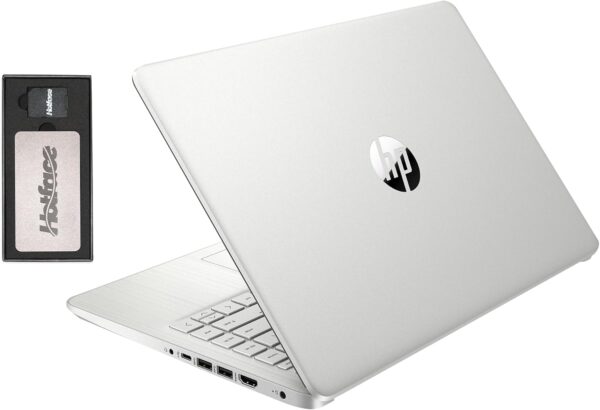
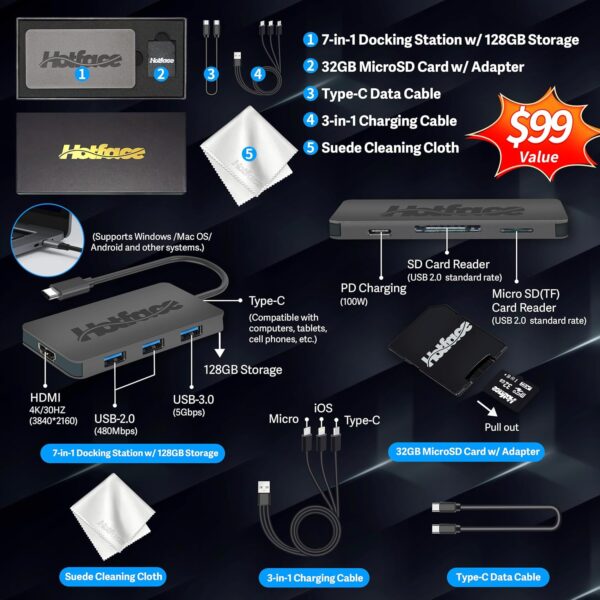
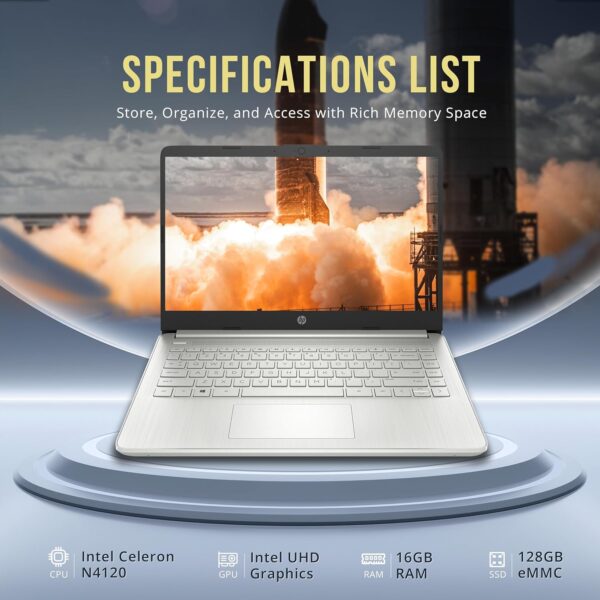
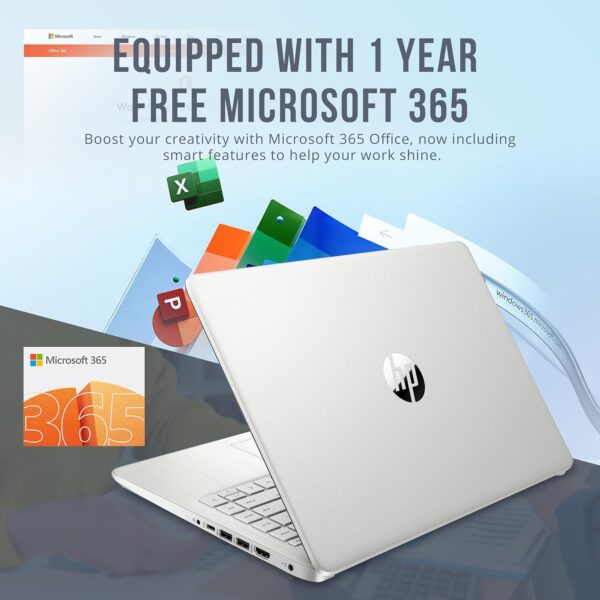
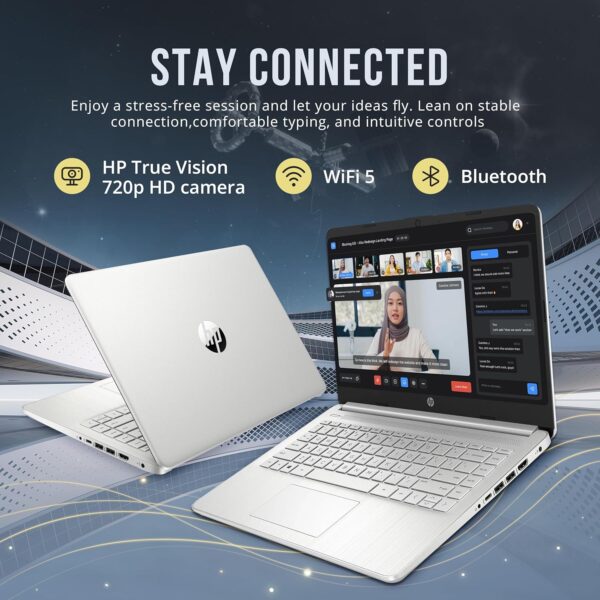
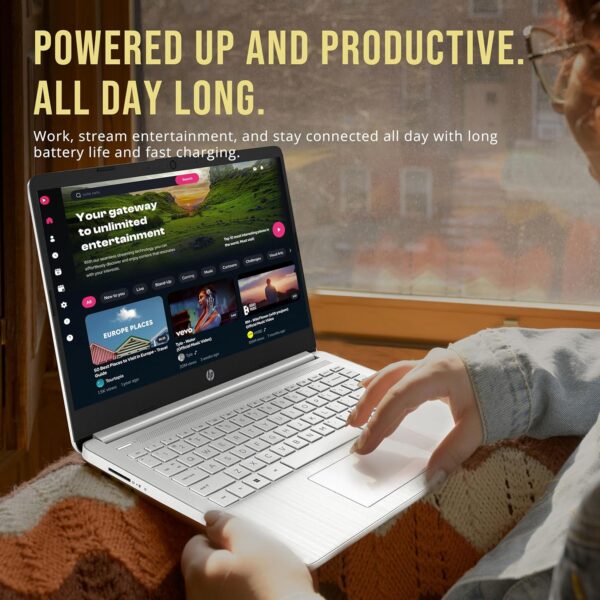
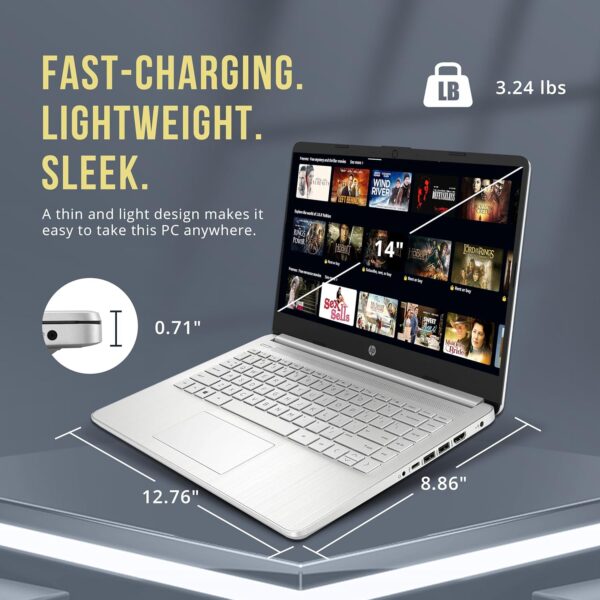
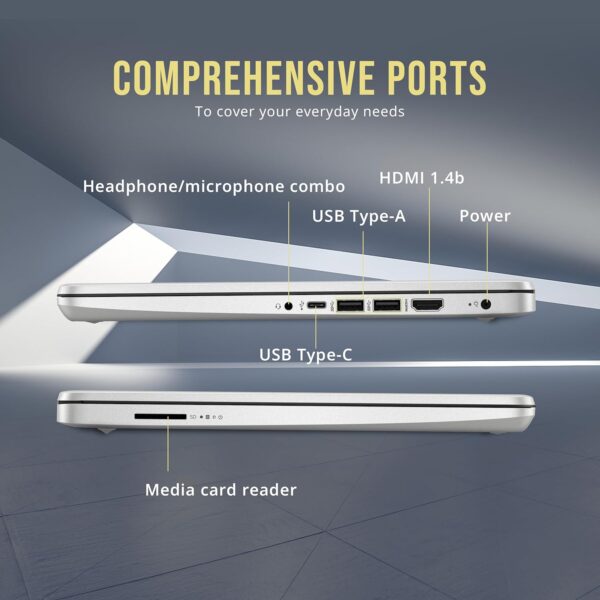
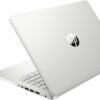
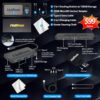
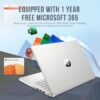
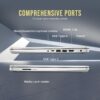
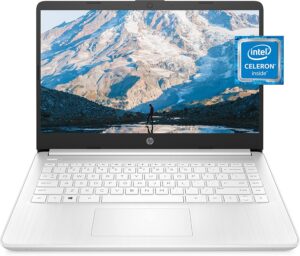
【Upgraded】Seal is opened for upgrade only, 1-Year warranty on Upgraded RAM/SSD and original 1-Year Manufacture warranty on remaining components. 【14″ HD BrightView Display】14-inch diagonal 1366 x 768 (HD) bright view display. The captivating clarity and brilliance will surely enhance your work and entertainment endeavors. 【Intel Celeron N4120】Immerse yourself in a world of power and efficiency, where an ultra-low-voltage platform optimizes energy usage. Experience seamless multitasking and smooth performance with the 4-core, 4-way processor. 【16GB DDR4 RAM】Seamlessly tackle resource-intensive tasks, smoothly run multiple applications simultaneously, and enjoy lightning-fast responsiveness that keeps you in the flow.【288GB Storage (128GB eMMC + 160GB Docking Station Set)】Massive storage space for your files, applications, and multimedia content, providing fast and reliable data access. 【Intel UHD Graphics】Enjoy solid image quality that brings your everyday content to life with vibrant colors and sharp details.【720p HD Camera】Provides high quality video calls, virtual meetings and online interactions. 【Windows 11 Home in S Mode】【Dimensions & Weight】12.76 x 8.86 x 0.71 inches, 3.24 lbs.【Ports】1 x USB-C 3.0, 2 x USB-A 3.0, 1 x HDMI 1.4, 1 x Media Card Reader, 1 x Headphone/ Microphone combo, 1 x AC Smart Pin. 【1 Year Office 365】【Bonus Docking Station Set】1x 7-in-1 Docking Station with 128GB Storage, 1x 32GB MicroSD Card with Adapter, 1x Type-C Data Cable, 1x 3-in-1 Charging Cable, 1x Suede Cleaning Cloth.
Price: $399.00 - $309.00 (as of Apr 09, 2025 18:24:27 UTC – Details)
Customers say
Customers find this laptop excellent for basic functions and consider it good value for money, with one mentioning the Microsoft Office 365 personal subscription included for a year. The device receives positive feedback for its cute pink color, ease of setup, and lightweight design that’s easy to carry around. Customers praise its impressive battery life and fast performance. However, customers report significant performance issues, noting that apps take 3-5 minutes to load and updates can take up to 2 hours.
9 reviews for HP Stream 14″ HD BrightView Laptop, Intel Celeron N4120, 16G…
Julie Loerwald –
Very affordable
The HP Stream 14″ HD BrightView Laptop is a budget-friendly device designed for basic tasks such as browsing, emailing, and word processing. With its sleek silver design and impressive specs, this laptop is an excellent option for students, professionals, and anyone looking for an affordable yet reliable device.*Pros*1. *Affordable*: The HP Stream 14″ is an excellent value for its price, offering a range of features and specs that rival more expensive laptops.2. *Impressive Performance*: The Intel Celeron N4120 processor and 16GB RAM provide smooth performance for basic tasks, making it ideal for everyday use.3. *Ample Storage*: The combination of 128GB eMMC storage and a 160GB docking station set provides plenty of space for files, documents, and multimedia content.4. *Long Battery Life*: The HP Stream 14″ offers up to 14 hours of battery life, making it perfect for on-the-go use.5. *Office 365 Included*: The laptop comes with a 1-year subscription to Office 365, providing access to popular productivity apps like Word, Excel, and PowerPoint.*Cons*1. *Limited Upgrade Options*: The laptop’s storage and RAM are soldered, making it difficult to upgrade or repair.2. *Basic Graphics*: The Intel UHD Graphics are sufficient for basic tasks but may struggle with demanding graphics-intensive applications.3. *720p Webcam*: The webcam resolution is relatively low, which may affect video conferencing quality.*Verdict*The HP Stream 14″ HD BrightView Laptop is an excellent choice for anyone seeking an affordable, reliable device for basic tasks. While it may not excel in demanding tasks or graphics-intensive applications, its impressive performance, ample storage, and long battery life make it a great value for its price.*Rating*: 4.5/5 stars*Recommendation*This laptop is ideal for:- Students seeking an affordable device for schoolwork- Professionals requiring a basic laptop for email, word processing, and browsing- Anyone looking for a reliable, easy-to-use device for everyday tasksHowever, if you’re a gamer, graphic designer, or require a laptop for demanding tasks, you may want to consider other options.
Leighton –
GREAT PRODUCT!
The HP Stream 14″ Laptop is a solid option if you need a basic laptop for light use. It offers excellent value for the price, especially with 16GB of RAM and 288GB of storage. However, if you need more power for intensive tasks, you may want to consider a more powerful machine. It’s a great choice for students or anyone looking for a low-cost, everyday laptop.
MelloPi –
Reset PC, Switch out of S Mode, Do Not Install McAfee
Windows S Mode and McAfee are glitchy performance killers and restrictive applications. Switching out of Win 11 S mode should be a straight forward process but it just does not work as it should, along with McAfee installed, whether you want it or not. McAfee acts like a worm virus, intrusively imbedding itself deep into system architecture instead of being a gate keeper like other anti-virus apps. Windows S Mode dose not allow you to install and run any app that is not Microsoft verified and found on the Microsoft Store. In S Mode, you cannot install and run any browser other than MS Edge or Bing. There is an app within the MS Store to switch out of S mode but it will not work because, I suspect, of the bloated software that launches when you first turn on and set up this laptop. Switching out of S Mode is permanent. All the advise and direction I found to get this switch to work had failed. Lots of frustrated people out there with the same issue. I finally got MS Support on the phone and they told me this is a very common problem with this product and the only way to resolve it was to reset the PC. A total reset, wiping the OS and all files you may have added. No big deal as this is a new PC and I did not transfer anything from my old PC. After the PC was reset, I was able to switch out of S mode so that I now have Win 11 Home instead of Win 11S Home. At the same time, a McAfee install popup was automatically prompted so I could select Do Not Install. This was all a bit of a pain but other than that, this laptop is not so bad. The display colors are not as vibrant as I hoped but with a resolution of only 1365 x 768, I should have expected that. However, the graphics display very well on a connected higher resolution monitor and it handles steaming video from Amazon Prime Video beautifully. I hope this information can help someone avoid the frustration of dealing with what was intentionally sold as a very restrictive operating environment. Getting rid of S Mode and McAfee gives you back unrestricted use of your laptop.One more annoying detail is that, by default, this operating environment is set to save everything to the MS cloud. The default storage of Document, Downloads, Pictures, etcetera, are all MS cloud folders which is where every file is stored unless you go through a few more clicks to store the files on your local laptop drive. By default, initially you cannot even boot up this laptop without entering your MS PIN to log onto your laptop, and thereby logging into your MS account at the same time. I found this a bit presumptuous that MS thought this was a good idea. Perhaps good for their own marketing efforts though, as some bot scans your files for things you do in order to tailor marketing ad pushes to you personally, but I digress. If you do not want Big Brother holding on to all your personal, professional, private, or other data, then you need to go in to system settings and turn off the MS log in PIN. Doing so allows you to boot up your laptop to your local drive account only. You can always log in and log out of your MS account if and when you choose at any time. Of course, you can even turn off your own laptop log in password so it just simply turns on. without a password. Your choice, as it should be.
rick ellen mcintyre –
cheap and works great
list of reasons why this deserves 5 stars.1. looks cool. it looks like carbon fiber.2. it’s really fast. don’t know if it’s because of the 16 gigs of ram or the 4 core processor but it’s really quick.3. the price. this cost a little more than a notebook and you get a lot for it.4. all the connections i needed. . hdmi for a second monitor , high speed 3.0 usb’s to run my interface and a 3.0 usb-c.5. the hotface usb hard disc and power hub are really handy. thanks for the great deal
Heidi Leadley –
good quality fast and holds a good charge bought this as a gift to my self and it is exactly as described good value for the price and fast and easy shipping
Frida Beatriz Morales Amador –
Está súper bien trae window y antivirus solo que se llena muy rápido la memoria el color es súper bonito no tan brilloso
Gael Kone –
I’m very happy with this purchase, this PC is as practical as beautiful and I really enjoy using it Thank you very much 🙂
Maureen –
I bought two of these laptops back in 2021 and one of them just stopped working a couple of months ago out of nowhere and I wasn’t even using it. There is an error message ever since I opened it that says “Boot Device Not Found. Please install an operating system on your hard disk”. The laptop was already slow to begin with which is why I barely used it. If I had known I never would have purchased them. What a waste of money.
Charon Graham –
Such a good laptop for the money. Used it for school. Not a gamer I guess.











Julie Loerwald –
Very affordable
The HP Stream 14″ HD BrightView Laptop is a budget-friendly device designed for basic tasks such as browsing, emailing, and word processing. With its sleek silver design and impressive specs, this laptop is an excellent option for students, professionals, and anyone looking for an affordable yet reliable device.*Pros*1. *Affordable*: The HP Stream 14″ is an excellent value for its price, offering a range of features and specs that rival more expensive laptops.2. *Impressive Performance*: The Intel Celeron N4120 processor and 16GB RAM provide smooth performance for basic tasks, making it ideal for everyday use.3. *Ample Storage*: The combination of 128GB eMMC storage and a 160GB docking station set provides plenty of space for files, documents, and multimedia content.4. *Long Battery Life*: The HP Stream 14″ offers up to 14 hours of battery life, making it perfect for on-the-go use.5. *Office 365 Included*: The laptop comes with a 1-year subscription to Office 365, providing access to popular productivity apps like Word, Excel, and PowerPoint.*Cons*1. *Limited Upgrade Options*: The laptop’s storage and RAM are soldered, making it difficult to upgrade or repair.2. *Basic Graphics*: The Intel UHD Graphics are sufficient for basic tasks but may struggle with demanding graphics-intensive applications.3. *720p Webcam*: The webcam resolution is relatively low, which may affect video conferencing quality.*Verdict*The HP Stream 14″ HD BrightView Laptop is an excellent choice for anyone seeking an affordable, reliable device for basic tasks. While it may not excel in demanding tasks or graphics-intensive applications, its impressive performance, ample storage, and long battery life make it a great value for its price.*Rating*: 4.5/5 stars*Recommendation*This laptop is ideal for:- Students seeking an affordable device for schoolwork- Professionals requiring a basic laptop for email, word processing, and browsing- Anyone looking for a reliable, easy-to-use device for everyday tasksHowever, if you’re a gamer, graphic designer, or require a laptop for demanding tasks, you may want to consider other options.
Leighton –
GREAT PRODUCT!
The HP Stream 14″ Laptop is a solid option if you need a basic laptop for light use. It offers excellent value for the price, especially with 16GB of RAM and 288GB of storage. However, if you need more power for intensive tasks, you may want to consider a more powerful machine. It’s a great choice for students or anyone looking for a low-cost, everyday laptop.
MelloPi –
Reset PC, Switch out of S Mode, Do Not Install McAfee
Windows S Mode and McAfee are glitchy performance killers and restrictive applications. Switching out of Win 11 S mode should be a straight forward process but it just does not work as it should, along with McAfee installed, whether you want it or not. McAfee acts like a worm virus, intrusively imbedding itself deep into system architecture instead of being a gate keeper like other anti-virus apps. Windows S Mode dose not allow you to install and run any app that is not Microsoft verified and found on the Microsoft Store. In S Mode, you cannot install and run any browser other than MS Edge or Bing. There is an app within the MS Store to switch out of S mode but it will not work because, I suspect, of the bloated software that launches when you first turn on and set up this laptop. Switching out of S Mode is permanent. All the advise and direction I found to get this switch to work had failed. Lots of frustrated people out there with the same issue. I finally got MS Support on the phone and they told me this is a very common problem with this product and the only way to resolve it was to reset the PC. A total reset, wiping the OS and all files you may have added. No big deal as this is a new PC and I did not transfer anything from my old PC. After the PC was reset, I was able to switch out of S mode so that I now have Win 11 Home instead of Win 11S Home. At the same time, a McAfee install popup was automatically prompted so I could select Do Not Install. This was all a bit of a pain but other than that, this laptop is not so bad. The display colors are not as vibrant as I hoped but with a resolution of only 1365 x 768, I should have expected that. However, the graphics display very well on a connected higher resolution monitor and it handles steaming video from Amazon Prime Video beautifully. I hope this information can help someone avoid the frustration of dealing with what was intentionally sold as a very restrictive operating environment. Getting rid of S Mode and McAfee gives you back unrestricted use of your laptop.One more annoying detail is that, by default, this operating environment is set to save everything to the MS cloud. The default storage of Document, Downloads, Pictures, etcetera, are all MS cloud folders which is where every file is stored unless you go through a few more clicks to store the files on your local laptop drive. By default, initially you cannot even boot up this laptop without entering your MS PIN to log onto your laptop, and thereby logging into your MS account at the same time. I found this a bit presumptuous that MS thought this was a good idea. Perhaps good for their own marketing efforts though, as some bot scans your files for things you do in order to tailor marketing ad pushes to you personally, but I digress. If you do not want Big Brother holding on to all your personal, professional, private, or other data, then you need to go in to system settings and turn off the MS log in PIN. Doing so allows you to boot up your laptop to your local drive account only. You can always log in and log out of your MS account if and when you choose at any time. Of course, you can even turn off your own laptop log in password so it just simply turns on. without a password. Your choice, as it should be.
rick ellen mcintyre –
cheap and works great
list of reasons why this deserves 5 stars.1. looks cool. it looks like carbon fiber.2. it’s really fast. don’t know if it’s because of the 16 gigs of ram or the 4 core processor but it’s really quick.3. the price. this cost a little more than a notebook and you get a lot for it.4. all the connections i needed. . hdmi for a second monitor , high speed 3.0 usb’s to run my interface and a 3.0 usb-c.5. the hotface usb hard disc and power hub are really handy. thanks for the great deal
Heidi Leadley –
good quality fast and holds a good charge bought this as a gift to my self and it is exactly as described good value for the price and fast and easy shipping
Frida Beatriz Morales Amador –
Está súper bien trae window y antivirus solo que se llena muy rápido la memoria el color es súper bonito no tan brilloso
Gael Kone –
I’m very happy with this purchase, this PC is as practical as beautiful and I really enjoy using it Thank you very much 🙂
Maureen –
I bought two of these laptops back in 2021 and one of them just stopped working a couple of months ago out of nowhere and I wasn’t even using it. There is an error message ever since I opened it that says “Boot Device Not Found. Please install an operating system on your hard disk”. The laptop was already slow to begin with which is why I barely used it. If I had known I never would have purchased them. What a waste of money.
Charon Graham –
Such a good laptop for the money. Used it for school. Not a gamer I guess.