Evoluent VM4R Vertical Mouse 4 for Right Hand – Ergonomic Mo…
$89.95
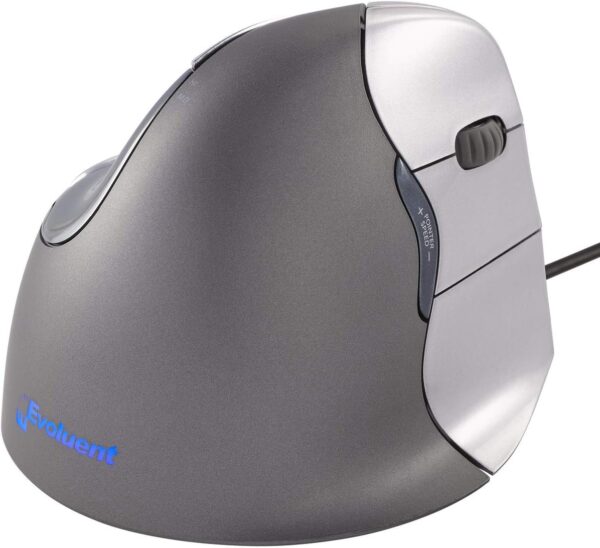
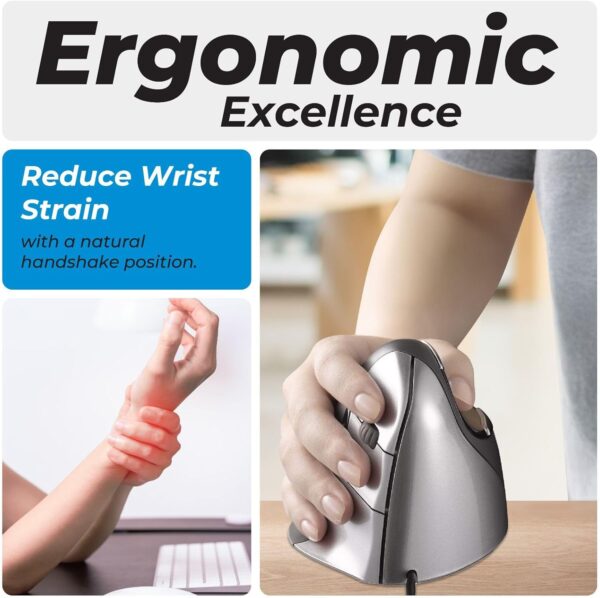
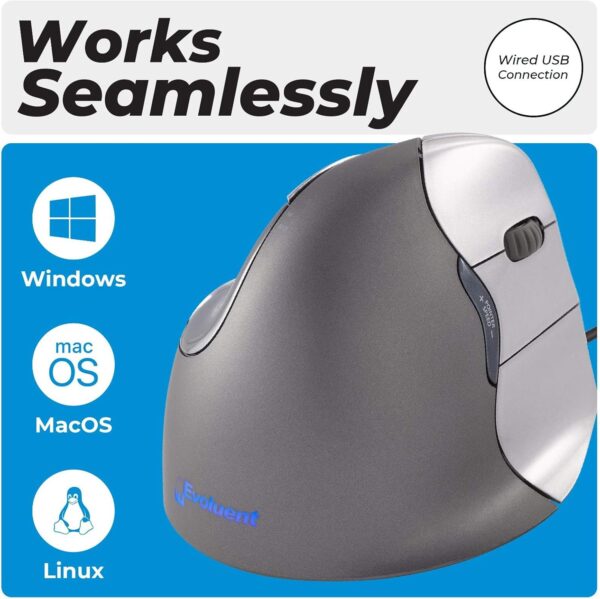
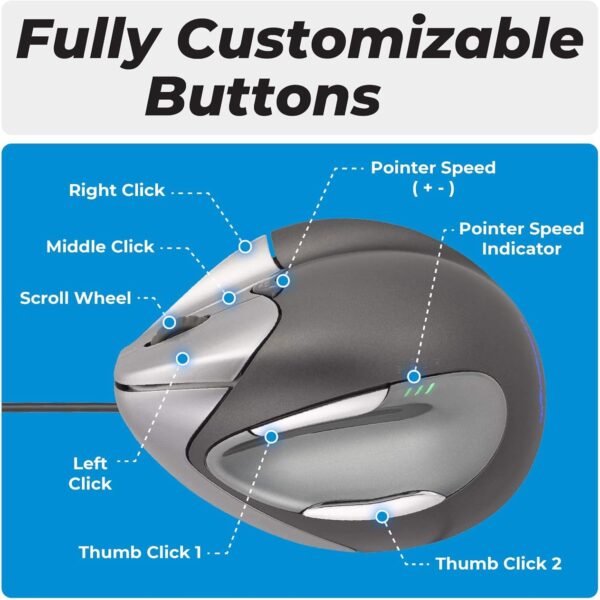
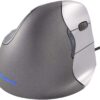
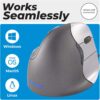
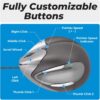
Avoids forearm twisting for comfort and good health. The patented shape supports your hand in an upright neutral posture that generally avoids forearm twisting. Many users, including medical doctors, ergonomists and physical therapists, said the Evoluent Vertical Mouse provides superior comfort and even relieved their wrist pain. Ergonomic Design for Wrist Comfort – The Evoluent VM4R Vertical Mouse 4 gently supports your hand in an upright neutral position, reducing strain and alleviating wrist discomfort. Perfect for those seeking an ergonomic mouse for carpal tunnel issues. Programmable Buttons for Personalized Use – Easily customize button functions using the included Evoluent Mouse Manager software. Adapt your wired VerticalMouse settings to different programs for ultimate efficiency and versatility. Adjustable Pointer Speed – Effortlessly control your cursor with speed settings ranging from low to high using the controls on the side. No need to release your grip to adjust, making this vertical ergonomic mouse a gamer’s favorite. Designed for Comfort – Featuring a broad bottom lip for enhanced comfort, this upright mouse delivers support during prolonged use. Ideal for office work, gaming, and other computer tasks requiring precision. Wide Compatibility – This ergonomic wired mouse works seamlessly with Microsoft Windows, Mac OS, and Linux systems. A reliable USB wired connection ensures consistent performance for both office professionals and gamers.
Price: $89.95 (as of Apr 28, 2025 10:34:27 UTC – Details)
Customers say
Customers find the vertical mouse effective at reducing wrist pain and appreciate its wonderful ergonomic design. The mouse functions well, with several programmable buttons, though some report issues with dead buttons. While customers consider it amazing and worth the price, opinions about build quality are mixed, with some praising its construction while others note the casing doesn’t hold up well. The ease of use receives mixed feedback, with some saying it’s easy to grasp the concept while others find it difficult to get used to.
8 reviews for Evoluent VM4R Vertical Mouse 4 for Right Hand – Ergonomic Mo…
stovey –
Good idea, thoughtful features, a couple of concerns
I started using this mouse not because of carpal tunnel syndrome, but chronic tennis elbow. My doctor first suggested a wrist brace to try to limit the effects of work (programming) on elbow pain, but that got old in a hurry, so I decided to try a vertical mouse and adjustable keyboard.Positives:It feels quite natural, and takes little time to get used to. The hand position is rotated some 60-70 degrees from horizontal, and this should help with RSI concerns.There is a middle mouse button! I haven’t had one of those for ages, but it’s great, especially in Linux where “button 3” is the preferred way to do a quick text paste between windows. For most mice, the scroll wheel doubles as the middle button, but it can be difficult to press a wheel without turning it at the same time. This is much easier for me.Sensitivity is adjustable on the mouse itself, in four steps (high, medium, low, extra low). I find that either of the middle settings works okay for me; high is out of control, and extra low makes it hard to get across the screen. So the range of adjustment seems pretty reasonable. I can conceive of situations where I might want to change sensitivity temporarily – say, when doing fine detailed graphics work. This mouse will let you do the adjustment without messing around in the operating system’s control panel.Negatives:The mouse body is lightweight plastic, and on a smooth surface the thing moves too easily. Why do I care? Isn’t easy movement a good thing? Well, not necessarily. It matters in this case because the buttons are actuated horizontally. I cannot click a button without jiggling the pointer. A mouse pad of the right texture might help here, but what the manufacturer really needs to do is put some inert mass into the mouse body. Or, they should provide a compartment to let the end user add weight “to taste” without having to take the mouse apart and void the warranty. The wireless version of this mouse probably avoids the problem by virtue of containing batteries; keep that in mind when making your choice between them.**LATE EDIT REGARDING MOUSE WEIGHT** More than a year later, with the product well out of warranty, I finally looked into this issue. The bottom plate of the mouse can be detached via 4 screws: two are under the middle product label (feel around for subtle indentations, and stick a small phillips screwdriver through the paper) and the other two are under the front-edge slider pad, which is easily peeled away to expose them. Once the bottom is removed, you can see how much central space you have to work with. My solution was to take a handful of metal hardware (mostly computer case screws, but anything will do if the pieces aren’t too big), put them in a plastic bag to prevent disturbing any electrical connections, tucking them into the mouse body, and then reattaching the base. It makes a night and day difference. The added mass makes all movements more positive, less squirrelly. I’m not using a pad, but putting it directly on a hard desktop surface. Because this works so well and is such a simple modification, I’m increasing my review rating to 5 stars. This is now an *excellent* mouse!A tip just for Linux users:Firefox, at least, expects any extra “back/forward” navigation buttons to be reported as numbers 8 and 9. On this mouse they are unconventionally numbered 8 and 10, 9 being reserved for the mouse wheel (scroll-up=4, scroll-down=5, wheel-press=9). Depending on what desktop environment you run, you might have a graphical control for button assignment, but the following command, as part of my X session startup script, fixes it for me by swapping 9 with 10:xinput set-button-map “Kingsis Peripherals Evoluent VerticalMouse 4” 1 2 3 4 5 6 7 8 10 9 11 12 13 14
Amazon Customer –
Long service life and good value.
Just bought another to replace my original. After 17 years, the first finally stopped working.Huge fan of vertical mouse because it is so natural and comfortable. I’ve use one of these all day every work day for most of my career and can’t recommend it enough.This make is the original and their product os highly dependable. You can expect a very long service life this it’s a good value in the long run.
Amazon Customer –
Extremely comfortable and highly programmable mouse, highly recommended for the spreadsheet warriors
After moving to a new role that required more hours at the computer(ranging from 4-6 hours/day) than I would really prefer, I was eventually starting to feel some wrist fatigue and I was looking for something new to try. As an Industrial Engineer by trade and degree I have a background in ergonomics and had never been all that impressed by other “ergo” mice/input devices. The 3M joystick style never felt right and was difficult to get used to and I had never really liked the trackball style so when I came across this I decided to give it a shot, it was different enough from the competition and well reviewed so I decided to give it a go.Packaging was well done and installation/setup was easy, it works without installing the drivers but you don’t get much of the functionality of it until the drivers are installed. Once that was complete it was pretty intuitive to get the settings adjusted, if you spend enough time at the computer to be looking for a product like this and you found this review, you won’t have any problem getting the mouse installed and setup.Use-Although you may think this would be hard to get used to, the natural position of the hand/wrist is known as the “handshake” position and using this mouse is extremely easy and very natural, other people who use it have no problems at all adapting immediately. The biggest catch is that you really need to use a wrist support or a mousepad with one built into it due to the new position your wrist will be in, other then that it’s basically plug and play! The number of user/application specific shortcuts that you can program into it is impressive and once you get used to them are incredibly handy. Sensitivity is quickly adjustable on the fly, the buttons and scroll wheel have a good tactile feel and aren’t overly noisy.Overall-I’m extremely happy with this mouse and wish I would’ve bought it 5 years ago when I got out of college. 2 biggest items to be aware with it….A.) Buy a mousepad with wrist support(or a standalone wrist support), and B.) Prepare to answer lots of questions from coworkers as everyone who comes in the office and sees this LED blue light emitting tombstone sitting where a mouse goes has questions about what/why/how come/how much etc. I haven’t convinced any of my fellow coworkers who also spend too much time dealing with CAD issues and responding to email to get one yet, but its getting close and everyone who sits down and tries it for a couple minutes comes away with a much better opinion of it. It’s been on my desk for roughly 4 months now and I will never go back to a “normal” mouse on a full time basis again.
Nilotpal Haldar –
It is very useful for healing wrist pain due to extended use of mouse.. I would recommend it to everyone using the mouse for long duration ..
tata_ogg –
Compré este ratón por un problema en la mano y la verdad es que me ha resultado de mucha utilidad. Tiene un manejo sencillo y te haces a él enseguida. Es cómodo y ágil y la posición de la mano es buena. Ha mejorado la posición del brazo y ha disminuido el dolor considerablemente.Estoy muy contenta con el producto.
kordy –
Not only is its higher angle than other vertical mice helpful in removing wrist strain, its well thought out comfort and usability make it a very productive device at that. In a few hours of usage, its fit feels natural.For those that gripe about the challenges of straining new muscles to position their pointer, they need to utilize more their fingertips and thumb, with its well sculpted cavity, for fine motion. We do that with pencils and pens (remember those inventions?) Anchoring your palm’s side might save a lot of effort with small precise movements, with your wrist on a wrist rest too. And moving your arm for more coarse positioning in the “handshake” posture feels natural if not more so than flat mice.Optical, infrared sensing and 2600 DPI resolution should be high enough to satisfy many gamers, maybe not the hardcore twitch variety. But for desktop app use, sometimes dropping to 1800 and 1300 DPI (depending on screen size) with the pointer’s acceleration sensitivity to the minimum (maximum threshold before accelerating) will help you improve slow speed accuracy. Browsing hyperlinks on a 2k screen is fine for me at 2600 DPI, but sometimes I need something lower for letter-precise aiming in editing text.The main buttons, including an ingenious middle button that’s not forced to reside as the wheel, are considered to be a very light touch by a reviewer, but I measure left and right actuations at approximately 40 grams of force. I suppose knowing membrane switches can start down as soft as 25 gf should have taught me to take subjective anecdotes with a grain of salt. It feels as firm as many mouse buttons do. The clicky sounds are definitely pronounced. The wheel in between the left and middle button can be spun more quickly by operating it with the index and middle fingers.Tilt-to-move works like a charm and it’s possible to move the mouse’s body and not upset the screen blanker, thanks to an angled foot. Just follow the instructions on the insert. Although, it’s not as reliable as a serious gaming mouse, which shouldn’t even register 1/16000th inch of movement, for example.The highly mounted top thumb button (9 cm off the surface!) is easily struck if you’re switching your hand from an unsplit keyboard on the left by touch for the first few days. So make sure it’s not set to something that performs an irreversible action. It’s the ‘back’ button by default and I have to watch out for it typing this review in a web browser. That’s not an issue if you place your mouse in between split keyboard halves or in front of it.Before this review sounds like a shill, I am peeved this costs as much it does, and there are seldom sales nor used units available. And with reviews of low durability too, leaving me wondering if there are better values out there competing for Evoluent’s mindshare and rank. And it costs more than many wired gaming mice which represent the pinnacle of performance, convenience and endurance, not that those should be the definitive benchmark for this market. But I’d have to conclude with so much product design executed well, we are getting what we pay for. And at least we get a gaming grade sensor that proves to be a very accurate tracker, even without a good gaming mouse pad.Hint: If you have to temporarily go left-handed, the thumb buttons can be programmed as left/right buttons and the mouse still operates comfortably, vertically and functionally.
Anne Onyme –
J’ai acheté plusieurs souris “verticales”.Celle-ci est la plus verticale de toutes, la position est plus confortable que sur les autres (mmm par contre, le prix….).Les drivers ne sont pas ce qui se fait de mieux, certaines fonctions ne sont assignable qu’à certains boutons, c’est un peu nul, mais tant pis, on fait avec, et puis 5 boutons ça me va, le 6ème je m’en passe.Le logo bleu à l’arrière est pénible (trop lumineux), j’ai collé un morceau de papier dessus, c’est beaucoup mieux.Si vous passez beaucoup d’heures (dans mon cas, ça peut monter à 14h par jour) sur un PC, c’est un investissement intéressant (de même qu’un clavier vraiment ergonomique)







stovey –
Good idea, thoughtful features, a couple of concerns
I started using this mouse not because of carpal tunnel syndrome, but chronic tennis elbow. My doctor first suggested a wrist brace to try to limit the effects of work (programming) on elbow pain, but that got old in a hurry, so I decided to try a vertical mouse and adjustable keyboard.Positives:It feels quite natural, and takes little time to get used to. The hand position is rotated some 60-70 degrees from horizontal, and this should help with RSI concerns.There is a middle mouse button! I haven’t had one of those for ages, but it’s great, especially in Linux where “button 3” is the preferred way to do a quick text paste between windows. For most mice, the scroll wheel doubles as the middle button, but it can be difficult to press a wheel without turning it at the same time. This is much easier for me.Sensitivity is adjustable on the mouse itself, in four steps (high, medium, low, extra low). I find that either of the middle settings works okay for me; high is out of control, and extra low makes it hard to get across the screen. So the range of adjustment seems pretty reasonable. I can conceive of situations where I might want to change sensitivity temporarily – say, when doing fine detailed graphics work. This mouse will let you do the adjustment without messing around in the operating system’s control panel.Negatives:The mouse body is lightweight plastic, and on a smooth surface the thing moves too easily. Why do I care? Isn’t easy movement a good thing? Well, not necessarily. It matters in this case because the buttons are actuated horizontally. I cannot click a button without jiggling the pointer. A mouse pad of the right texture might help here, but what the manufacturer really needs to do is put some inert mass into the mouse body. Or, they should provide a compartment to let the end user add weight “to taste” without having to take the mouse apart and void the warranty. The wireless version of this mouse probably avoids the problem by virtue of containing batteries; keep that in mind when making your choice between them.**LATE EDIT REGARDING MOUSE WEIGHT** More than a year later, with the product well out of warranty, I finally looked into this issue. The bottom plate of the mouse can be detached via 4 screws: two are under the middle product label (feel around for subtle indentations, and stick a small phillips screwdriver through the paper) and the other two are under the front-edge slider pad, which is easily peeled away to expose them. Once the bottom is removed, you can see how much central space you have to work with. My solution was to take a handful of metal hardware (mostly computer case screws, but anything will do if the pieces aren’t too big), put them in a plastic bag to prevent disturbing any electrical connections, tucking them into the mouse body, and then reattaching the base. It makes a night and day difference. The added mass makes all movements more positive, less squirrelly. I’m not using a pad, but putting it directly on a hard desktop surface. Because this works so well and is such a simple modification, I’m increasing my review rating to 5 stars. This is now an *excellent* mouse!A tip just for Linux users:Firefox, at least, expects any extra “back/forward” navigation buttons to be reported as numbers 8 and 9. On this mouse they are unconventionally numbered 8 and 10, 9 being reserved for the mouse wheel (scroll-up=4, scroll-down=5, wheel-press=9). Depending on what desktop environment you run, you might have a graphical control for button assignment, but the following command, as part of my X session startup script, fixes it for me by swapping 9 with 10:xinput set-button-map “Kingsis Peripherals Evoluent VerticalMouse 4” 1 2 3 4 5 6 7 8 10 9 11 12 13 14
Amazon Customer –
Long service life and good value.
Just bought another to replace my original. After 17 years, the first finally stopped working.Huge fan of vertical mouse because it is so natural and comfortable. I’ve use one of these all day every work day for most of my career and can’t recommend it enough.This make is the original and their product os highly dependable. You can expect a very long service life this it’s a good value in the long run.
Amazon Customer –
Extremely comfortable and highly programmable mouse, highly recommended for the spreadsheet warriors
After moving to a new role that required more hours at the computer(ranging from 4-6 hours/day) than I would really prefer, I was eventually starting to feel some wrist fatigue and I was looking for something new to try. As an Industrial Engineer by trade and degree I have a background in ergonomics and had never been all that impressed by other “ergo” mice/input devices. The 3M joystick style never felt right and was difficult to get used to and I had never really liked the trackball style so when I came across this I decided to give it a shot, it was different enough from the competition and well reviewed so I decided to give it a go.Packaging was well done and installation/setup was easy, it works without installing the drivers but you don’t get much of the functionality of it until the drivers are installed. Once that was complete it was pretty intuitive to get the settings adjusted, if you spend enough time at the computer to be looking for a product like this and you found this review, you won’t have any problem getting the mouse installed and setup.Use-Although you may think this would be hard to get used to, the natural position of the hand/wrist is known as the “handshake” position and using this mouse is extremely easy and very natural, other people who use it have no problems at all adapting immediately. The biggest catch is that you really need to use a wrist support or a mousepad with one built into it due to the new position your wrist will be in, other then that it’s basically plug and play! The number of user/application specific shortcuts that you can program into it is impressive and once you get used to them are incredibly handy. Sensitivity is quickly adjustable on the fly, the buttons and scroll wheel have a good tactile feel and aren’t overly noisy.Overall-I’m extremely happy with this mouse and wish I would’ve bought it 5 years ago when I got out of college. 2 biggest items to be aware with it….A.) Buy a mousepad with wrist support(or a standalone wrist support), and B.) Prepare to answer lots of questions from coworkers as everyone who comes in the office and sees this LED blue light emitting tombstone sitting where a mouse goes has questions about what/why/how come/how much etc. I haven’t convinced any of my fellow coworkers who also spend too much time dealing with CAD issues and responding to email to get one yet, but its getting close and everyone who sits down and tries it for a couple minutes comes away with a much better opinion of it. It’s been on my desk for roughly 4 months now and I will never go back to a “normal” mouse on a full time basis again.
Nilotpal Haldar –
It is very useful for healing wrist pain due to extended use of mouse.. I would recommend it to everyone using the mouse for long duration ..
tata_ogg –
Compré este ratón por un problema en la mano y la verdad es que me ha resultado de mucha utilidad. Tiene un manejo sencillo y te haces a él enseguida. Es cómodo y ágil y la posición de la mano es buena. Ha mejorado la posición del brazo y ha disminuido el dolor considerablemente.Estoy muy contenta con el producto.
kordy –
Not only is its higher angle than other vertical mice helpful in removing wrist strain, its well thought out comfort and usability make it a very productive device at that. In a few hours of usage, its fit feels natural.For those that gripe about the challenges of straining new muscles to position their pointer, they need to utilize more their fingertips and thumb, with its well sculpted cavity, for fine motion. We do that with pencils and pens (remember those inventions?) Anchoring your palm’s side might save a lot of effort with small precise movements, with your wrist on a wrist rest too. And moving your arm for more coarse positioning in the “handshake” posture feels natural if not more so than flat mice.Optical, infrared sensing and 2600 DPI resolution should be high enough to satisfy many gamers, maybe not the hardcore twitch variety. But for desktop app use, sometimes dropping to 1800 and 1300 DPI (depending on screen size) with the pointer’s acceleration sensitivity to the minimum (maximum threshold before accelerating) will help you improve slow speed accuracy. Browsing hyperlinks on a 2k screen is fine for me at 2600 DPI, but sometimes I need something lower for letter-precise aiming in editing text.The main buttons, including an ingenious middle button that’s not forced to reside as the wheel, are considered to be a very light touch by a reviewer, but I measure left and right actuations at approximately 40 grams of force. I suppose knowing membrane switches can start down as soft as 25 gf should have taught me to take subjective anecdotes with a grain of salt. It feels as firm as many mouse buttons do. The clicky sounds are definitely pronounced. The wheel in between the left and middle button can be spun more quickly by operating it with the index and middle fingers.Tilt-to-move works like a charm and it’s possible to move the mouse’s body and not upset the screen blanker, thanks to an angled foot. Just follow the instructions on the insert. Although, it’s not as reliable as a serious gaming mouse, which shouldn’t even register 1/16000th inch of movement, for example.The highly mounted top thumb button (9 cm off the surface!) is easily struck if you’re switching your hand from an unsplit keyboard on the left by touch for the first few days. So make sure it’s not set to something that performs an irreversible action. It’s the ‘back’ button by default and I have to watch out for it typing this review in a web browser. That’s not an issue if you place your mouse in between split keyboard halves or in front of it.Before this review sounds like a shill, I am peeved this costs as much it does, and there are seldom sales nor used units available. And with reviews of low durability too, leaving me wondering if there are better values out there competing for Evoluent’s mindshare and rank. And it costs more than many wired gaming mice which represent the pinnacle of performance, convenience and endurance, not that those should be the definitive benchmark for this market. But I’d have to conclude with so much product design executed well, we are getting what we pay for. And at least we get a gaming grade sensor that proves to be a very accurate tracker, even without a good gaming mouse pad.Hint: If you have to temporarily go left-handed, the thumb buttons can be programmed as left/right buttons and the mouse still operates comfortably, vertically and functionally.
Anne Onyme –
J’ai acheté plusieurs souris “verticales”.Celle-ci est la plus verticale de toutes, la position est plus confortable que sur les autres (mmm par contre, le prix….).Les drivers ne sont pas ce qui se fait de mieux, certaines fonctions ne sont assignable qu’à certains boutons, c’est un peu nul, mais tant pis, on fait avec, et puis 5 boutons ça me va, le 6ème je m’en passe.Le logo bleu à l’arrière est pénible (trop lumineux), j’ai collé un morceau de papier dessus, c’est beaucoup mieux.Si vous passez beaucoup d’heures (dans mon cas, ça peut monter à 14h par jour) sur un PC, c’est un investissement intéressant (de même qu’un clavier vraiment ergonomique)
Helga Brümmer –
Bra ergonomi!