ASUS ROG Spatha X Wireless Gaming Mouse (Magnetic Charging S…
$149.99Original price was: $149.99.$124.99Current price is: $124.99.
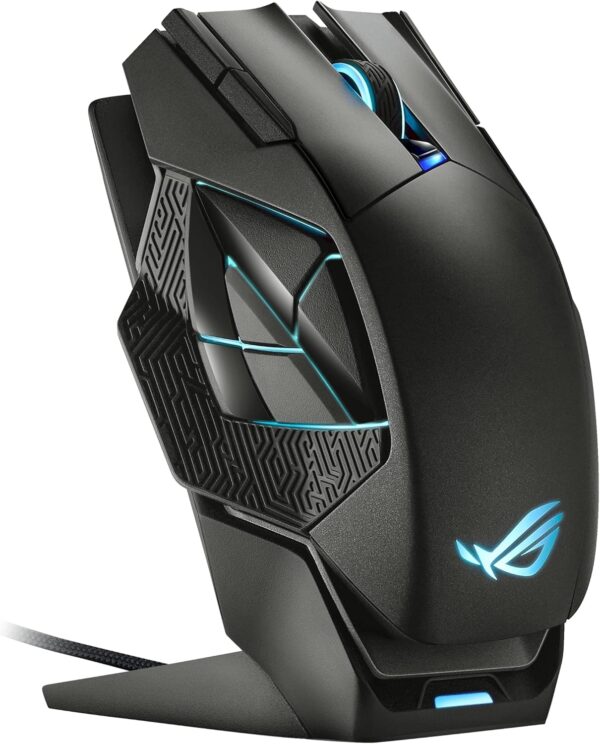
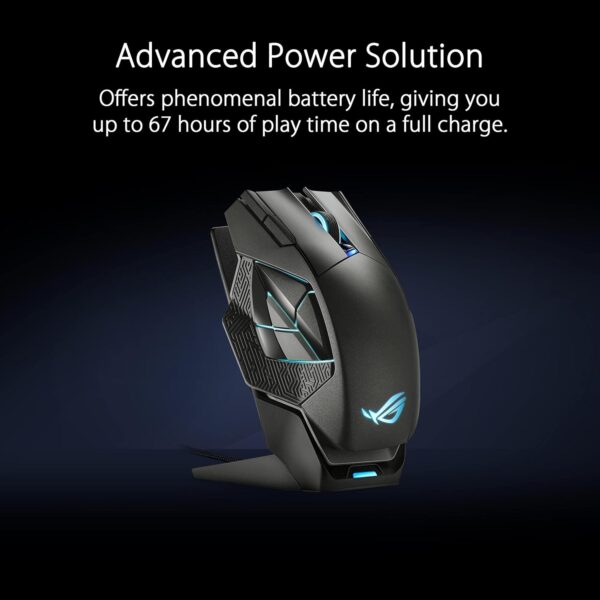
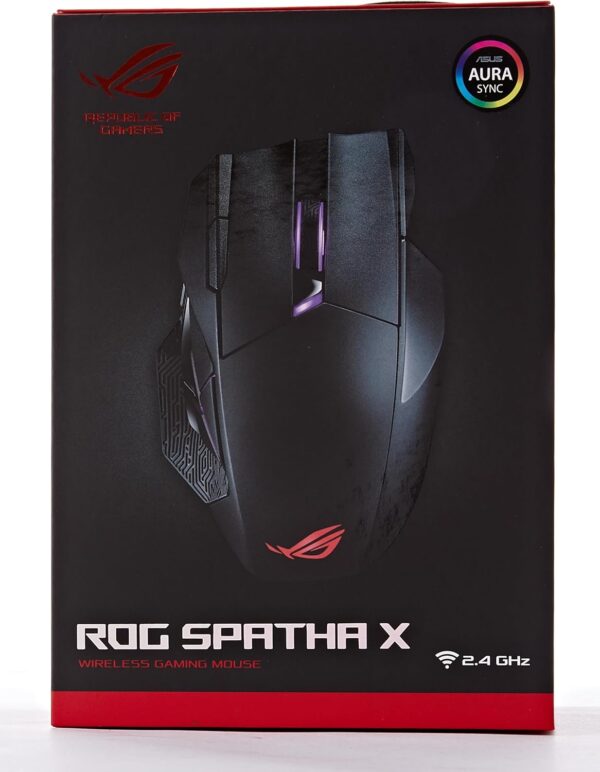
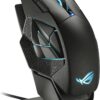
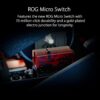
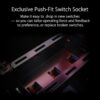
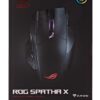
ASUS ROG Spatha X Wireless Gaming Mouse (Magnetic Charging Stand, 12 Programmable Buttons, 19,000 DPI, Push-fit Hot Swap Switch Sockets, ROG Micro Switches, ROG Paracord and Aura RGB Lighting). Dual-mode Connectivity – ROG Spatha X Wireless Gaming Mouse allows you play wirelessly with 2.4 GHzRF, or with a wired USB-C cable connection Ultimate Accuracy – 19,000 DPI optical sensor provides unmatched accuracy. The DPI On-The-Scroll feature lets you easily adjust the sensitivity of the wireless mouse without accessing software Programmable Gaming Mouse – The 12 programmable buttons are positioned within easy reach, all designed to provide intuitive, responsive control Durable Switches & Put-fit Switch Sockets – Gold-plated electro-junction, provides a 70-million clicks; Exclusive put-in switch sockets allow you to easily replace switches based on your preference Ultra-long Battery Life – Charge it via USB-C cable or with the included magnetic charging stand. 15 minutes can provide up to 12 hours of wireless gaming; Enjoy 67 hours of play time on a full charge
Price: $149.99 - $124.99 (as of Apr 29, 2025 13:50:55 UTC – Details)
Customers say
Customers find the gaming mouse performs well and appreciate its build quality, comfort, and ergonomic design for larger hands. The buttons receive mixed feedback, with some praising the side buttons while others find them poorly mapped and non-programmable. Customers disagree on the mouse’s weight, with some loving it while others find it clunky, and opinions vary on its size and ease of use. Functionality is also mixed, with some saying it works perfectly while others report it failing after four months of use.
11 reviews for ASUS ROG Spatha X Wireless Gaming Mouse (Magnetic Charging S…
GA5 –
A Beast that’s Great for Games or Work
What can’t this baby do? It’s great for gaming, MMOs, macros for working in Excel. It’s a beast and it’s still going strong after 3 years! The ASUS ROG Spartha X is a sick wireless gaming mouse that packs a punch with lots of features, great performance, and flexibility. It’s perfect if you’re a gamer looking for a top-notch wireless mouse with tons of customization options. This mouse is loaded with cool stuff—whether you go wireless or wired—it’s super precise, comfy to hold, has customizable buttons, and RGB lights to deck it out. Basically, it’s a versatile and powerful gaming gear.
Jose R –
Great Mouse to Buy (ROG Spatha X)
Fits comfortably in my hand, very high quality and functionality for the price, the movements are very smooth and connectivity is flawless. Might be a bit bulky for someone with smaller hands but it is still a great wireless mouse to pick up if you are sick of the wires getting in the way of your gaming experience. The magnetic charging stand is also extremely helpful to have.
A Nony Mouse –
Good purchase!
I have medium sized hands and this mouse fits perfectly. I love the size, I love the weight, the things that so many people don’t like about it. I almost didn’t buy it because of the negative reviews accordingly. Glad I did. It’s solid and will do every thing you’d expect in a premium mouse. The software was a little tricky setting up and has a little bit of a learning curve but if you’re smart enough to learn a game, you can learn this mouse. It’s very intuitive once you get the hang of it. I find it’s easier to pick up without pressing a button than any other mouse I’ve used because of how it is designed. The buttons are much easier to distinguish one from the other making all of the buttons functional for me. The one mouse I have with 12 buttons on the side confuses my poor fingers. That issue is gone due to fewer buttons, different shapes and spacing. I would buy this mouse again. Hopefully not for a while though.
Saturn –
Great mouse
Was this worth 100 bucks? Maybe.First of all, I love the charging station. It makes sure the mouse is charged all the time (if you dock it) and acts as the USB dongle itself, so no other weird chips taking up ports. It’s kinda good quality, too. Kinda. Does have a sorta plastic feel to it. The other buttons on the side are marvelous. You can program them to anything you want. You can also customize the lighting in Aura Sync!The downsides? It’s bulky, heavy, and the two buttons at the front (for smaller hands) is quite useless. It’s also 100 bucks. Honestly, this would be more reasonable at around 80 bucks.But hey, wanna have bragging rights that you have a 100 buck mouse? This is it!
E L McCrory –
Wow! Great mouse/great value
When my previous mouse started going south (battery life), I decided to go shopping for a new mouse. While I have some gaming requirements, my biggest 2 priorities were fit/feel and battery life. My hand is bigger, so I am picky to how it fits in my hand and how it feels to move it around. This does better with the palm fit for me – my hand feels more flat than curved up around a slimmer mouse. The battery life is easy met to advertised specs (I haven’t actually measured), and is enhanced by a very nice receiver/magnetized charger. The 15 min minimum charge time is spot on. I now “hang” the mouse up every time I am done at my desk. The programmable LED features are nice and work well with the LED setup I already possessed. The thumb custom buttons (x 6) are surprisingly comfortable and 2nd nature to use and 3 of the buttons come pre-programmed for volume up/down and mute. VERY convenient! This is a great value – I would expect to have paid more for this unit. I have a ROG motherboard, so this continues my high standards for ASUS ROG product line.
HPark –
Bought this to replace a Roccat Leadr
I had been using a Roccat Leadr for many years until it started having issues with clicks and button detection. For those unfamiliar with it, the main selling point of the Leadr is the additional buttons and action levers. That was such an intuitive mouse design.Anyway, the Spatha X covers most of the extra buttons with the two on the top left edge and the six side buttons. Functionally, the click response of all buttons are good and the design does include rest areas for your thumb and ring finger/pinky (depending on your grip). It is a good mouse and the in-game movement and precision is very good.But, there are some issues with the mouse design…1. This is a very long mouse from back to front. I have longer than average fingers and it is a stretch to reach the furthest of the extra buttons on the top left of the mouse.2. Another issue with the extra top buttons is that they are very thin. So, it is very easy to miss the extra button and actually perform a left mouse click. I am not sure why they are not raised a little bit to make it easier to recognize, instead of feeling for the gap. The Leadr had a great design with very prominent raised buttons that you could actually tap sideways (not just from the top).3. The six side buttons look cool, but again some are very easy to miss, so you find yourself feeling around instead of just clicking intuitively. Especially the middle and low back buttons…4. This is a heavy mouse. I have never been a fan of superlight mouses, and mostly play shooter games that also involve movement and ability that I map to the extra mouse buttons, so I am used to a heavier mouse, but this one took me a while to get used to. The extra weight will be noticeable.
henrique monteiro rogich jasinski –
O mouse é fabuloso. Já estou usando-o a várias semanas. Para quem gosta de mouses grandes. A base de carregamento é também o dongle wireless, então não é adequado para quem quer trocar rapidamente entre computadores.A bateria dura o suficiente para ate dois dias de uso moderado (configurado o modo de hibernação). Se deixar o mouse na base durante a noite, não vai acabar a bateria durante um dia inteiro de uso constante.Vem com botões extras para reparar, e aparentemente é possível abri-lo com certa facilidade.Usar o Armoury Crate, o programa de gerenciamento da Asus, é indispensável. Então considerar isso. É o mesmo usado para placa mãe Asus e outros componentes da marca.O preço é alto, mas se estiver disposto a compra-lo, é uma excelente opção.Possui 6 botões configuráveis, além dos 3 botões de clique padrão e os 2 de avançar e retornar, então são 11 botões ao total para interagir com o computador, sem contar o botão de DPI.Não é possível conectar via bluetooth. Conexão wireless é confiável, mas não flexível.

















GA5 –
A Beast that’s Great for Games or Work
What can’t this baby do? It’s great for gaming, MMOs, macros for working in Excel. It’s a beast and it’s still going strong after 3 years! The ASUS ROG Spartha X is a sick wireless gaming mouse that packs a punch with lots of features, great performance, and flexibility. It’s perfect if you’re a gamer looking for a top-notch wireless mouse with tons of customization options. This mouse is loaded with cool stuff—whether you go wireless or wired—it’s super precise, comfy to hold, has customizable buttons, and RGB lights to deck it out. Basically, it’s a versatile and powerful gaming gear.
Jose R –
Great Mouse to Buy (ROG Spatha X)
Fits comfortably in my hand, very high quality and functionality for the price, the movements are very smooth and connectivity is flawless. Might be a bit bulky for someone with smaller hands but it is still a great wireless mouse to pick up if you are sick of the wires getting in the way of your gaming experience. The magnetic charging stand is also extremely helpful to have.
A Nony Mouse –
Good purchase!
I have medium sized hands and this mouse fits perfectly. I love the size, I love the weight, the things that so many people don’t like about it. I almost didn’t buy it because of the negative reviews accordingly. Glad I did. It’s solid and will do every thing you’d expect in a premium mouse. The software was a little tricky setting up and has a little bit of a learning curve but if you’re smart enough to learn a game, you can learn this mouse. It’s very intuitive once you get the hang of it. I find it’s easier to pick up without pressing a button than any other mouse I’ve used because of how it is designed. The buttons are much easier to distinguish one from the other making all of the buttons functional for me. The one mouse I have with 12 buttons on the side confuses my poor fingers. That issue is gone due to fewer buttons, different shapes and spacing. I would buy this mouse again. Hopefully not for a while though.
Saturn –
Great mouse
Was this worth 100 bucks? Maybe.First of all, I love the charging station. It makes sure the mouse is charged all the time (if you dock it) and acts as the USB dongle itself, so no other weird chips taking up ports. It’s kinda good quality, too. Kinda. Does have a sorta plastic feel to it. The other buttons on the side are marvelous. You can program them to anything you want. You can also customize the lighting in Aura Sync!The downsides? It’s bulky, heavy, and the two buttons at the front (for smaller hands) is quite useless. It’s also 100 bucks. Honestly, this would be more reasonable at around 80 bucks.But hey, wanna have bragging rights that you have a 100 buck mouse? This is it!
E L McCrory –
Wow! Great mouse/great value
When my previous mouse started going south (battery life), I decided to go shopping for a new mouse. While I have some gaming requirements, my biggest 2 priorities were fit/feel and battery life. My hand is bigger, so I am picky to how it fits in my hand and how it feels to move it around. This does better with the palm fit for me – my hand feels more flat than curved up around a slimmer mouse. The battery life is easy met to advertised specs (I haven’t actually measured), and is enhanced by a very nice receiver/magnetized charger. The 15 min minimum charge time is spot on. I now “hang” the mouse up every time I am done at my desk. The programmable LED features are nice and work well with the LED setup I already possessed. The thumb custom buttons (x 6) are surprisingly comfortable and 2nd nature to use and 3 of the buttons come pre-programmed for volume up/down and mute. VERY convenient! This is a great value – I would expect to have paid more for this unit. I have a ROG motherboard, so this continues my high standards for ASUS ROG product line.
HPark –
Bought this to replace a Roccat Leadr
I had been using a Roccat Leadr for many years until it started having issues with clicks and button detection. For those unfamiliar with it, the main selling point of the Leadr is the additional buttons and action levers. That was such an intuitive mouse design.Anyway, the Spatha X covers most of the extra buttons with the two on the top left edge and the six side buttons. Functionally, the click response of all buttons are good and the design does include rest areas for your thumb and ring finger/pinky (depending on your grip). It is a good mouse and the in-game movement and precision is very good.But, there are some issues with the mouse design…1. This is a very long mouse from back to front. I have longer than average fingers and it is a stretch to reach the furthest of the extra buttons on the top left of the mouse.2. Another issue with the extra top buttons is that they are very thin. So, it is very easy to miss the extra button and actually perform a left mouse click. I am not sure why they are not raised a little bit to make it easier to recognize, instead of feeling for the gap. The Leadr had a great design with very prominent raised buttons that you could actually tap sideways (not just from the top).3. The six side buttons look cool, but again some are very easy to miss, so you find yourself feeling around instead of just clicking intuitively. Especially the middle and low back buttons…4. This is a heavy mouse. I have never been a fan of superlight mouses, and mostly play shooter games that also involve movement and ability that I map to the extra mouse buttons, so I am used to a heavier mouse, but this one took me a while to get used to. The extra weight will be noticeable.
henrique monteiro rogich jasinski –
O mouse é fabuloso. Já estou usando-o a várias semanas. Para quem gosta de mouses grandes. A base de carregamento é também o dongle wireless, então não é adequado para quem quer trocar rapidamente entre computadores.A bateria dura o suficiente para ate dois dias de uso moderado (configurado o modo de hibernação). Se deixar o mouse na base durante a noite, não vai acabar a bateria durante um dia inteiro de uso constante.Vem com botões extras para reparar, e aparentemente é possível abri-lo com certa facilidade.Usar o Armoury Crate, o programa de gerenciamento da Asus, é indispensável. Então considerar isso. É o mesmo usado para placa mãe Asus e outros componentes da marca.O preço é alto, mas se estiver disposto a compra-lo, é uma excelente opção.Possui 6 botões configuráveis, além dos 3 botões de clique padrão e os 2 de avançar e retornar, então são 11 botões ao total para interagir com o computador, sem contar o botão de DPI.Não é possível conectar via bluetooth. Conexão wireless é confiável, mas não flexível.
みずしの –
まず気に入った所は多ボタンマウスでどのゲームジャンルにも使えるとこですしかしマウスは通常より重いので軽いのが良いという方には不向きかも知れません。メリットは多ボタンマウスで自由なボタン設定にできるのが良く又無線でできるのでストレスフリーで遊ぶことが出来ます。デメリットは多ボタンマウス故に左サイドボタンの中央の小さいボタンがやや押しにくいので咄嗟に操作するような時には押せなかったりするのでやや不満でした。自分はFPS(APEX)にも使用してますが今のところ不便に感じたことは上記の小さいボタン以外は無いので配置次第ではその不満点も解消できるのでおすすめのマウスです。このマウスを使用する上で向いてるのは手がそこそこでかい人、やや重いマウスが好みの人にはおすすめなのでそういった方には買って後悔はしないと思います。なので総合評価星5とさせて頂きます!
Aliesha Waheed –
God build quality feels solid and lovely weight
Viviane A. –
Le bouton DPI (au dessus de la molette) ne fonctionne plus.
Munkhbileg –
If you have small or medium-sized hands, this may feel larger than expected.