Aqara Smart Lock U100, Fingerprint Keyless Entry Door Lock w…
$229.99Original price was: $229.99.$142.69Current price is: $142.69.
From the brand
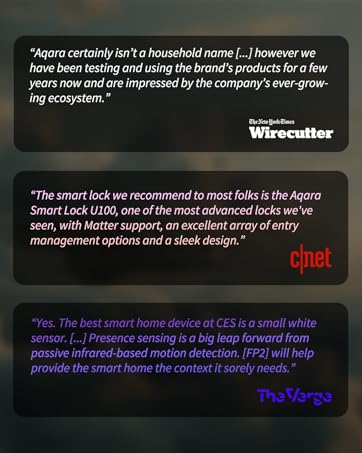
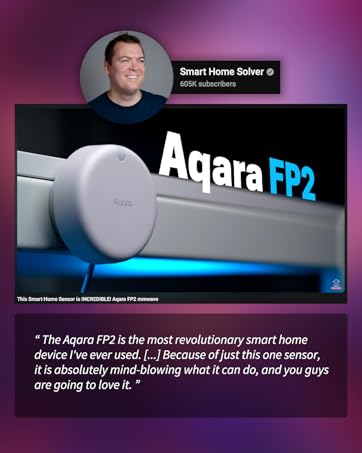
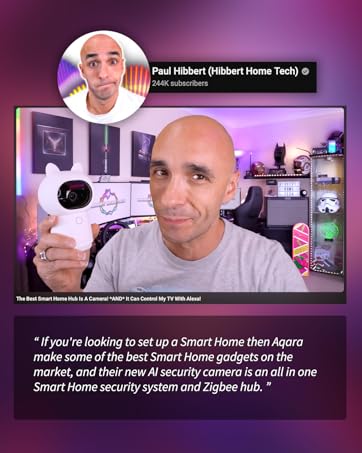
As a leading provider of smart home solutions, Aqara excels in delivering a wide array of award-winning, user-friendly smart home products and platform solutions tailored for your home. We proudly serve over 12 million customers in more than 170 countries and territories. Our products are designed to offer convenience, security, and energy efficiency, making your home smarter, more sustainable, and adaptive to your evolving needs.
Aqara Smart Lock
Aqara Cameras & Hubs
Aqara Sensors
Aqara Controllers
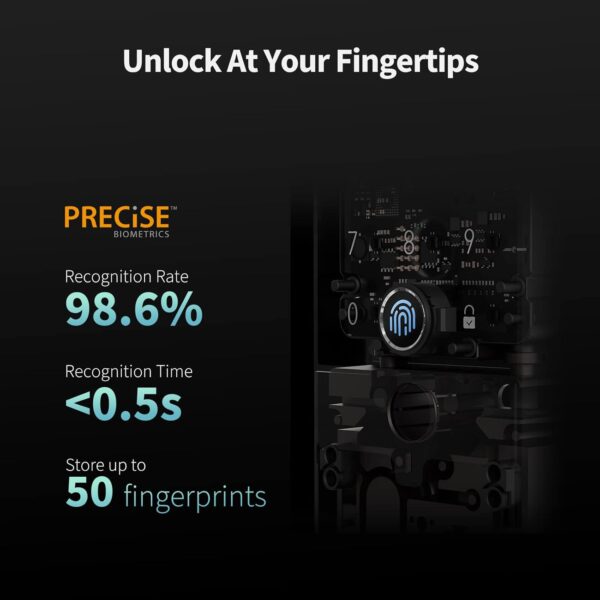
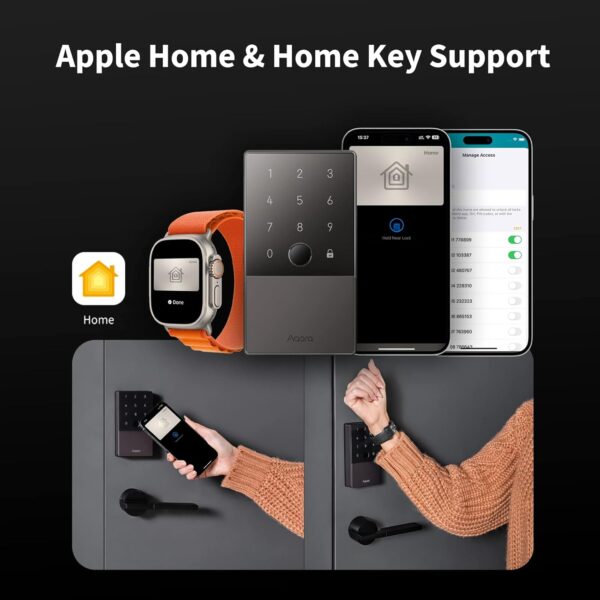
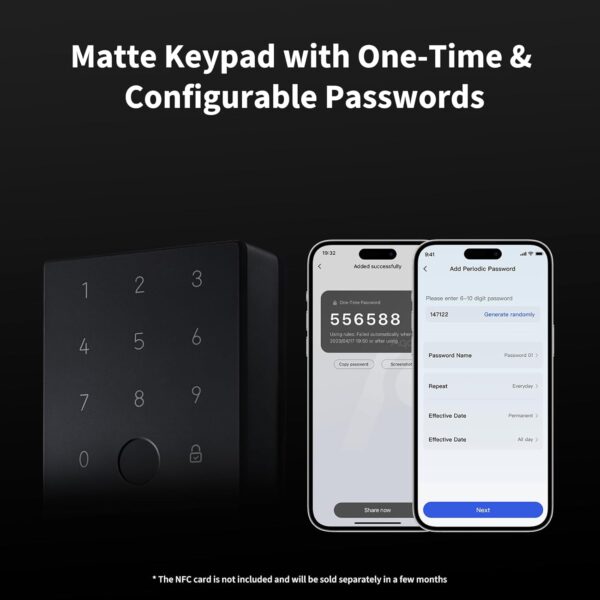
【Apple Home and Home Key Support】The U100 is a smart door lock that is fully integrated into Apple Home. It can be unlocked with the Apple home keys by simply tapping an iPhone or Apple Watch, even when the iPhone or Apple Watch is out of power. Moreover, you can manage and share door access for your guests in Apple Home. 【Fingerprint and More Ways to Unlock】The Smart Lock U100 offers multiple ways to unlock, including a high-precision fingerprint reader for up to 50 fingerprints, remotely configurable passwords via the Aqara Home app (An Aqara Zigbee 3.0 hub is required), one-time local passwords for visitors, and a mechanical key for emergency use. * The NFC card is not included and is sold separately. 【Automations with Aqara and Third-Party Devices】With an Aqara Zigbee 3.0 hub, the Smart Door Lock U100 is compatible with third-party ecosystems like Google Home, Alexa, IFTTT as well as the Aqara Home app, allowing it to be easily integrated into a wide range of smart home setups and used in smart home automations. For example, when someone presses the Aqara Video Doorbell G4, you will be able to view who is at your door and easily unlock the U100. 【Auto Lock & Do Not Disturb Mode】Thanks to the built-in gyroscope inside the lock, the auto-lock feature locks the door for you after you close it. Alternatively, you can disable this feature and leave the door always open. Also, the Do Not Disturb mode can mute the door lock sounds within a certain period of time, to avoid affecting your family’s sleep when you get back home late. 【A Durable and Secure Biometric door Lock with Long Battery Life】 The U100 is powered by 4 AA 1.5V batteries (included) and has a long battery life of up to 8 months. Also, a USB-C port for emergency charging is available. The lock body made of zinc alloy has an IP65 rating and complies with the same safety standard as BHMA Level 3. It’s capable of withstanding temperatures ranging from -31°F to 151°F. Your sensitive data (e.g., fingerprints) is stored locally and fully AES encrypted.
Price: $229.99 - $142.69 (as of Apr 30, 2025 12:52:57 UTC – Details)
Customers say
Customers find the smart lock works well with Apple Watch and HomeKit, and appreciate its fingerprint reader that works flawlessly and is easy to add fingerprints to. The installation process is straightforward, and customers consider it good value for money. The build quality receives mixed feedback, with some describing it as solid while others find it flimsy, and customers disagree on the speed of operation. The lock quality also gets mixed reviews, with some saying it never fails while others report strange behavior.
8 reviews for Aqara Smart Lock U100, Fingerprint Keyless Entry Door Lock w…
A. Felix –
Very Fast and Reliable
I got the Aqara Smart Lock because it works with Apple HomeKit, and I love the idea of just holding my phone or Apple Watch to unlock my door. It’s super cool and convenient since I always have my phone and Apple Watch with me.Setting it up took a bit longer than I thought it would, but it wasn’t hard—just a little time-consuming. Once I got it up and running, it worked great with Bluetooth. The Bluetooth connection can take a few seconds to connect when I’m close to the lock, so it’s not instant. But once it connects, I can see logs of who opened or closed the door and control the lock.You really need the Aqara hub if you want to check logs or control the lock away from home. I ended up getting the Aqara Smart Hub E1, which is the cheapest one I could find. It took a bit of work to connect it to my Wi-Fi since it only works on 2.4GHz. I had to temporarily disable the 5GHz band on my Eero router, but thankfully, the Eero app made that easy. It disabled the antenna for 30 minutes, which was more than enough time to finish the setup.Make sure you set it up in the Aqara app first before syncing it with HomeKit. I accidentally tried to set it up in HomeKit first, and that caused the Aqara app to not recognize it, so don’t make the same mistake I did!Once the hub was connected, the lock connected super quickly, much faster than with just Bluetooth. You do have the option of controlling the lock with just an Apple HomeKit hub like an Apple TV or iPad without using the Aqara hub at all, but having the Aqara hub is way better. It gives you faster connections and access to all the management tools while away from home, unlike HomeKit, which only lets you lock and unlock it remotely. So if you just care about unlocking and locking while away from home and already have an Apple TV as a hub, then you technically don’t need the Aqara hub as well.Overall, I really recommend the Aqara Smart Lock. It’s the fastest operating lock I’ve ever used, the fingerprint sensor is the most accurate I’ve seen, and it’s been extremely reliable. It has so many ways of opening it that my family finds it very convenient. I love this lock, and I hope it continues to work well for many years.
shopaholic –
Best value smart lock.
Not a perfect product, but for the price it’s a great smart lock.Easy to install.Looks nice.Love the support for HomeKit.I like that the Hub is optional and not required when connecting to HomeKit.Fingerprint sensor is the easier way to use the lock especially for kids.The HomeKey/NFC is too slow.
Greg M –
I want to love it, but the batteries hold it back…
I bought three of these and have been living with them for over 3 months. I love them 99% of the time! However, my tech-challenged wife threatened to banish them from the house more than once due to frustrating issues. When it works, it works very well and I love the design and features – easy setup, seamless unlocking with my apple watch. But to avoid repeating marketing fluff and other reviewers, I’ll focus on the cons:- They run on alkaline batteries. In addition to being annoying to replace, That makes the motor too weak to overcome rubbing/misaligned striker plates or just plain inoperable below about 20°F (0°F if it’s on a heated house door). My old house is constantly shifting in the Midwestern weather and my striker plates will never stay aligned.- Connectivity with the app is slow at best. Thankfully, I rarely have reason to check the lock status in the app but when I do I’m not fully convinced it’s accurate (showing high battery level even though the lock is not working in the cold temps)- Some doors are not compatible and Aquara could easily offer an adapter kit, but I don’t think they do. I had to get creative with some door modification to get it to install on 1 of 3 doors.BATTERY WORKAROUND: I was able to supercharge one of these locks that was on my unheated garage door by using an AC battery adapter for AA batteries. These are inexpensive devices that power the lock with a wall plug. No more replacing batteries and weak lock function! Every lock operation goes super fast and secures confidently. However, I have to have an unsightly cord running along my door or heavily modify my door to hide the wire. Not an issue for a garage but unacceptable for a house.I’ll be first in line when Aquara offers a more powerful battery version (Lithium Ion?), and in the meantime I’ll enjoy it when it works and try to fend off my wife’s frustrations when it doesn’t. Wish me luck.
عماد النزاوي –
جهاز ممتاز جدا ويعمل مع أبل هوم كيت بشكل ممتاز جدا.أكثر ما أعجبني به هو دعمه لنظام nfc من أبل حيث أضع هاتفي الآيفون على الجهاز ويفتح بشكل مباشر دون الحاجة إلى فتح قفل الآيفون بعد تفعيل ميزة الوصول السريع.
Kevin A. –
Title: Cutting-Edge Security Integration – Aqara Smart Lock U100 ReviewI recently integrated the Aqara Smart Lock U100 into my smart home setup, and it has surpassed my expectations in terms of security, functionality, and seamless tech integration.Design and Build:The sleek, modern design of the Aqara U100 complements any door, and its robust construction instills confidence in its durability. The IP65 weatherproof rating ensures reliable performance in various conditions, making it suitable for both indoor and outdoor use.Fingerprint Recognition Technology:The standout feature is the fingerprint keyless entry system. Setup was a breeze, and the accuracy and speed of the fingerprint recognition are impressive. It provides a convenient and secure way to access my home without the need for keys or codes.Touchscreen Keypad and User Interface:The responsive touchscreen keypad is user-friendly, allowing for easy code entry and configuration. The intuitive interface guides users through setup and customization, making it accessible for both tech enthusiasts and those new to smart home devices.Smart Home Integration:The Aqara U100 seamlessly integrates with popular smart home ecosystems, including Apple HomeKit, Alexa, Google Assistant, and IFTTT. This broad compatibility ensures that the smart lock effortlessly fits into existing setups, providing a cohesive and interconnected home automation experience.Bluetooth Connectivity:Bluetooth connectivity enhances the overall user experience by enabling convenient remote access and monitoring via the Aqara Home app. The responsiveness of the lock to commands ensures a reliable connection between the app and the smart lock.Security Features:The Aqara U100 prioritizes security with advanced encryption protocols, ensuring the protection of user data and preventing unauthorized access. The electronic deadbolt mechanism adds an extra layer of security, and the lock status is conveniently monitored through the app.Conclusion:In conclusion, the Aqara Smart Lock U100 is a technologically advanced and highly secure keyless entry solution. Its integration with leading smart home platforms, robust build quality, and innovative features make it a standout choice for those seeking a reliable and sophisticated smart lock. Whether you’re a tech enthusiast or simply value the convenience of a keyless entry system, the Aqara U100 is a worthwhile investment in modern home security.
Caín Volkov –
Fácil de instalar, confiable, siempre funcional (al ser de baterías, no te deja afuera si se te va la luz, pero debes cuidar la diva de las baterías para no llevarte sorpresas).Creo que es un buen kit con buen precio pues incluye dos llaves NFC, llaves físicas, usa huella, funciona con Apple HomeKit nativamente (generalmente abro usando mi Watch); puedes escoger código por habitante y además puedes mandar llaves temporales a visitas (muy útil para la señora del aseo sin tener que darle un juego de llaves).La amo.
Michael Wang –
Had this lock for a few months now, it is on the main door so it is used very frequently and has not missed a beat, we have both the pin and fingerprint setup and it works flawlessly, the only issue is that it requires a separate hub to connect to Google assistant which is what we use for our smart home, otherwise it is configurable via the aqara app on Bluetooth.Installation process was a breeze, instructions were clear and informative, weather seal seems to work very well on rainy days.
Matt –
THE PROBLEM—If your existing lock uses a drive-in style deadbolt (round, no faceplate), the deadbolt included with the Aqara U100 Smart Lock is incompatible as it has a non-removable faceplate. The tailpiece slot on the Aqara Deadbolt (the part that accepts the rod and turns to extend and retract the deadbolt) is uncommon, at least according to the locksmiths I’ve spoken with.Some doors cannot be modified to include a faceplate, such as metal doors, or, like me, you might want to avoid modifying your door to have a faceplate.SOLUTION—Buy the Design House 783332 Pro Deadbolt from Amazon ($14 CAD as of writing) as it has a removable faceplate and can be used as a drive-in style deadbolt that has a slot compatible with the U100’s tailpiece (the rod that goes through the deadbolt and turns to extend and retract the deadbolt).If you receive a calibration error with this deadbolt, try calibrating the lock with the door open (the app will tell you to have it closed). If it works, you’ll need to chisel out the hole for the deadbolt in the doorjamb/doorframe to allow the deadbolt to fully extend to prevent constant beeping (and error messages in the app). I think this was an issue with my particular door, as the hole for my deadbolt seemed overly shallow.If the Design House 783332 Pro Deadbolt is unavailable, or if you want to try to find one with a shorter deadbolt, other deadbolts from Design House or Emtek that use a + shaped slot for the tailpiece should work.BACKSTORY / FULL EXPLANATION—I was excited to try the U100 as a replacement for my two August Smart Locks— they eat CR123A batteries for breakfast and would routinely disconnect from my Apple HomeKit setup.My first attempt at installing the U100 came to a complete halt— the deadbolt latch included with the smart lock has a non-removable faceplate that requires modifying your door if it was configured for a drive-in (round, no faceplate) style deadbolt.I wasn’t comfortable modifying my doors to accommodate a faceplate, and I wasn’t going to pay a professional to do it. After all, I justified this new smart lock purchase based on estimated battery savings, and I wasn’t about to extend my timeline to riches.After visiting a Home Depot and two locksmith shops, extensive Googling, a support email to Aqara, and a plea to Reddit, I couldn’t find a solution that didn’t include modifying my door to fit a faceplate. According to the locksmiths I spoke with to find a compatible drive-in deadbolt, the part where the tailpiece slides through the deadbolt to turn the lock was one of a kind. So my first U100 went back to Amazon.This kept me up at night—every fiber of my being wanted to stop buying CR123A batteries. Then I remembered the August Lock came with a deadbolt tailpiece compatibility graphic— my first good lead.According to the August Lock deadbolt tailpiece compatibility graphic, Defiant, Emtek, Weiser, and Weslock, all use a similar tailpiece (size and orientation) to the Aqara U100’s deadbolt.After some Googling, the Emtek tailpiece slot appeared to be positioned in the right spot on the lock and utilizes a + shape which should allow it to be compatible with the U100 tailpiece. The tailpiece slots from the other brands could theoretically work, but I didn’t want to risk the mechanism having reversed lock/unlock positions.Looking on Amazon for Emtek replacement deadbolts, I found a brand called Design House which seemed to utilize the same tailpiece slot and placement as Emtek. All of their locks come with a faceplate, but my prior research suggested that the faceplate on most locks is removable. I landed on the Design House 783332 Pro Deadbolt, which was $14 Canadian and shipped with Prime.Once I received the new deadbolt, I easily slid off the faceplate (no tools required) and ordered a new Aqara Smart Lock U100. When it arrived, I installed it following the instructions but used the Design House deadbolt instead of the Aqara. As the tailpiece slot on the Design House is + shaped, be sure to match the orientation of the tailpiece with the knob on the interior side of the U100 so that you don’t have to disassemble and reassemble the lock to change which way the tailpiece fits into the tailpiece slot on the deadbolt.After installing, when setting up the smart lock in the app, I received a calibration error that I couldn’t move past. After a quick panic that there was some special magic in the Aqara Deadbolt, I wised up and tried calibrating the lock with the door open (rather than closed) to triangulate the issue. Sure enough, it calibrated, but it still wouldn’t work with the door closed (the smart lock would beep, and the app would throw errors and require recalibration).As it turns out, the hole for the deadbolt in my doorjamb/door frame was shallow and didn’t allow it to extend fully. I did have to chisel out the hole, but this was an issue with my original door installation and not resulting from the Design House deadbolt being freakishly long.I’m still playing around with the smart lock (I just installed it), but in early testing, it’s been very responsive in HomeKit to lock and unlock the door at home and when I’m away. HomeKey and the Fingerprint Reader are lightning fast, and the integrated numbered is much more delightful to use than the (sold separately) August Lock keypad. I’m excited that there is an easy-to-activate “Passage Mode” that can be activated on the lock itself, allowing you to temporarily turn off auto-lock (which, after living with a smart lock that doesn’t do this, was a key-selling feature).I’ll update this review if I encounter any issues.I hope this helps!MattETHICS DISCLOSURE—I did not receive any compensation or free products for this review. All products mentioned above were purchased without reimbursement and I am not affiliated with Aqara or Design House in any way.








A. Felix –
Very Fast and Reliable
I got the Aqara Smart Lock because it works with Apple HomeKit, and I love the idea of just holding my phone or Apple Watch to unlock my door. It’s super cool and convenient since I always have my phone and Apple Watch with me.Setting it up took a bit longer than I thought it would, but it wasn’t hard—just a little time-consuming. Once I got it up and running, it worked great with Bluetooth. The Bluetooth connection can take a few seconds to connect when I’m close to the lock, so it’s not instant. But once it connects, I can see logs of who opened or closed the door and control the lock.You really need the Aqara hub if you want to check logs or control the lock away from home. I ended up getting the Aqara Smart Hub E1, which is the cheapest one I could find. It took a bit of work to connect it to my Wi-Fi since it only works on 2.4GHz. I had to temporarily disable the 5GHz band on my Eero router, but thankfully, the Eero app made that easy. It disabled the antenna for 30 minutes, which was more than enough time to finish the setup.Make sure you set it up in the Aqara app first before syncing it with HomeKit. I accidentally tried to set it up in HomeKit first, and that caused the Aqara app to not recognize it, so don’t make the same mistake I did!Once the hub was connected, the lock connected super quickly, much faster than with just Bluetooth. You do have the option of controlling the lock with just an Apple HomeKit hub like an Apple TV or iPad without using the Aqara hub at all, but having the Aqara hub is way better. It gives you faster connections and access to all the management tools while away from home, unlike HomeKit, which only lets you lock and unlock it remotely. So if you just care about unlocking and locking while away from home and already have an Apple TV as a hub, then you technically don’t need the Aqara hub as well.Overall, I really recommend the Aqara Smart Lock. It’s the fastest operating lock I’ve ever used, the fingerprint sensor is the most accurate I’ve seen, and it’s been extremely reliable. It has so many ways of opening it that my family finds it very convenient. I love this lock, and I hope it continues to work well for many years.
shopaholic –
Best value smart lock.
Not a perfect product, but for the price it’s a great smart lock.Easy to install.Looks nice.Love the support for HomeKit.I like that the Hub is optional and not required when connecting to HomeKit.Fingerprint sensor is the easier way to use the lock especially for kids.The HomeKey/NFC is too slow.
Greg M –
I want to love it, but the batteries hold it back…
I bought three of these and have been living with them for over 3 months. I love them 99% of the time! However, my tech-challenged wife threatened to banish them from the house more than once due to frustrating issues. When it works, it works very well and I love the design and features – easy setup, seamless unlocking with my apple watch. But to avoid repeating marketing fluff and other reviewers, I’ll focus on the cons:- They run on alkaline batteries. In addition to being annoying to replace, That makes the motor too weak to overcome rubbing/misaligned striker plates or just plain inoperable below about 20°F (0°F if it’s on a heated house door). My old house is constantly shifting in the Midwestern weather and my striker plates will never stay aligned.- Connectivity with the app is slow at best. Thankfully, I rarely have reason to check the lock status in the app but when I do I’m not fully convinced it’s accurate (showing high battery level even though the lock is not working in the cold temps)- Some doors are not compatible and Aquara could easily offer an adapter kit, but I don’t think they do. I had to get creative with some door modification to get it to install on 1 of 3 doors.BATTERY WORKAROUND: I was able to supercharge one of these locks that was on my unheated garage door by using an AC battery adapter for AA batteries. These are inexpensive devices that power the lock with a wall plug. No more replacing batteries and weak lock function! Every lock operation goes super fast and secures confidently. However, I have to have an unsightly cord running along my door or heavily modify my door to hide the wire. Not an issue for a garage but unacceptable for a house.I’ll be first in line when Aquara offers a more powerful battery version (Lithium Ion?), and in the meantime I’ll enjoy it when it works and try to fend off my wife’s frustrations when it doesn’t. Wish me luck.
عماد النزاوي –
جهاز ممتاز جدا ويعمل مع أبل هوم كيت بشكل ممتاز جدا.أكثر ما أعجبني به هو دعمه لنظام nfc من أبل حيث أضع هاتفي الآيفون على الجهاز ويفتح بشكل مباشر دون الحاجة إلى فتح قفل الآيفون بعد تفعيل ميزة الوصول السريع.
Kevin A. –
Title: Cutting-Edge Security Integration – Aqara Smart Lock U100 ReviewI recently integrated the Aqara Smart Lock U100 into my smart home setup, and it has surpassed my expectations in terms of security, functionality, and seamless tech integration.Design and Build:The sleek, modern design of the Aqara U100 complements any door, and its robust construction instills confidence in its durability. The IP65 weatherproof rating ensures reliable performance in various conditions, making it suitable for both indoor and outdoor use.Fingerprint Recognition Technology:The standout feature is the fingerprint keyless entry system. Setup was a breeze, and the accuracy and speed of the fingerprint recognition are impressive. It provides a convenient and secure way to access my home without the need for keys or codes.Touchscreen Keypad and User Interface:The responsive touchscreen keypad is user-friendly, allowing for easy code entry and configuration. The intuitive interface guides users through setup and customization, making it accessible for both tech enthusiasts and those new to smart home devices.Smart Home Integration:The Aqara U100 seamlessly integrates with popular smart home ecosystems, including Apple HomeKit, Alexa, Google Assistant, and IFTTT. This broad compatibility ensures that the smart lock effortlessly fits into existing setups, providing a cohesive and interconnected home automation experience.Bluetooth Connectivity:Bluetooth connectivity enhances the overall user experience by enabling convenient remote access and monitoring via the Aqara Home app. The responsiveness of the lock to commands ensures a reliable connection between the app and the smart lock.Security Features:The Aqara U100 prioritizes security with advanced encryption protocols, ensuring the protection of user data and preventing unauthorized access. The electronic deadbolt mechanism adds an extra layer of security, and the lock status is conveniently monitored through the app.Conclusion:In conclusion, the Aqara Smart Lock U100 is a technologically advanced and highly secure keyless entry solution. Its integration with leading smart home platforms, robust build quality, and innovative features make it a standout choice for those seeking a reliable and sophisticated smart lock. Whether you’re a tech enthusiast or simply value the convenience of a keyless entry system, the Aqara U100 is a worthwhile investment in modern home security.
Caín Volkov –
Fácil de instalar, confiable, siempre funcional (al ser de baterías, no te deja afuera si se te va la luz, pero debes cuidar la diva de las baterías para no llevarte sorpresas).Creo que es un buen kit con buen precio pues incluye dos llaves NFC, llaves físicas, usa huella, funciona con Apple HomeKit nativamente (generalmente abro usando mi Watch); puedes escoger código por habitante y además puedes mandar llaves temporales a visitas (muy útil para la señora del aseo sin tener que darle un juego de llaves).La amo.
Michael Wang –
Had this lock for a few months now, it is on the main door so it is used very frequently and has not missed a beat, we have both the pin and fingerprint setup and it works flawlessly, the only issue is that it requires a separate hub to connect to Google assistant which is what we use for our smart home, otherwise it is configurable via the aqara app on Bluetooth.Installation process was a breeze, instructions were clear and informative, weather seal seems to work very well on rainy days.
Matt –
THE PROBLEM—If your existing lock uses a drive-in style deadbolt (round, no faceplate), the deadbolt included with the Aqara U100 Smart Lock is incompatible as it has a non-removable faceplate. The tailpiece slot on the Aqara Deadbolt (the part that accepts the rod and turns to extend and retract the deadbolt) is uncommon, at least according to the locksmiths I’ve spoken with.Some doors cannot be modified to include a faceplate, such as metal doors, or, like me, you might want to avoid modifying your door to have a faceplate.SOLUTION—Buy the Design House 783332 Pro Deadbolt from Amazon ($14 CAD as of writing) as it has a removable faceplate and can be used as a drive-in style deadbolt that has a slot compatible with the U100’s tailpiece (the rod that goes through the deadbolt and turns to extend and retract the deadbolt).If you receive a calibration error with this deadbolt, try calibrating the lock with the door open (the app will tell you to have it closed). If it works, you’ll need to chisel out the hole for the deadbolt in the doorjamb/doorframe to allow the deadbolt to fully extend to prevent constant beeping (and error messages in the app). I think this was an issue with my particular door, as the hole for my deadbolt seemed overly shallow.If the Design House 783332 Pro Deadbolt is unavailable, or if you want to try to find one with a shorter deadbolt, other deadbolts from Design House or Emtek that use a + shaped slot for the tailpiece should work.BACKSTORY / FULL EXPLANATION—I was excited to try the U100 as a replacement for my two August Smart Locks— they eat CR123A batteries for breakfast and would routinely disconnect from my Apple HomeKit setup.My first attempt at installing the U100 came to a complete halt— the deadbolt latch included with the smart lock has a non-removable faceplate that requires modifying your door if it was configured for a drive-in (round, no faceplate) style deadbolt.I wasn’t comfortable modifying my doors to accommodate a faceplate, and I wasn’t going to pay a professional to do it. After all, I justified this new smart lock purchase based on estimated battery savings, and I wasn’t about to extend my timeline to riches.After visiting a Home Depot and two locksmith shops, extensive Googling, a support email to Aqara, and a plea to Reddit, I couldn’t find a solution that didn’t include modifying my door to fit a faceplate. According to the locksmiths I spoke with to find a compatible drive-in deadbolt, the part where the tailpiece slides through the deadbolt to turn the lock was one of a kind. So my first U100 went back to Amazon.This kept me up at night—every fiber of my being wanted to stop buying CR123A batteries. Then I remembered the August Lock came with a deadbolt tailpiece compatibility graphic— my first good lead.According to the August Lock deadbolt tailpiece compatibility graphic, Defiant, Emtek, Weiser, and Weslock, all use a similar tailpiece (size and orientation) to the Aqara U100’s deadbolt.After some Googling, the Emtek tailpiece slot appeared to be positioned in the right spot on the lock and utilizes a + shape which should allow it to be compatible with the U100 tailpiece. The tailpiece slots from the other brands could theoretically work, but I didn’t want to risk the mechanism having reversed lock/unlock positions.Looking on Amazon for Emtek replacement deadbolts, I found a brand called Design House which seemed to utilize the same tailpiece slot and placement as Emtek. All of their locks come with a faceplate, but my prior research suggested that the faceplate on most locks is removable. I landed on the Design House 783332 Pro Deadbolt, which was $14 Canadian and shipped with Prime.Once I received the new deadbolt, I easily slid off the faceplate (no tools required) and ordered a new Aqara Smart Lock U100. When it arrived, I installed it following the instructions but used the Design House deadbolt instead of the Aqara. As the tailpiece slot on the Design House is + shaped, be sure to match the orientation of the tailpiece with the knob on the interior side of the U100 so that you don’t have to disassemble and reassemble the lock to change which way the tailpiece fits into the tailpiece slot on the deadbolt.After installing, when setting up the smart lock in the app, I received a calibration error that I couldn’t move past. After a quick panic that there was some special magic in the Aqara Deadbolt, I wised up and tried calibrating the lock with the door open (rather than closed) to triangulate the issue. Sure enough, it calibrated, but it still wouldn’t work with the door closed (the smart lock would beep, and the app would throw errors and require recalibration).As it turns out, the hole for the deadbolt in my doorjamb/door frame was shallow and didn’t allow it to extend fully. I did have to chisel out the hole, but this was an issue with my original door installation and not resulting from the Design House deadbolt being freakishly long.I’m still playing around with the smart lock (I just installed it), but in early testing, it’s been very responsive in HomeKit to lock and unlock the door at home and when I’m away. HomeKey and the Fingerprint Reader are lightning fast, and the integrated numbered is much more delightful to use than the (sold separately) August Lock keypad. I’m excited that there is an easy-to-activate “Passage Mode” that can be activated on the lock itself, allowing you to temporarily turn off auto-lock (which, after living with a smart lock that doesn’t do this, was a key-selling feature).I’ll update this review if I encounter any issues.I hope this helps!MattETHICS DISCLOSURE—I did not receive any compensation or free products for this review. All products mentioned above were purchased without reimbursement and I am not affiliated with Aqara or Design House in any way.