Kasa Smart Ceiling Fan Control & Dimmer Switch | Adjustable …
$49.99Original price was: $49.99.$44.99Current price is: $44.99.
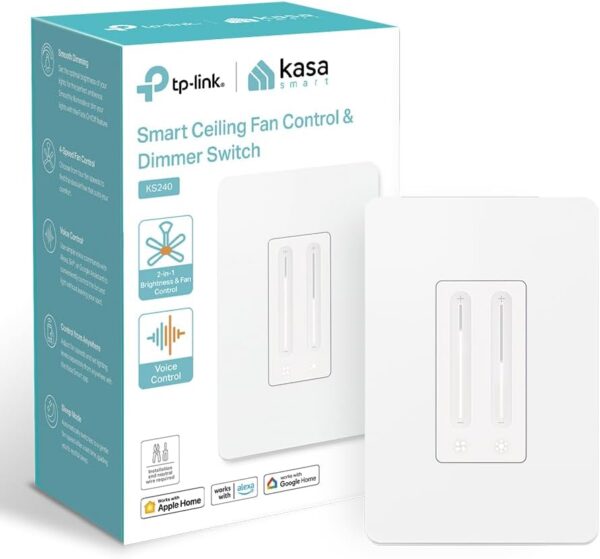
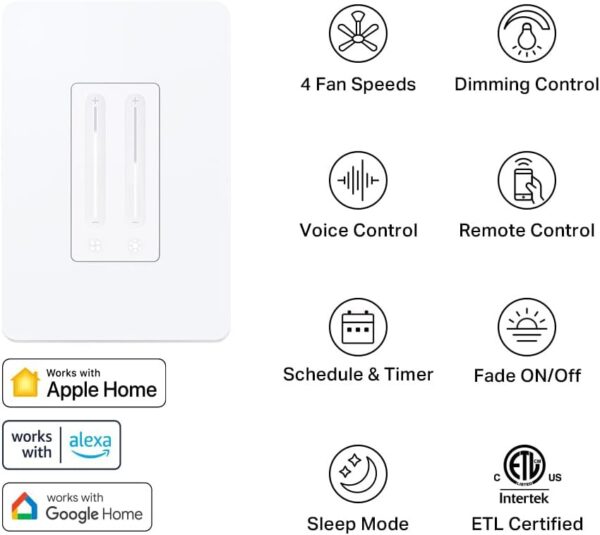
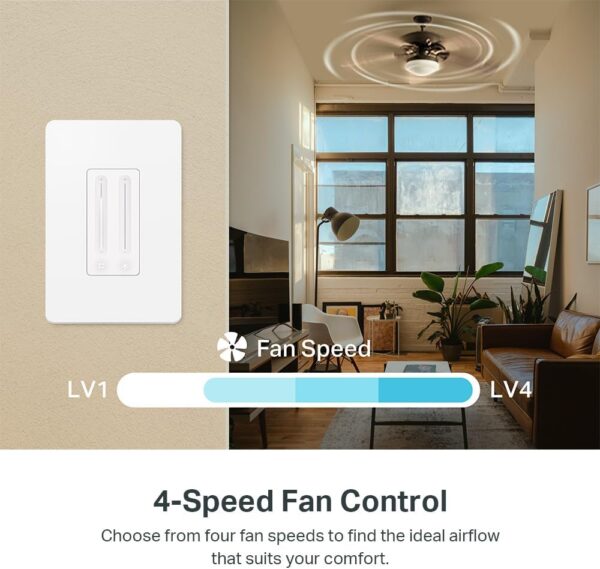
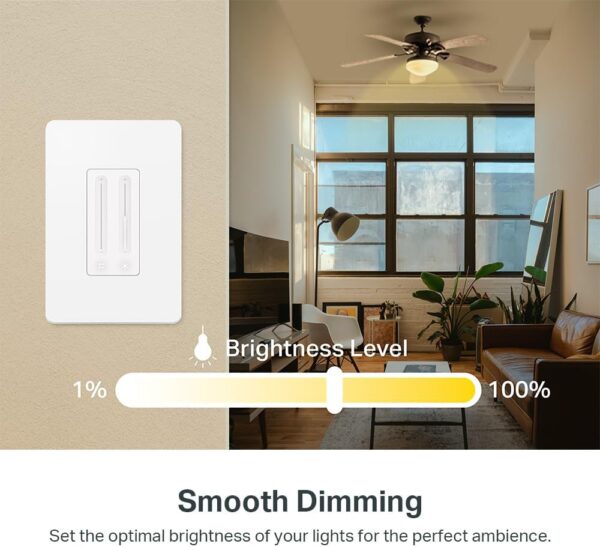
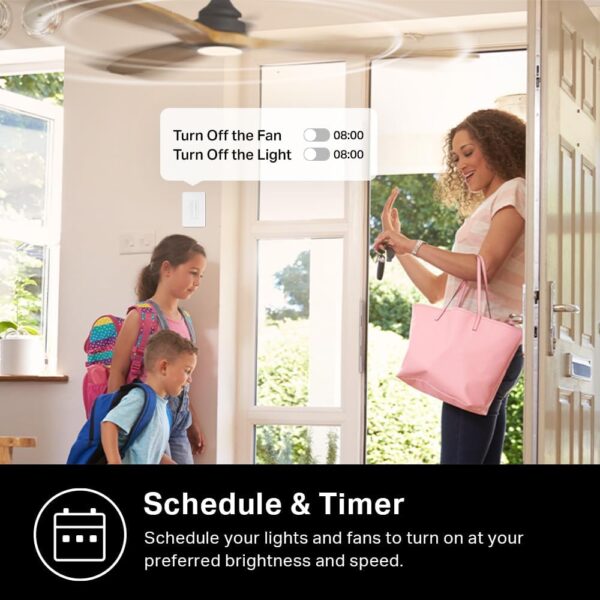
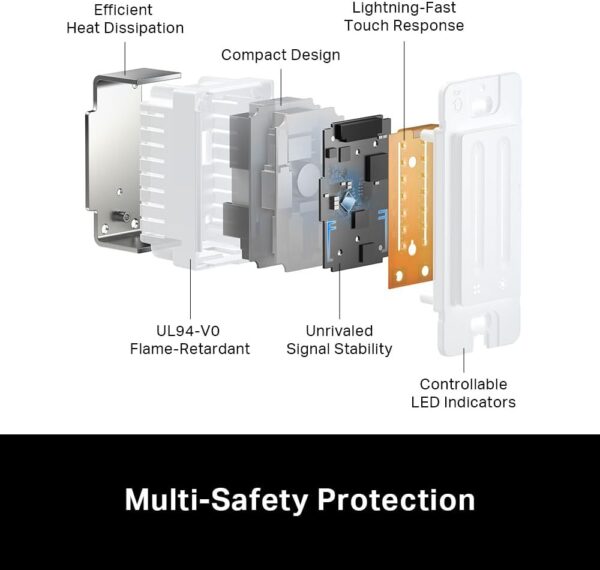
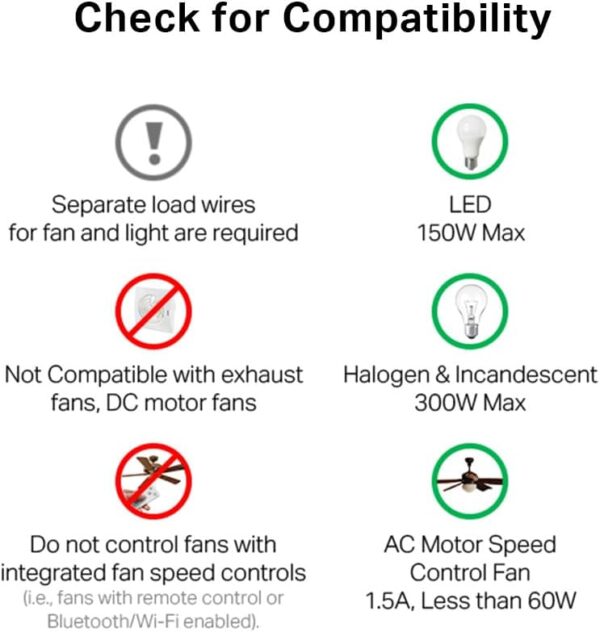
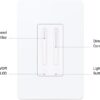
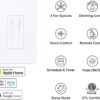
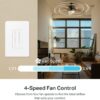
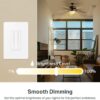
【Comfort and convenience at your fingertips】Add comfort and convenience to your modern home—the Kasa Smart Fan Control & Light Dimmer allows you to control your fan and lights from anywhere using the Kasa Smart app or with voice commands using Apple HomeKit, Amazon Alexa, or Google Assistant. Its 2-in-1 functionality is designed to eliminate the inconvenience of pull chains and transform your old-fashioned ceiling fan light into a smart one! Choose from 4 fan speeds and adjust the light’s brightness on a scale of 1 to 100 to set the perfect ambiance for any occasion. Schedule your lights and fan to turn on and off automatically to always enter a welcoming home and to deter burglars while you’re away. Most importantly, have peace of mind both in and out of operation: featuring ETL certification, advanced safety features, and premium construction materials to prevent electrical overload and overheating. 【4 Fan Speeds】 Tailor your airflow to your exact preferences by choosing from four fan speeds for the utmost comfort 【Adjustable Brightness】 Set the desired brightness of your light to curate the perfect ambiance for any occasion whether it’s a cozy night in or a festive gathering 【Apple HomeKit Compatible】 Along with Amazon Alexa and Google Assistant, KS240 is compatible with Apple HomeKit and can be conveniently controlled using voice commands 【Schedule & Timer】 Schedule your light and fan to turn on and off automatically, so you can always come home to a well-lit, comfortable space, or even schedule them to turn on while you’re away to deter burglars 【App Control】 Adjust fan speeds and set lighting levels from anywhere with the Kasa Smart app or Apple HomeKit app 【App-Guided Install】Neutral wire is required, standard wall plate size. No need to understand complex switch wiring or master vs auxiliary switch configurations; The Kasa app guides you through easy step by step installation. Need 2.4GHz Wi-Fi connection.
Price: $49.99 - $44.99 (as of May 08, 2025 11:35:59 UTC – Details)
Customers say
Customers find the smart switch works well with Google Home and other Kasa products, is easy to install with clear instructions, and effectively controls both fans and lights. The design receives positive feedback for its nice appearance, and customers appreciate it as a replacement for double switches. While the dimming function gets mixed reviews with some finding it perfect while others say the LED indicators aren’t dim enough, connectivity issues are reported with frequent connection losses. The fan speed control receives criticism for being slow.
11 reviews for Kasa Smart Ceiling Fan Control & Dimmer Switch | Adjustable …
Motinc –
Superior product
This product is superior to the competition. The directions are clear, the installation is simple, connectivity is quick, and, most of all, the functionality is better than that of the competitive device I removed. There are four fan speeds, and the light dimming is perfect, from very bright to very low. However, it does cost a little more.
Dennis M –
Nicely designed control and works that functions as it should!
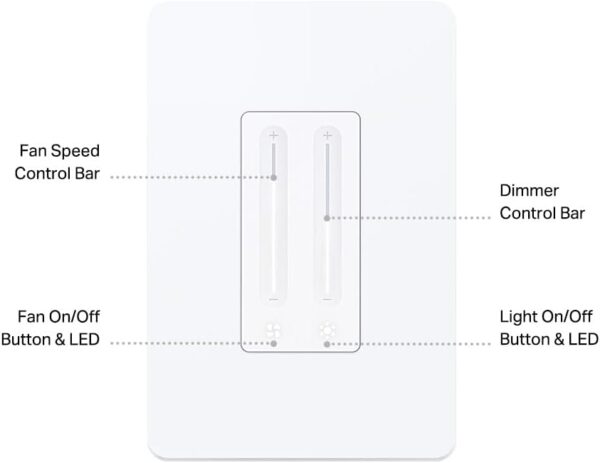
I had older fan/light controls that were causing problems. I have about 15 TP-LINK/KASA smart products and never had a problem with any of them. Sometime these smart products take a while for them to find WIFI but that’s the same as any other product joining your WIFI network.When it comes to setup and wiring, it appears to be pretty straightforward. I say appears because I have a friend who is a master electrician and can wire anything. Since I’m an old fart, (just ask my sons,) I have some difficulty with my fingers handling small items.This switch has two vertical sliders, one for fan and one for light. You slide your finger up and down like a regular dimmer. The face is nicely designed with a white slider on each side of the front of the switch.At the bottom of the sliders is a single LED to turn each object on or off.One final note, you can control this witch with your voice on Alexa, but I find the voice controls are a little awkward. This is a very good light/fan switch and I do recommend it to anyone looking for dual control.
jleejapan –
Easy to install, integrates easily with Google Home
I wanted to replace my existing non-smart light switch and fan control with a smart solution. The challenge was to find one which would fit in a single gang box. My go-to solution (which I have used in other places) utilizes a separate switch and fan control, requiring a two-gang box.This Kasa solution meets the basic requirements. It works fine with Google Home, which I have been using for all my automation. It was simple to install, and easy to control.My only complaint is that it is difficult to turn on and off by feel when entering a room. I am constantly turning on the fan when I mean to turn on the light. There is no way to differentiate the two by feel, other than the position. Visually it is easy to distinguish, but that doesn’t help when entering a dark room. It would be nice if the primary control (lights) and fan control were somehow more obvious positionally (e.g. top / bottom) or different physically.
McKenna Klunder –
Excellent HomeKit Fan Controller!
Works great! Easy set up, paired flawlessly with HomeKit, no connections issues. The fan control even has a nice ‘click’ when you adjust settings, so you get some audible feedback. Would purchase again!
ankurbs –
cool combo switch
My weekend project was installing a new fan and since i have started adding HomeKit to my smart setup, this was a no brainer. Once i got through the physical install of the fan/wiring/junction boxes, i started on this. Thankfully, this was way easier. honestly, the hardest part of this install was trying to get all the wires to fit into the box as there are 5 of them. hooking the wires up took only a few minutes, though getting everything into the box was challenging (i even had an extended box, so a standard box would likely be even harder). once i was able to physically install it and turned on the power, adding it to homekit was a breeze (took maybe 2 min and i probably spent more time picking an icon than actually setting it up).nice part about the switch is it will treat the fan and light as separate homekit devices, so they can each have their own “button”. adding to the kasa app was a simple as opening the app as the new device notification was waiting for me to click and install.once that was finished, tested it all out and it worked with no issues. it looks great on the wall and functions perfectly. win win!
Sagar –
A Game-Changer for Home Comfort
I recently purchased the Kasa Smart Ceiling Fan Control & Dimmer Switch and I couldn’t be happier with my decision.This device added comfort and convenience to master bedroom.What I love:Easy Installation: The setup was straightforward, even for someone like me who isn’t particularly tech-savvy. The included instructions were clear and concise.Smart Control: Being able to control my ceiling fan and light from anywhere using my smartphone or voice commands is incredible.Integration with Smart Home Devices: The switch seamlessly integrates with my existing smart home setup, allowing me to control it along with other devices using a single app.Reliable Performance: The device has been working flawlessly since I installed it. I’ve had no issues with connectivity or responsiveness.Important Note: While the installation was relatively easy, it’s important to note that you’ll need a neutral wire in your ceiling box for this device to work. I was lucky enough to have one, but if you don’t, you might need to consult with an electrician to add one.Overall, I highly recommend the Kasa Smart Ceiling Fan Control & Dimmer Switch to anyone looking to upgrade their home’s comfort and convenience. It’s a fantastic investment that will pay off in the long run.
Michael –
Pros:- Easy to use controls. For example, to turn the light on, just touch the light slider at the desired brightness level and the light comes on at that brightness. Fan control dimmer switches from eg Treatlife require that you first turn the light on before you can adjust the brightness, meaning you can blind yourself at night before you have a chance to dim the lights.- Easy to set up in the app.- Expose ON and OFF events in Alexa.Cons:- The dimmer was not able to dim LED bulbs significantly even after trying bulbs from two different manufactures. The dimmer that originally came with my light+fan as well as a dimmer from Treatlife were able to properly dim my LED bulbs.- The procedure in the app to adjust the min and max dim levels is convoluted. You first have to sit through a test of several seconds before you have a chance to adjust the min and max brightness levels. In the Treatlife app, for example, you just immediately tap a slider to adjust the (min only) brightness, which is much easier.I really like these dimmers (I bought two plus a motion sensor), but I’ve given them only three stars because they could not dim properly, and sadly I have returned them and opted for dimmers from Treatlife, which, although much clumsier to use, work properly with my lights.
wildpack –
There’s not a lot of choice for HomeKit fan controllers. This one is fine. Not sure I’m 100% behind the touch control. You can easily adjust the speed or brightness by mistake (or lack of hand-eye control).However, the Meross fan controller is total junk. Multiple presses (like double clicks) of the fan button or the light button are used to adjust speed and brightness. It’s somehow not quite intuitive. Worse was the Meross would disconnect from Wi-fi and never reconnect. Had to do a complete re-install each time. To be fair, the room is Wi-fi challenged, but still the Kasa works fine and seems to always be connected. Kasa also has a much better IOS app too.Keeping the Kasa – Meross fan switch goes to the yard sale with the totally total crap Wemos. My other Meross switches have no problems.
Berrylowcost –
Works perfect
Goldenjet –
I would have given this five stars except for the fact that I couldn’t get one to pair with the app and until it does, it will show red flashing lights even though it will work to control the fan. I had to move one of them closer to the wi-fi hub to configure it and move a previously configured one to its former location … I had to reconfigure that one but was able to do so. I did have to try multiple times on half of them to pair them with the app but all eventually did configure … except for one which as I said above, I had to move. It appears as though one was a bit pickier on how close it was to the wi-fi. Since being installed and configured they have worked well.
Sam –
It works excellent. Make sure you’re only using it for AC motors. I noticed it’s a little warm to the touch which is fine. One annoyance is that it is too easy to accidentally factory reset it by only holding either button for 5 seconds. This has already happened to me twice.










Motinc –
Superior product
This product is superior to the competition. The directions are clear, the installation is simple, connectivity is quick, and, most of all, the functionality is better than that of the competitive device I removed. There are four fan speeds, and the light dimming is perfect, from very bright to very low. However, it does cost a little more.
Dennis M –
Nicely designed control and works that functions as it should!
I had older fan/light controls that were causing problems. I have about 15 TP-LINK/KASA smart products and never had a problem with any of them. Sometime these smart products take a while for them to find WIFI but that’s the same as any other product joining your WIFI network.When it comes to setup and wiring, it appears to be pretty straightforward. I say appears because I have a friend who is a master electrician and can wire anything. Since I’m an old fart, (just ask my sons,) I have some difficulty with my fingers handling small items.This switch has two vertical sliders, one for fan and one for light. You slide your finger up and down like a regular dimmer. The face is nicely designed with a white slider on each side of the front of the switch.At the bottom of the sliders is a single LED to turn each object on or off.One final note, you can control this witch with your voice on Alexa, but I find the voice controls are a little awkward. This is a very good light/fan switch and I do recommend it to anyone looking for dual control.
jleejapan –
Easy to install, integrates easily with Google Home
I wanted to replace my existing non-smart light switch and fan control with a smart solution. The challenge was to find one which would fit in a single gang box. My go-to solution (which I have used in other places) utilizes a separate switch and fan control, requiring a two-gang box.This Kasa solution meets the basic requirements. It works fine with Google Home, which I have been using for all my automation. It was simple to install, and easy to control.My only complaint is that it is difficult to turn on and off by feel when entering a room. I am constantly turning on the fan when I mean to turn on the light. There is no way to differentiate the two by feel, other than the position. Visually it is easy to distinguish, but that doesn’t help when entering a dark room. It would be nice if the primary control (lights) and fan control were somehow more obvious positionally (e.g. top / bottom) or different physically.
McKenna Klunder –
Excellent HomeKit Fan Controller!
Works great! Easy set up, paired flawlessly with HomeKit, no connections issues. The fan control even has a nice ‘click’ when you adjust settings, so you get some audible feedback. Would purchase again!
ankurbs –
cool combo switch
My weekend project was installing a new fan and since i have started adding HomeKit to my smart setup, this was a no brainer. Once i got through the physical install of the fan/wiring/junction boxes, i started on this. Thankfully, this was way easier. honestly, the hardest part of this install was trying to get all the wires to fit into the box as there are 5 of them. hooking the wires up took only a few minutes, though getting everything into the box was challenging (i even had an extended box, so a standard box would likely be even harder). once i was able to physically install it and turned on the power, adding it to homekit was a breeze (took maybe 2 min and i probably spent more time picking an icon than actually setting it up).nice part about the switch is it will treat the fan and light as separate homekit devices, so they can each have their own “button”. adding to the kasa app was a simple as opening the app as the new device notification was waiting for me to click and install.once that was finished, tested it all out and it worked with no issues. it looks great on the wall and functions perfectly. win win!
Sagar –
A Game-Changer for Home Comfort
I recently purchased the Kasa Smart Ceiling Fan Control & Dimmer Switch and I couldn’t be happier with my decision.This device added comfort and convenience to master bedroom.What I love:Easy Installation: The setup was straightforward, even for someone like me who isn’t particularly tech-savvy. The included instructions were clear and concise.Smart Control: Being able to control my ceiling fan and light from anywhere using my smartphone or voice commands is incredible.Integration with Smart Home Devices: The switch seamlessly integrates with my existing smart home setup, allowing me to control it along with other devices using a single app.Reliable Performance: The device has been working flawlessly since I installed it. I’ve had no issues with connectivity or responsiveness.Important Note: While the installation was relatively easy, it’s important to note that you’ll need a neutral wire in your ceiling box for this device to work. I was lucky enough to have one, but if you don’t, you might need to consult with an electrician to add one.Overall, I highly recommend the Kasa Smart Ceiling Fan Control & Dimmer Switch to anyone looking to upgrade their home’s comfort and convenience. It’s a fantastic investment that will pay off in the long run.
Michael –
Pros:- Easy to use controls. For example, to turn the light on, just touch the light slider at the desired brightness level and the light comes on at that brightness. Fan control dimmer switches from eg Treatlife require that you first turn the light on before you can adjust the brightness, meaning you can blind yourself at night before you have a chance to dim the lights.- Easy to set up in the app.- Expose ON and OFF events in Alexa.Cons:- The dimmer was not able to dim LED bulbs significantly even after trying bulbs from two different manufactures. The dimmer that originally came with my light+fan as well as a dimmer from Treatlife were able to properly dim my LED bulbs.- The procedure in the app to adjust the min and max dim levels is convoluted. You first have to sit through a test of several seconds before you have a chance to adjust the min and max brightness levels. In the Treatlife app, for example, you just immediately tap a slider to adjust the (min only) brightness, which is much easier.I really like these dimmers (I bought two plus a motion sensor), but I’ve given them only three stars because they could not dim properly, and sadly I have returned them and opted for dimmers from Treatlife, which, although much clumsier to use, work properly with my lights.
wildpack –
There’s not a lot of choice for HomeKit fan controllers. This one is fine. Not sure I’m 100% behind the touch control. You can easily adjust the speed or brightness by mistake (or lack of hand-eye control).However, the Meross fan controller is total junk. Multiple presses (like double clicks) of the fan button or the light button are used to adjust speed and brightness. It’s somehow not quite intuitive. Worse was the Meross would disconnect from Wi-fi and never reconnect. Had to do a complete re-install each time. To be fair, the room is Wi-fi challenged, but still the Kasa works fine and seems to always be connected. Kasa also has a much better IOS app too.Keeping the Kasa – Meross fan switch goes to the yard sale with the totally total crap Wemos. My other Meross switches have no problems.
Berrylowcost –
Works perfect
Goldenjet –
I would have given this five stars except for the fact that I couldn’t get one to pair with the app and until it does, it will show red flashing lights even though it will work to control the fan. I had to move one of them closer to the wi-fi hub to configure it and move a previously configured one to its former location … I had to reconfigure that one but was able to do so. I did have to try multiple times on half of them to pair them with the app but all eventually did configure … except for one which as I said above, I had to move. It appears as though one was a bit pickier on how close it was to the wi-fi. Since being installed and configured they have worked well.
Sam –
It works excellent. Make sure you’re only using it for AC motors. I noticed it’s a little warm to the touch which is fine. One annoyance is that it is too easy to accidentally factory reset it by only holding either button for 5 seconds. This has already happened to me twice.