USB C Adapter for MacBook Pro/Air M1 M2 M3 2021 2020 2019 13…
$28.99Original price was: $28.99.$17.98Current price is: $17.98.
Product Description
The video showcases the product in use.The video guides you through product setup.The video compares multiple products.The video shows the product being unpacked. hero-video Merchant Video
6 in 1 USB C Hub for Macbook Pro/Macbook Air
USB C Adapter’s Compatiblity List:
Macbook pro air M1 M2 M313″/15″ MacBook Pro 2023/2022/2021/2020/2019/2018/2017/2016MacBook Pro with Touch Bar and Touch ID 2023/2022/2021/2020/2019/2018/2017/201613″ MacBook Air 2023/2022/2021/2020/2019/2018
Perfect match MacBook
Aluminum alloy design matches your laptop perfectly and is remarkably durable;The color is almost identical to the Macbook.
High Speed 3*USB 3.0 Ports
You can connect USB devices to your Dual USB C laptop; And all of USB device can be used simultaneously;Backwards compatible with USB 2.0 devices
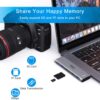
Superior Data-storing
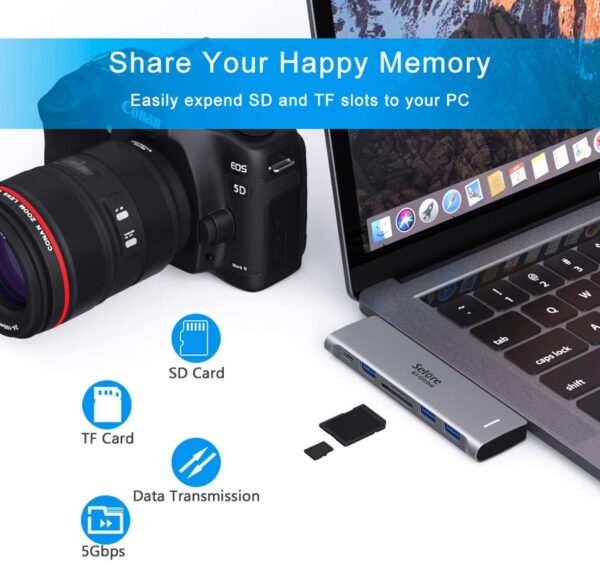
Easily expand SD and TF slots to your PC, supports up to 256G SD card; It only takes a few seconds to complete the reading speed.
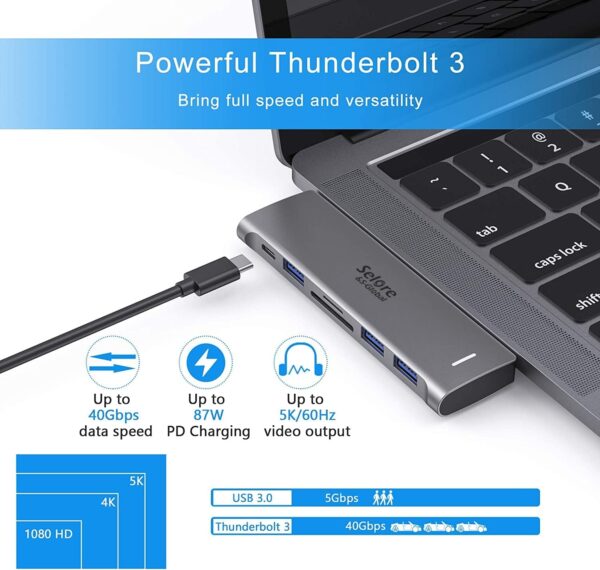
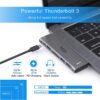
Fast Thunderbolt 3 Port
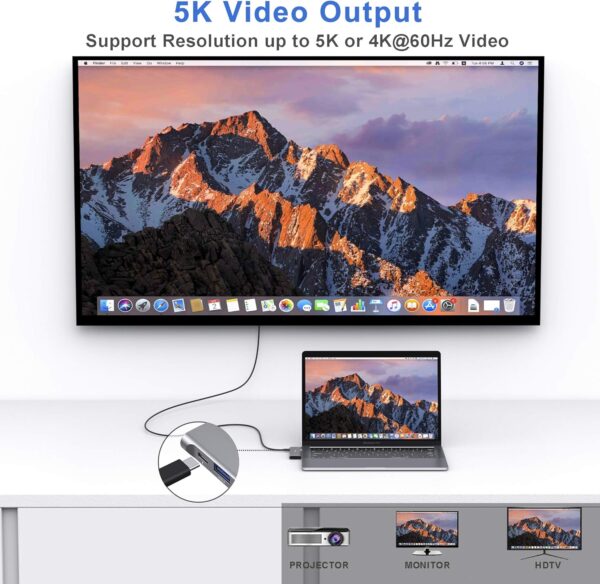
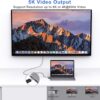
Supports up to 5K or 2x4K @ 60Hz video display; Transferring data at speeds of up to 40Gb/s; Up to 100W power.
[IMPORTANT] SPECs and Notes
Specifications 1: Thunderbolt 3 port: 100W PD charging / 40Gbps data transfer / 5K display Specifications 2: SuperSpeed USB 3.0 ports: Data transfer rate up to 5Gbps Specifications 3: Convinient SD/TF Card Reader: Read: 50 – 104MB/s; Write: 30 -40MB/s; SD and TF Card can work simultaneously. Specifications 4: Perfect compatible with Magsafe Charing. Please Note 1: This adapter won’t support Apple USB Super Drive. Please Note 2: System requirement: Mac OS Sierra or above operating systems. Please Note 3: It is not recommended to use two USB 3.0 Type-A ports for charging. Please Note 4: This adapter is NOT suitable for wearing a protective case. Please Note 5: Any part not working? No worries, we’ll help you to solve it. We have a tech team standing by and we got solution for every situation.
USB C Hub Adapter for MacBook Pro/Air 6-IN-1: This Macbook pro Adapter is specially designed for MacBook Air 13″(Retina) and MacBook Pro 13″/ 13″(Touch Bar)/ 15″(Touch Bar); (Note:this USB C Dongle can’t work with Macbook pro Case); Mac usb adapter features 100W Thunderbolt 3 port, 3 USB 3.0 ports, and SD/Micro SD card reader, expand your MacBook’s capabilities simply Super Speed USB 3.0 Transfer: This Macbook Pro usb-c adapter enable you to connect hard drive, printer, mouse and more USB devices to your MacBook Pro and transfer data at up to 5Gbp/s; Backwards compatible with USB 2.0 devices Fast Power Delivery: Macbook Pro Thunderbolt 3 hub adapter max 100W; Supports up to 5K or 2x4K@ 60Hz video display; Transferring data at speeds of up to 40Gb/s, which is two times faster than Thunderbolt 2 port Convinient USB C to SD TF Card reader: Speed up to 104 Mbp/s for USB-C/Type-C/Thunderbolt 3 devices to access files from SD/TF card reader, quickly view your photos or videos, perfect for Photographer or designer,etc; And SD and TF card can work simulataneously Aluminum Design: SELORE macbook air adapter is slim with a sleek anodized aluminium body provides better heat dissipation;If you have any problems about this macbook air dongle, please feel free to let us know, we will help you solve it. Doesn’t work with a Macbook Pro Air laptop case, and for a stable connection, do not use this macbook adapter with high power consumption devices, It supports one hard drive max and does not support Apple USB Super Drive
Price: $28.99 - $17.98 (as of May 03, 2025 11:14:56 UTC – Details)
Customers say
Customers find the USB-C hub works well with MacBook Air M models, is easy to use, and offers good value for money. The port capacity receives mixed feedback – while some appreciate the multiple USB ports, others note the MacBook lacks standard USB 3.0 ports. Customers disagree on the fit, with some finding it convenient in size while others report it doesn’t align properly. Power supply and connectivity are also mixed aspects, with several customers reporting issues with charging and loose connections. The build quality receives mixed reviews, with some finding it well-made while others report poor construction.
13 reviews for USB C Adapter for MacBook Pro/Air M1 M2 M3 2021 2020 2019 13…
R&B –
MacBooks require separate USBC connections for each screen
If you want to use dual monitors on a MacBook with an Intel Based chip (like my 2019 MacBook Air), you will need two adapters (one for each USBC port). If you plug in two screens via HDMI to this port, your computer will mirror the screens instead of extending the displays. I returned this item for that reason. The item itself is better quality than the other hub I purchased on amazon for a similar price and the resolution is clear. If it was compatible with my MacBook for dual monitors, I would have definitely kept it
Sam Hargis –
Glad to have 2 screens again!!
Incredibly easy to use- just plug in and go!I have a 2018 HP Omen 15-CE018dx. It’s an old computer at this point, and has a broken screen- but it still works just fine with modern games, especially after adding a SSD. However, since the screen broke, I’ve been stuck with only having one screen (I used to use the laptop screen plus an external monitor). I looked at reviews, and being on a tight budget went with this one.Sure enough, it works fantastically without any issues. I just plugged it into the usb-c port on my laptop, plugged in the HDMI cables, and we were off! I’m not noticing any issues whatsoever so far. The USB ports work nicely, as well, and give me the extra ports I needed without having to shell out for an additional USB hub. I have not tested the SD slot as I personally don’t need it.Also, while my laptop DOES have a broken screen and I can’t personally use it, the Windows display settings do show the option to use 3 monitors when this is hooked up- I just have it set to show the same image on 1 (my laptop screen) and 2 (the left monitor). However, if the laptop screen DID work, I would be able to use all 3 as an extended display like normal! So if you need 3 screens, this WILL work for you.I’m so glad to have two screens again! Makes everything so much easier.
no you provide a pen name –
Check before you buy
There wasn’t anything wrong with this item. It just wasn’t met for the 3 screen monitor that we bought. It didn’t come with a port for the third monitor. At least we couldn’t figure how to make it work. The main thing I wast to say. When we bought the 3 screen monitor made for laptops where it lets you add 2 more monitors this item was suggested to complement the 3screen monitor but doesn’t work that way.
Rajendhar Reddy Palem –
Connectivity Made Simple and Efficient
✅ Dual HDMI Support – Seamlessly connects two external monitors, perfect for extended displays and increased productivity. No lag, no hassle!-> Versatile Ports – Comes with USB-C, 2 USB-A ports, PD charging, and an SD/TF card reader, covering all connectivity needs in one compact device.-> Fast & Efficient – Power Delivery (PD) support ensures my MacBook charges quickly while using peripherals.-> Plug & Play – No drivers needed! Just connect, and it works flawlessly.-> Sleek & Compact – Lightweight, portable, and doesn’t take up much space—perfect for home offices or travel.
MagnumMan –
Works Just as Well as the More Expensive Counterparts
Love my MacBook but hate the fact it has just a couple USB-C ports on each side and no SD card or standard USB slots.I’ve had dongles before that increased the MacBook’s capacity but they were attached with USB-C cords that dangled and tangled. In the long run, you sacrificed portability for convenience.This unit plugs into the 2 USB-C ports on the side and adds a variety of USB and memory card functions to the mix.In my case, I attached it to the right side ports so it technically faces upside-down. Even though I can’t see the power-on light, I know it’s working because I can see the green glow of the power light shining down on my desktop.And it’s designed to look like it came with the MacBook (unless you have the newer, colored versions) and even fits nearly flush to the side.One thing to keep in mind, though, is that this is a hub/dongle and merely plugs into the USB-C slots on your MacBook. It provides no power on its own unless you plug in a power source.To that end, it has a pass-through charger port (it’s the first USB-C port available) so if you’re attempting to power yet another port off of this dongle be aware of that.Worth noting, this will NOT work if you have a cover on your MacBook. Covers that come up the side will interfere with plugging this in.As for pricing, it was the lowest priced one I could find at the time and works just as well as the more expensive ones I’ve used in the past (these were originally $100 or more at one time).
Regina Waldron –
Lightweight and portable
I use it all the time it’s very lightweight and allows me to have multiple things plugged into my macbook at once. Wish that it had at least one more type C port. Overall it’s great and I use it to import all my photos to my mac.
Digigeek –
nice finish and easy connectivity
I recently purchased this USB-C Docking Station to enhance my home office setup, and I couldn’t be happier with the performance! This adapter allows me to connect two HDMI monitors seamlessly, making multitasking incredibly efficient.What I Love:Dual HDMI Ports – Both monitors display in crisp, high resolution with no lag or flickering. Perfect for work and entertainment!Plug & Play – Super easy setup—just plug it into my laptop’s USB-C port, and everything connects instantly. No drivers needed!PD Charging – The Power Delivery (PD) port ensures my laptop stays charged while using the dock. No need for extra cables!Compact & Durable – The design is sleek, lightweight, and easy to carry around for travel or remote work.Final ThoughtsThis docking station is a must-have for anyone needing a dual-monitor setup with USB-C connectivity. It’s reliable, well-built, and works flawlessly with my laptop. Highly recommended!
Garth –
Great for the money
Exactly what I needed. Great for the price and super small. The only thing I wish it had was an extra usb port
Narán Villegas Olvera –
Funciona bien el adaptador, solo el USB que está solo en un costado se traba y el adaptador no funciona si planean usar un protector o case para su Mac, pues no alcanza a conectarse correctamente.
W W –
My husband purchased a Macbook Laptop and then wans the HDMI adaptor so I ordered it and it came very quickly and he is as happy as all get out !!!
Eric –
Fits M2 Macbook. Real usefull, solid hold, great accessory
FERNANDO GONZALEZ LOYA –
Te da bastante productividad al poder conectar 3 dispositivos al mismo tiempo, puedes cargar la Mac.
Sarai Lopez –
Funciona muy bien pero si la Mac tiene funda el adaptador no funcionará a menos que se quite la funda









R&B –
MacBooks require separate USBC connections for each screen
If you want to use dual monitors on a MacBook with an Intel Based chip (like my 2019 MacBook Air), you will need two adapters (one for each USBC port). If you plug in two screens via HDMI to this port, your computer will mirror the screens instead of extending the displays. I returned this item for that reason. The item itself is better quality than the other hub I purchased on amazon for a similar price and the resolution is clear. If it was compatible with my MacBook for dual monitors, I would have definitely kept it
Sam Hargis –
Glad to have 2 screens again!!
Incredibly easy to use- just plug in and go!I have a 2018 HP Omen 15-CE018dx. It’s an old computer at this point, and has a broken screen- but it still works just fine with modern games, especially after adding a SSD. However, since the screen broke, I’ve been stuck with only having one screen (I used to use the laptop screen plus an external monitor). I looked at reviews, and being on a tight budget went with this one.Sure enough, it works fantastically without any issues. I just plugged it into the usb-c port on my laptop, plugged in the HDMI cables, and we were off! I’m not noticing any issues whatsoever so far. The USB ports work nicely, as well, and give me the extra ports I needed without having to shell out for an additional USB hub. I have not tested the SD slot as I personally don’t need it.Also, while my laptop DOES have a broken screen and I can’t personally use it, the Windows display settings do show the option to use 3 monitors when this is hooked up- I just have it set to show the same image on 1 (my laptop screen) and 2 (the left monitor). However, if the laptop screen DID work, I would be able to use all 3 as an extended display like normal! So if you need 3 screens, this WILL work for you.I’m so glad to have two screens again! Makes everything so much easier.
no you provide a pen name –
Check before you buy
There wasn’t anything wrong with this item. It just wasn’t met for the 3 screen monitor that we bought. It didn’t come with a port for the third monitor. At least we couldn’t figure how to make it work. The main thing I wast to say. When we bought the 3 screen monitor made for laptops where it lets you add 2 more monitors this item was suggested to complement the 3screen monitor but doesn’t work that way.
Rajendhar Reddy Palem –
Connectivity Made Simple and Efficient
✅ Dual HDMI Support – Seamlessly connects two external monitors, perfect for extended displays and increased productivity. No lag, no hassle!-> Versatile Ports – Comes with USB-C, 2 USB-A ports, PD charging, and an SD/TF card reader, covering all connectivity needs in one compact device.-> Fast & Efficient – Power Delivery (PD) support ensures my MacBook charges quickly while using peripherals.-> Plug & Play – No drivers needed! Just connect, and it works flawlessly.-> Sleek & Compact – Lightweight, portable, and doesn’t take up much space—perfect for home offices or travel.
MagnumMan –
Works Just as Well as the More Expensive Counterparts
Love my MacBook but hate the fact it has just a couple USB-C ports on each side and no SD card or standard USB slots.I’ve had dongles before that increased the MacBook’s capacity but they were attached with USB-C cords that dangled and tangled. In the long run, you sacrificed portability for convenience.This unit plugs into the 2 USB-C ports on the side and adds a variety of USB and memory card functions to the mix.In my case, I attached it to the right side ports so it technically faces upside-down. Even though I can’t see the power-on light, I know it’s working because I can see the green glow of the power light shining down on my desktop.And it’s designed to look like it came with the MacBook (unless you have the newer, colored versions) and even fits nearly flush to the side.One thing to keep in mind, though, is that this is a hub/dongle and merely plugs into the USB-C slots on your MacBook. It provides no power on its own unless you plug in a power source.To that end, it has a pass-through charger port (it’s the first USB-C port available) so if you’re attempting to power yet another port off of this dongle be aware of that.Worth noting, this will NOT work if you have a cover on your MacBook. Covers that come up the side will interfere with plugging this in.As for pricing, it was the lowest priced one I could find at the time and works just as well as the more expensive ones I’ve used in the past (these were originally $100 or more at one time).
Regina Waldron –
Lightweight and portable
I use it all the time it’s very lightweight and allows me to have multiple things plugged into my macbook at once. Wish that it had at least one more type C port. Overall it’s great and I use it to import all my photos to my mac.
Digigeek –
nice finish and easy connectivity
I recently purchased this USB-C Docking Station to enhance my home office setup, and I couldn’t be happier with the performance! This adapter allows me to connect two HDMI monitors seamlessly, making multitasking incredibly efficient.What I Love:Dual HDMI Ports – Both monitors display in crisp, high resolution with no lag or flickering. Perfect for work and entertainment!Plug & Play – Super easy setup—just plug it into my laptop’s USB-C port, and everything connects instantly. No drivers needed!PD Charging – The Power Delivery (PD) port ensures my laptop stays charged while using the dock. No need for extra cables!Compact & Durable – The design is sleek, lightweight, and easy to carry around for travel or remote work.Final ThoughtsThis docking station is a must-have for anyone needing a dual-monitor setup with USB-C connectivity. It’s reliable, well-built, and works flawlessly with my laptop. Highly recommended!
Garth –
Great for the money
Exactly what I needed. Great for the price and super small. The only thing I wish it had was an extra usb port
Narán Villegas Olvera –
Funciona bien el adaptador, solo el USB que está solo en un costado se traba y el adaptador no funciona si planean usar un protector o case para su Mac, pues no alcanza a conectarse correctamente.
W W –
My husband purchased a Macbook Laptop and then wans the HDMI adaptor so I ordered it and it came very quickly and he is as happy as all get out !!!
Eric –
Fits M2 Macbook. Real usefull, solid hold, great accessory
FERNANDO GONZALEZ LOYA –
Te da bastante productividad al poder conectar 3 dispositivos al mismo tiempo, puedes cargar la Mac.
Sarai Lopez –
Funciona muy bien pero si la Mac tiene funda el adaptador no funcionará a menos que se quite la funda