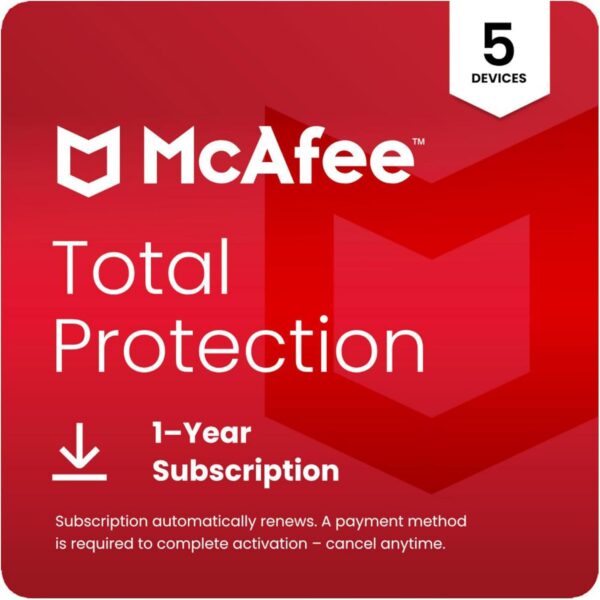
McAfee Total Protection 5-Device 2025 | 1-Year Subscription …
$119.99Original price was: $119.99.$24.99Current price is: $24.99.
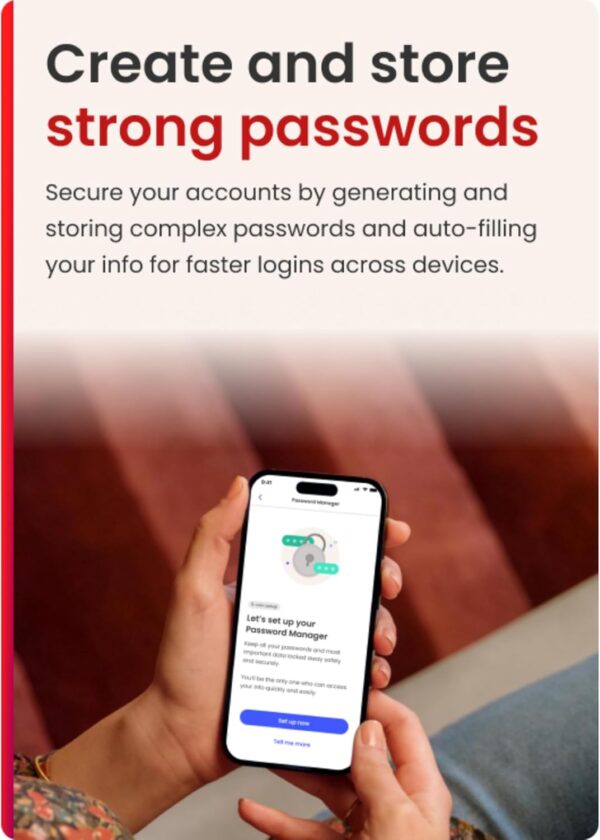
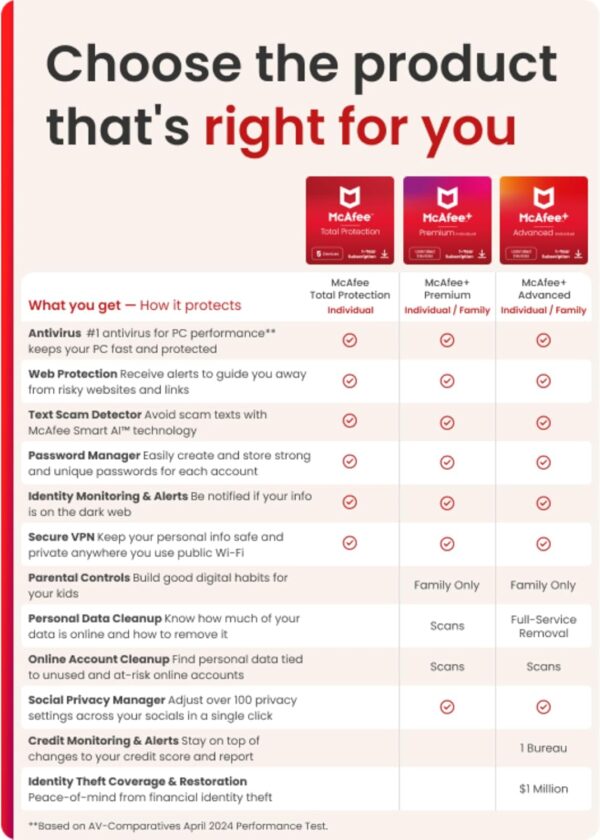
McAfee Total Protection for 5 devices provides essential protection for your personal info and privacy, so you can enjoy life online. It includes antivirus, Text Scam Detector, identity monitoring, Secure VPN, and more. Experience award-winning antivirus protection, continuously updated to safeguard your devices against the latest threats. Our AI-powered real-time PC protection prevents and removes viruses, malware, ransomware, and other online threats. Our AI-powered Text Scam Detector automatically detects and blocks risky links in text messages, emails, and social media posts – even if you accidentally click on them. Protect your online privacy with our no-log Secure VPN. It turns on automatically for unsafe Wi-Fi networks, safeguarding your personal info, passwords, credit card numbers, and more. Get alerted up to 10 months sooner than similar services if your personal information is found in a data breach. McAfee Identity Monitoring gives you the advantage of earlier detection and quick response to potential identity theft. Browse the web confidently with our color-coded safety ratings for search results and social media links. We’ll also block dangerous downloads that may contain viruses or malware. Easily create, store, and manage strong, unique passwords for all your online accounts. Our password manager also auto-fills your login info, making it simple and secure to access your accounts. Date First Available : September 18, 2022 Manufacturer : McAfee ASIN : B0BB2GF9WW
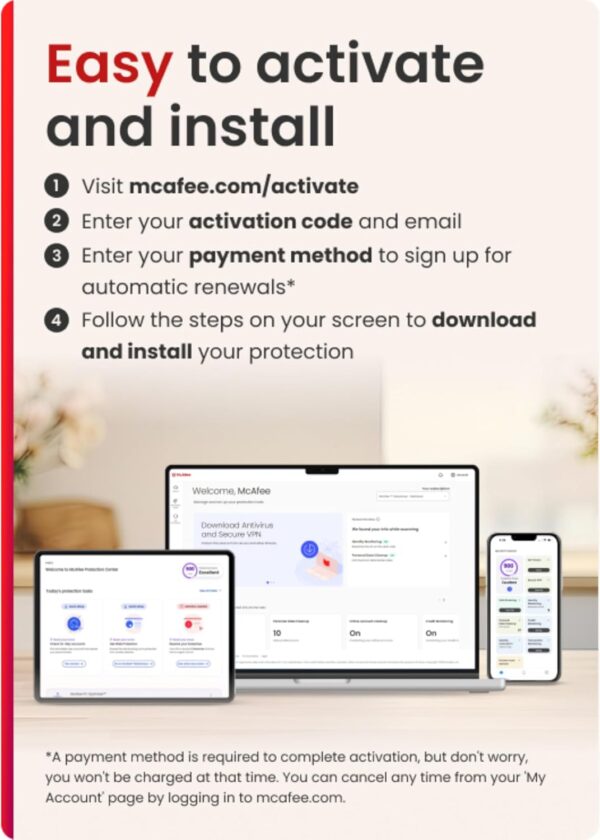
DEVICE SECURITY – Award-winning antivirus powered by McAfee Smart AI to protect you from new and evolving threats TEXT SCAM DETECTOR – Blocks risky links and warns you about text scams with AI-powered technology SECURE YOUR ONLINE PRIVACY – automatically when using public Wi-Fi. Protect your personal data and activity with Secure VPN. It safeguards your banking, shopping, and browsing by turning public Wi-Fi into your own secure connection MONITOR EVERYTHING – from email addresses to IDs and phone numbers for signs of breaches. If your info is found, we’ll notify you so you can take action SAFE BROWSING – Warns you about risky websites and phishing attempts PASSWORD MANAGER – Generates and stores complex passwords for you 24/7 CUSTOMER SUPPORT – McAfee provides 24/7 customer support, so you can always get help when you need it SUBSCRIPTION AND AUTO-RENEWAL NOTICE: Subscription automatically renews annually to provide hassle-free protection. A payment method is required to complete activation, but don’t worry, you won’t be charged at that time. You will be charged 30 days before the subscription ends and annually thereafter at the renewal price applicable. We will remind you 30 days before you are charged. You can cancel any time from your ‘My Account’ page by logging in to mcafee.com. INSTANT CODE DOWNLOAD – Digital code and activation instructions will be emailed to you after purchase
Price: $119.99 - $24.99 (as of Apr 29, 2025 05:26:31 UTC – Details)
Customers say
Customers find the security software effective at protecting computers from threats and viruses, offering coverage for up to 5 devices, and consider it good value for money. The software is easy to install and use, and can be used across multiple devices. However, customers report issues with download speed, unable to install it on their computers, and frustration with annoying pop-ups and ads that can’t be blocked or disabled.
8 reviews for McAfee Total Protection 5-Device 2025 | 1-Year Subscription …
parker –
Software for home usage.
Works effectively and easy to use.
Julie J –
There are features like VPN and identity theft protection
I bought a license for multiple devices and installed on the laptop. The default install of 30 day free trial caused a little confusion, but I found the paid version and was able to turn on the VPN and get alerts. It’s peace of mind.
HWRoaster –
It works
Was decent price during black Friday sale. This is a necessary product for PCs and Smart phones.
Jaeson Rogers –
Good product with t0o many sales pitches.
It’s a good anti-virus product, but a few things keep me from giving it a higher higher score. My complaints are that McAfee is regularly trying sell me products not included. I expect this from free ad-based product, but I am a paid customer and it’s annoying. Also, the included TrueKey password manager (windows version), while generally affective, does not allow sorting by Login Title. Instead, it allows alphabetical sorting ONLY by URL so listings sometimes can’t be found where you expect to them to be. It’s been this way for years with no apparent improvements.
D_Chap –
Annoying ads, won’t work with BING
I live in the US. If I set the VPN to US, BING will not work. If I set VPN to other country, BING works but internet access is slow. If I set VPN to Great Britain, product prices are in euros, not USD. I don’t like the fact that I cannot turn their antivirus off for troubleshooting purposes. It will let me put it on pause for up to 45 minutes, but then it turns itself back on automatically. I have had other weird behavior on my PC since installing Mcafee, but, since I can’t turn it off without completely uninstalling it, I don’t know if Mcafee is the culprit or if it’s something else. The most annoying aspect of this piece of work is the ads that can’t be blocked or disabled. “You have 1.8 GB of unneeded files slowing down your PC. Click here to remove them.” When I click to remove the files, I get an offer to buy an upgrade to what I thought was a complete package. Then, when the year of the subscription expires, the price to renew will be three or four times what I paid for the first year. Guess what. I will not be renewing.
Sheona –
Good product but shady support person
I have used mcafee for many years, I usually get an actual product code and instructions in the mail. This time it was sent electronically. With no instructions how to download. I called mcafee support and reached a scammer/hacker who wanted to help by logging into my computer then he proceeded to look at my email and was scrolling all over my computer. when I told him to get out and just show me how to download the program. He said my computer was broke and had 48 other people using it. Not true I’m the only one that uses my computer, he proceeded to tell me that I need to buy a 150.00 firewall for it to work. I told him I’m just going to check with another computer person before doing anything. He kept trying to get me to buy his products. I finally hung up on him. Very shady event and I hope mcafee does something about it I called back and the next person helped without logging into my computer, was a very simple process. Be careful when calling their support people.
Rich Haven –
Ease of installation.
Purchased a 5 device program. So far have only been able to install on one device.After connecting to tech support everything is installed and working properly
Book Gnome –
Streamline Installation WITHOUT Auto-Renew Requirement
McAfee security software actually works well. I switched from Norton several years ago due to their draconian auto-renewal requirements, and have not run into trouble using McAfee since. However, what still annoys me most about McAfee is the ridiculous renewal fee — more than what it costs just to buy it new right here — and their attempt to make it look like you MUST set up auto-renew during the installation process. You don’t! But that fact is well hidden by the smallest text visible — see the arrow and red box for where to click to proceed with your product installation normally without auto renew. Even having been through this process repeatedly, I always have to hunt for that teeny-weeny text. The other thing I really don’t like about the software itself is that frequent popups try to convince you to upgrade or renew, and YOU CANNOT CLOSE THE POPUP WINDOW. You either have to click to buy what they’re selling, or click a discouragingly-worded button that says something like “Stay vulnerable and unprotected.” That really annoys me and I’ll usually use Task Manager to force-quit the ad box. Again, this product works well but McAfee’s marketing strategies are truly annoying.
















parker –
Software for home usage.
Works effectively and easy to use.
Julie J –
There are features like VPN and identity theft protection
I bought a license for multiple devices and installed on the laptop. The default install of 30 day free trial caused a little confusion, but I found the paid version and was able to turn on the VPN and get alerts. It’s peace of mind.
HWRoaster –
It works
Was decent price during black Friday sale. This is a necessary product for PCs and Smart phones.
Jaeson Rogers –
Good product with t0o many sales pitches.
It’s a good anti-virus product, but a few things keep me from giving it a higher higher score. My complaints are that McAfee is regularly trying sell me products not included. I expect this from free ad-based product, but I am a paid customer and it’s annoying. Also, the included TrueKey password manager (windows version), while generally affective, does not allow sorting by Login Title. Instead, it allows alphabetical sorting ONLY by URL so listings sometimes can’t be found where you expect to them to be. It’s been this way for years with no apparent improvements.
D_Chap –
Annoying ads, won’t work with BING
I live in the US. If I set the VPN to US, BING will not work. If I set VPN to other country, BING works but internet access is slow. If I set VPN to Great Britain, product prices are in euros, not USD. I don’t like the fact that I cannot turn their antivirus off for troubleshooting purposes. It will let me put it on pause for up to 45 minutes, but then it turns itself back on automatically. I have had other weird behavior on my PC since installing Mcafee, but, since I can’t turn it off without completely uninstalling it, I don’t know if Mcafee is the culprit or if it’s something else. The most annoying aspect of this piece of work is the ads that can’t be blocked or disabled. “You have 1.8 GB of unneeded files slowing down your PC. Click here to remove them.” When I click to remove the files, I get an offer to buy an upgrade to what I thought was a complete package. Then, when the year of the subscription expires, the price to renew will be three or four times what I paid for the first year. Guess what. I will not be renewing.
Sheona –
Good product but shady support person
I have used mcafee for many years, I usually get an actual product code and instructions in the mail. This time it was sent electronically. With no instructions how to download. I called mcafee support and reached a scammer/hacker who wanted to help by logging into my computer then he proceeded to look at my email and was scrolling all over my computer. when I told him to get out and just show me how to download the program. He said my computer was broke and had 48 other people using it. Not true I’m the only one that uses my computer, he proceeded to tell me that I need to buy a 150.00 firewall for it to work. I told him I’m just going to check with another computer person before doing anything. He kept trying to get me to buy his products. I finally hung up on him. Very shady event and I hope mcafee does something about it I called back and the next person helped without logging into my computer, was a very simple process. Be careful when calling their support people.
Rich Haven –
Ease of installation.
Purchased a 5 device program. So far have only been able to install on one device.After connecting to tech support everything is installed and working properly
Book Gnome –
Streamline Installation WITHOUT Auto-Renew Requirement
McAfee security software actually works well. I switched from Norton several years ago due to their draconian auto-renewal requirements, and have not run into trouble using McAfee since. However, what still annoys me most about McAfee is the ridiculous renewal fee — more than what it costs just to buy it new right here — and their attempt to make it look like you MUST set up auto-renew during the installation process. You don’t! But that fact is well hidden by the smallest text visible — see the arrow and red box for where to click to proceed with your product installation normally without auto renew. Even having been through this process repeatedly, I always have to hunt for that teeny-weeny text. The other thing I really don’t like about the software itself is that frequent popups try to convince you to upgrade or renew, and YOU CANNOT CLOSE THE POPUP WINDOW. You either have to click to buy what they’re selling, or click a discouragingly-worded button that says something like “Stay vulnerable and unprotected.” That really annoys me and I’ll usually use Task Manager to force-quit the ad box. Again, this product works well but McAfee’s marketing strategies are truly annoying.