Laptop Screen Extender, 14.2″ Portable Triple Monitor for La…
$399.99Original price was: $399.99.$279.99Current price is: $279.99.
Product Description
Connection Methods:
A: At least 2 full function Type-C ports (supports video output & power output)
Screen 1: Type-C to Type-C cable*1Screen 2: Type-C to Type-C cable*1
B: At least 1 full function Type-C port + 1 HDMI port (support video output) +1 USB-A or 1 Non-functional Type-C port (support power output).
Screen 1: Type-C to Type-C cable*1Screen 2: HDMI to Type-C cable*1 + USB-A to Type-C cable*1
C: At least 2 HDMI ports + 2 USB-A ports (or 2 Non-functional Type-C port)
Screen 1: HDMI to Type-C cable*1 + USB-A to Type-C cable*1 Screen 2: HDMI to Type-C cable*1 + USB-A to Type-C cable*1
Note:
Before purchasing this product, compare your laptop ports (and docking station) port types to see if they match one of the above connection options. If not, you can enquire us for further solutions. If the number of ports is not enough, you can choose to expand the number of ports with a port docking station.Check the back of the laptop monitor extender to ensure that the HDMI to Type-C cable is plugged into the Type-C port labeled HDMI on the screen extender (with font identification). If the screen shows no signal after connecting with the HDMI+USB-A cable, try unplugging the HDMI cable and plugging it in again.If the screen shows power saving mode reminder/flashing/black screen, it may be that your laptop has insufficient power or voltage to support three screens working at the same time. Please use an additional USB-A to USB-C cable to power your laptop or monitor extender.Please feel free to send us a message through the “About Seller” section on the seller’s homepage if you have any questions. (In case of product connection problems, you can directly provide the specific model of your laptop and photos of both sides of the ports (need to unplug all the cables), and we will check the compatibility and provide a solution for you.)
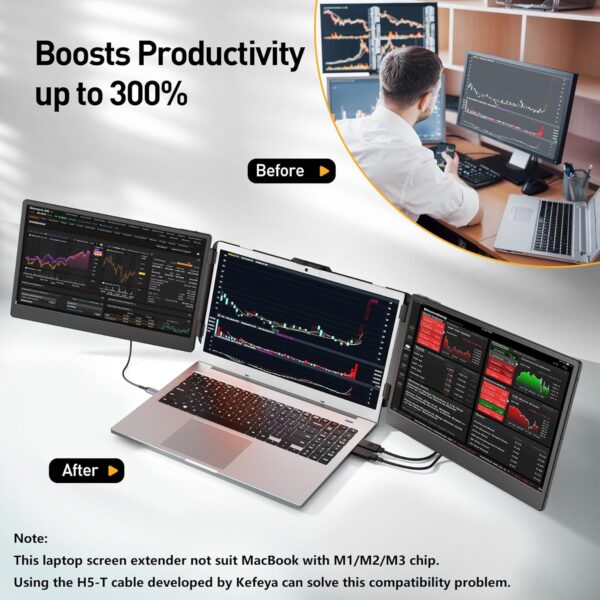
This laptop screen extender not suit MacBook with M1/M2/M3 chip, to resolve this compatibility issue, search for Search “B0DF7CG7MC” for Kefeya H5-T special cable. (If your laptop is missing a video out port, you can also use this H5-T cable to convert a UBS-A port or a non-functional Type-C port into a port with video out capability.)
Applicable Systems
MAC/Windows/Android/Linux/Chrome/Switch/PS5 Windows/Android/Chrome/linux/Dex/Mac (Not for M1/M2/M3/M2 Pro) Windows/Android/Chrome/linux/Dex/Mac Windows/Android/Chrome/linux/Dex/Mac (Not for M1/M2/M3/M2 Pro) Laptop/Macbook/iPad/Switch/Phone/PC/PS4&5/Xbox All
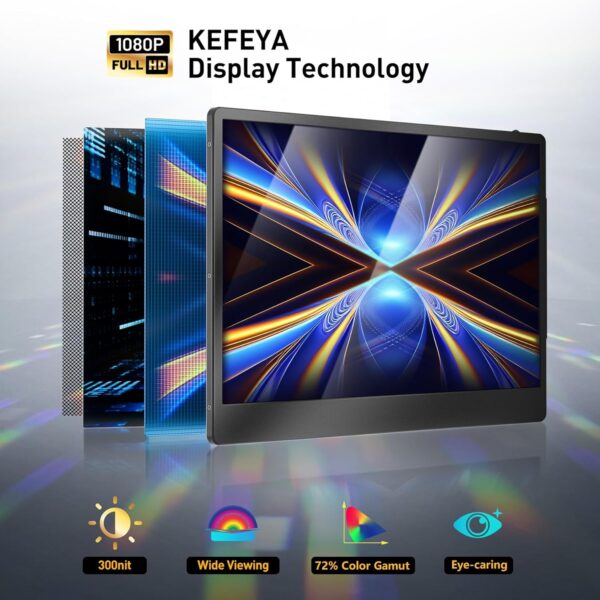
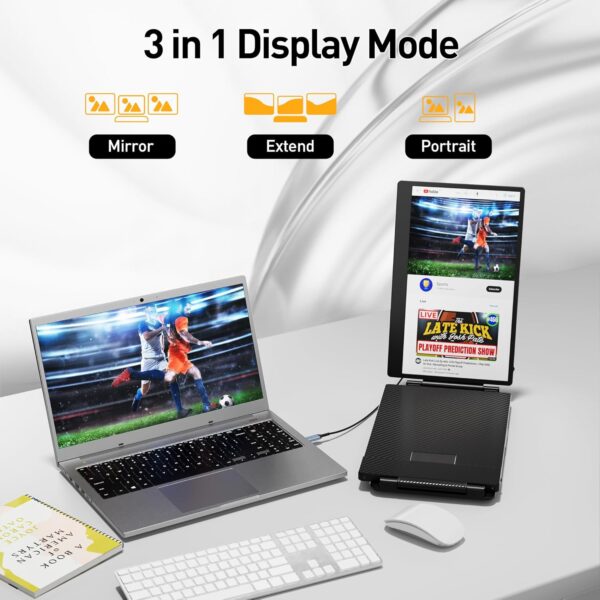
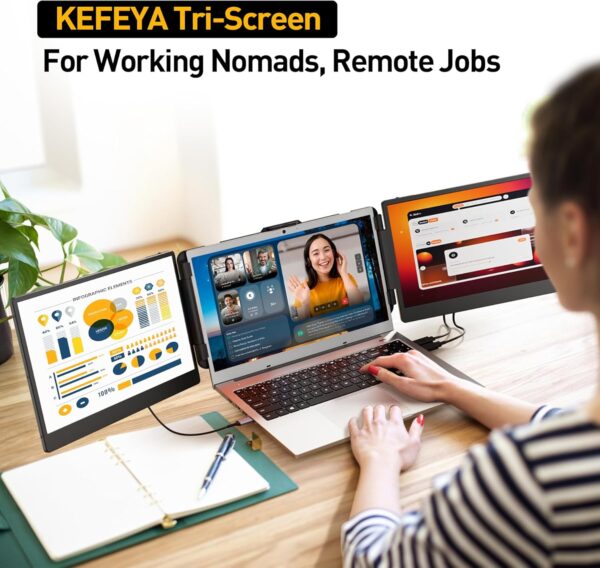
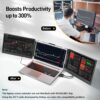
【Perfect for Travel】KEFEYA 14.2 laptop monitor extender is designed for on-the-go professionals. The dual monitor supports a 0-180 degree rotation angle and folds compactly for easy storage in your computer bag. The supplied bag is also of the highest qualiy and feels durable. Ideal for work, travel, online classes, gaming, and video conferences. 【Easy to Set】KEFEYA laptop screen extender operates seamlessly with a plug-and-play mechanism, providing all necessary cables for Type-C, HDMI, and USB-A connectivity. Compatible with various systems, including Windows, Mac OS, Switch, PS4, and Xbox One, it sets up and takes down effortlessly. 【Premium Screen Display】With this Kefeya portable monitor, you can multitask efficiently and easily. You can also share the screen with your partners in scenarios such as meetings or study discussions, with HD image quality for a clearer viewing experience. This laptop screen extender allows you to set the parameters of the screen according to your personal habits, such as brightness, contrast, color temperature, etc., with memory function. 【Ergonomic Design】With its lightweight yet durable design and focus on ergonomics, KEFEYA triple monitor for laptop helps boost productivity in a comfortable, customisable fashion. The slim monitors allow for easy transport while the adjustable stands provide flexibility to set up the perfect viewing angle, reducing eye strain during long work sessions. The stable and expandable mounting bracket can be easily placed on a laptop frame without the need for additional accessories such as magnets. 【Useful Tips】Due to the limitations of some laptop port types, not all laptops are suitable for this product. If you encounter connection failure, please contact our after-sales team directly and we will provide you with a satisfactory solution. In addition, the portable monitor for laptop is compatible with MacBooks equipped with the M1 Pro and M1 Max chips, but not MacBooks equipped with the M1 or M2 / M2 Pro / M3 chip. (Chip incompatibility issues between this product and MacBook can be resolved by using the H5-T cable developed under the Kefeya. Search “B0DF7CG7MC” for this special cable.)
Price: $399.99 - $279.99 (as of Apr 10, 2025 09:56:27 UTC – Details)
Customers say
Customers find the monitor extender easy to set up and connect, with excellent resolution and brightness. The product works flawlessly with MacBook Pro and enhances workflow, particularly for virtual work. Customers appreciate its portability, being light enough for carry-on bags, and its build quality with a sturdy kickstand. They like the extra screen space it provides, and one customer notes it’s perfect for small workspaces.
10 reviews for Laptop Screen Extender, 14.2″ Portable Triple Monitor for La…
Ron S. –
Switching to a 3-monitor setup for my laptop has been an absolute game-changer!
2nd Purchase:I just bought another 3-monitor setup for my laptop. This KEFEYA 15 inch version works beautifully . The ease of setup, along with the impressive build quality of their monitors, made the transition smooth and seamless. The larger screen has helped my productivity skyrocket, as having extra screen space allows me to multitask efficiently without constantly switching between tabs. It fits nicely in my laptop bag too. I can’t tell you how many people ask me what this is when I am working at the airport or hotels.The colors are vibrant, and the resolution is crisp, making it perfect for both work and entertainment. KEFEYA has truly elevated my workspace, and I couldn’t be happier with this setup. Highly recommend it for anyone looking to upgrade their home office!1st Review for 14 inch model:Switching to a 3-monitor setup for my laptop has been an absolute game-changer, and I love it! Having all that screen real estate makes multitasking so much smoother—I can keep my work, emails, and research open simultaneously without feeling cramped. It’s amazing how much more productive I feel when I don’t have to constantly alt-tab between windows.I also love how immersive it feels, especially for creative projects or even gaming. It’s like having a command center right on my desk! Honestly, I can’t imagine going back to just one screen—this setup has completely spoiled me, and I’m here for it.
Brendan Hannon –
Easy and efficient way to add more screens to your laptop.
I’ve wanted to build a PC for a while now, but the only spot I could place one would not be ideal for a PC, so I got a souped-up HP Envy in the fall. It has a 4060 on it, and I really only use it for coding and graphic design on Canva. However, I’m always switching between a million screens no matter what I’m doing, so this is great, although I’m still getting used to using the additional screens. My job also just gave me a second screen last week. I have all these new screens coming into my life at once.The quality of the picture is solid. The setup is easy; I set it up and take it down each time I use it, and it takes two minutes max. You can set it up as a portable monitor instead of an extender if you want, and you and your buddy can start a speed stacking competition with opening and closing them without breaking them.It’s not bulky, but it doesn’t seem fragile or like it will break easily, which I’m happy about. But it also doesn’t seem cheap. You have to remember you’re opening and closing this thing onto itself. It’s not heavy, but it’s also not super light. For reference, you could fit a laptop and its charger in a case along with this in its case in the main pouch of a backpack and still fit a few notebooks and a bag of Lay’s cheddar sour cream baked potato chips, a 2 lb bag of banana runts, and it’s going to weigh less than when you were in high school and had to carry every textbook in it for the day. The difference between then and now? We didn’t have laptop screen extenders, and we also couldn’t get 2 lbs of banana runts shipped to our house the next day.My only complaints, but really just suggestions, are:- I wish the screens had more range of motion instead of just opening on the y-axis like a book.- I wish I could move them on the x-axis to angle the screens back a bit. I see other brands offer that, along with rotation, for more money, but I don’t even want the rotation, just the angling screens, which brings me to my next point.Since the screens can’t be tilted back without moving the entire laptop screen, I think the kickstand on the back should be longer. I have to layer the foam pads and the case and place the kickstand on that for how I use it. Additionally, the kickstand could be sturdier; it’s pretty much a Fire Stick battery cover with an adjustable bamboo stick you can bring down to hold it.I had my rating at a 4, but after doing this review, I have to give it a 5. I’m over here taking a star away because of a kickstand; what’s happening to me? I’ve only had it for about two weeks, and it’s great. I hesitated buying it for a week because of comments saying their HP Envy didn’t work with it. It works great for mine. I need to use it more as a portable monitor without mounting it on my laptop.
David Agogo-Mawuli –
The best screen extender
The 15.6″ FHD 1080P IPS Laptop Screen Extender is a powerful tool for boosting productivity. Its Full HD display delivers sharp visuals and wide viewing angles, making multitasking seamless. The plug-and-play setup ensures easy use without complicated installations. Compatible with Windows, macOS, Android, Linux, and Chrome, it works effortlessly across devices. Designed for 13″-17.3″ laptops, it is lightweight, portable, and ideal for travel. Despite its large screen, it remains energy-efficient, minimizing battery drain. Overall, this 5-star extender is a must-have for professionals and students alike
AA – AmazonAddict –
Works with help
I like the screen and that it attaches to the laptop. Looks good. The issue is they show a photo of someone with it in their lap. That does not work. The monitor is too heavy and even when latched on it won’t stay on its own. You need a table so you can use the kickstand. I actually added two small command hooks at the top so it also holds to be laptop that way. It works. Was disappointed it doesn’t work like I wanted but still giving it four stars because it’s super easy to use otherwise thanks to my workaround.
Jack S. –
Game-Changer for Productivity and Travel!
I absolutely love my KEFEYA 14.2″ Portable Triple Monitor! It has completely transformed my laptop setup, turning it from a single-screen workstation into a three-screen productivity hub. As someone who needs multiple displays for efficiency, this extender has been a game-changer.The setup was straightforward, and the screens provide crisp, vibrant visuals. Whether I’m working from home or on the go, having the extra screens significantly boosts my workflow. I’ve even traveled with it for work trips, and it’s been a lifesaver when dealing with complex tasks that require multiple windows open at once.If you’re looking for a portable multi-monitor solution to supercharge your productivity, I highly recommend this one. It’s well-built, easy to use, and worth every penny!
Tricia Forhan –
I am really disappointed with this screen add on overall. It got impacted in transit as the screen, when it folds, faces out, which means it is at risk of being bumped by something, which is exactly what happened! big crack in my sreen and is now unusable. If you are going to invest in an additonal laptop screen, get one that folds in and is protected by the frame, and does not face out 🙁
Sharyn Gommers –
Could not love these screens more! Easy to set up & use, small enough to take away with us.
Guilherme –
It works perfect.
Rosa –
pantalla parpadea continuamente, no compptible con Windows 11 ni ordenador Asus
Silvia –
Si installa facilmente e ha diversi cavi con cui poterlo collegare al laptop. È stato un regalo ma ho avuto modo di usarlo anche io personalmente sia su un laptop che su un computer fisso. La comodità è che nel laptop non è così pesante da piegare il monitor (e comunque ha un suo piedino se si è su una scrivania lo si riesce a utilizzare) e diventa propio un estensione dello schermo. Invece nel computer fisso diventava un vero secondo monitor. Consigliato per chi vuole qualcosa di veloce da installare e pratico da portare con sé.














Ron S. –
Switching to a 3-monitor setup for my laptop has been an absolute game-changer!
2nd Purchase:I just bought another 3-monitor setup for my laptop. This KEFEYA 15 inch version works beautifully . The ease of setup, along with the impressive build quality of their monitors, made the transition smooth and seamless. The larger screen has helped my productivity skyrocket, as having extra screen space allows me to multitask efficiently without constantly switching between tabs. It fits nicely in my laptop bag too. I can’t tell you how many people ask me what this is when I am working at the airport or hotels.The colors are vibrant, and the resolution is crisp, making it perfect for both work and entertainment. KEFEYA has truly elevated my workspace, and I couldn’t be happier with this setup. Highly recommend it for anyone looking to upgrade their home office!1st Review for 14 inch model:Switching to a 3-monitor setup for my laptop has been an absolute game-changer, and I love it! Having all that screen real estate makes multitasking so much smoother—I can keep my work, emails, and research open simultaneously without feeling cramped. It’s amazing how much more productive I feel when I don’t have to constantly alt-tab between windows.I also love how immersive it feels, especially for creative projects or even gaming. It’s like having a command center right on my desk! Honestly, I can’t imagine going back to just one screen—this setup has completely spoiled me, and I’m here for it.
Brendan Hannon –
Easy and efficient way to add more screens to your laptop.
I’ve wanted to build a PC for a while now, but the only spot I could place one would not be ideal for a PC, so I got a souped-up HP Envy in the fall. It has a 4060 on it, and I really only use it for coding and graphic design on Canva. However, I’m always switching between a million screens no matter what I’m doing, so this is great, although I’m still getting used to using the additional screens. My job also just gave me a second screen last week. I have all these new screens coming into my life at once.The quality of the picture is solid. The setup is easy; I set it up and take it down each time I use it, and it takes two minutes max. You can set it up as a portable monitor instead of an extender if you want, and you and your buddy can start a speed stacking competition with opening and closing them without breaking them.It’s not bulky, but it doesn’t seem fragile or like it will break easily, which I’m happy about. But it also doesn’t seem cheap. You have to remember you’re opening and closing this thing onto itself. It’s not heavy, but it’s also not super light. For reference, you could fit a laptop and its charger in a case along with this in its case in the main pouch of a backpack and still fit a few notebooks and a bag of Lay’s cheddar sour cream baked potato chips, a 2 lb bag of banana runts, and it’s going to weigh less than when you were in high school and had to carry every textbook in it for the day. The difference between then and now? We didn’t have laptop screen extenders, and we also couldn’t get 2 lbs of banana runts shipped to our house the next day.My only complaints, but really just suggestions, are:- I wish the screens had more range of motion instead of just opening on the y-axis like a book.- I wish I could move them on the x-axis to angle the screens back a bit. I see other brands offer that, along with rotation, for more money, but I don’t even want the rotation, just the angling screens, which brings me to my next point.Since the screens can’t be tilted back without moving the entire laptop screen, I think the kickstand on the back should be longer. I have to layer the foam pads and the case and place the kickstand on that for how I use it. Additionally, the kickstand could be sturdier; it’s pretty much a Fire Stick battery cover with an adjustable bamboo stick you can bring down to hold it.I had my rating at a 4, but after doing this review, I have to give it a 5. I’m over here taking a star away because of a kickstand; what’s happening to me? I’ve only had it for about two weeks, and it’s great. I hesitated buying it for a week because of comments saying their HP Envy didn’t work with it. It works great for mine. I need to use it more as a portable monitor without mounting it on my laptop.
David Agogo-Mawuli –
The best screen extender
The 15.6″ FHD 1080P IPS Laptop Screen Extender is a powerful tool for boosting productivity. Its Full HD display delivers sharp visuals and wide viewing angles, making multitasking seamless. The plug-and-play setup ensures easy use without complicated installations. Compatible with Windows, macOS, Android, Linux, and Chrome, it works effortlessly across devices. Designed for 13″-17.3″ laptops, it is lightweight, portable, and ideal for travel. Despite its large screen, it remains energy-efficient, minimizing battery drain. Overall, this 5-star extender is a must-have for professionals and students alike
AA – AmazonAddict –
Works with help
I like the screen and that it attaches to the laptop. Looks good. The issue is they show a photo of someone with it in their lap. That does not work. The monitor is too heavy and even when latched on it won’t stay on its own. You need a table so you can use the kickstand. I actually added two small command hooks at the top so it also holds to be laptop that way. It works. Was disappointed it doesn’t work like I wanted but still giving it four stars because it’s super easy to use otherwise thanks to my workaround.
Jack S. –
Game-Changer for Productivity and Travel!
I absolutely love my KEFEYA 14.2″ Portable Triple Monitor! It has completely transformed my laptop setup, turning it from a single-screen workstation into a three-screen productivity hub. As someone who needs multiple displays for efficiency, this extender has been a game-changer.The setup was straightforward, and the screens provide crisp, vibrant visuals. Whether I’m working from home or on the go, having the extra screens significantly boosts my workflow. I’ve even traveled with it for work trips, and it’s been a lifesaver when dealing with complex tasks that require multiple windows open at once.If you’re looking for a portable multi-monitor solution to supercharge your productivity, I highly recommend this one. It’s well-built, easy to use, and worth every penny!
Tricia Forhan –
I am really disappointed with this screen add on overall. It got impacted in transit as the screen, when it folds, faces out, which means it is at risk of being bumped by something, which is exactly what happened! big crack in my sreen and is now unusable. If you are going to invest in an additonal laptop screen, get one that folds in and is protected by the frame, and does not face out 🙁
Sharyn Gommers –
Could not love these screens more! Easy to set up & use, small enough to take away with us.
Guilherme –
It works perfect.
Rosa –
pantalla parpadea continuamente, no compptible con Windows 11 ni ordenador Asus
Silvia –
Si installa facilmente e ha diversi cavi con cui poterlo collegare al laptop. È stato un regalo ma ho avuto modo di usarlo anche io personalmente sia su un laptop che su un computer fisso. La comodità è che nel laptop non è così pesante da piegare il monitor (e comunque ha un suo piedino se si è su una scrivania lo si riesce a utilizzare) e diventa propio un estensione dello schermo. Invece nel computer fisso diventava un vero secondo monitor. Consigliato per chi vuole qualcosa di veloce da installare e pratico da portare con sé.